Make every design feel like your church.
Start with a draft built from Sunday's message. Then make the words and artwork feel right before you decide it is ready to share.

Hope is not pretending the storm is small. It is knowing who holds you in it.
C.K
A draft can still sound like you.
Make the small decisions that matter: the wording, the hierarchy, and the details people see when they stop scrolling.
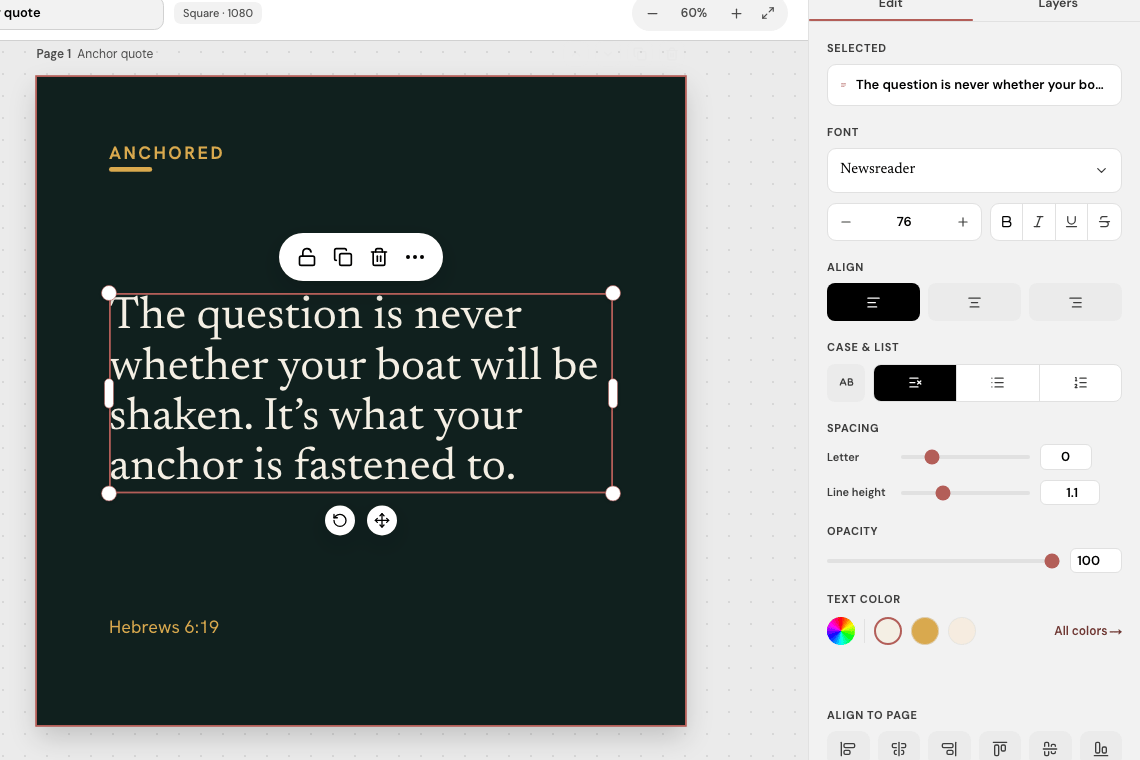
The selected quote stays on the canvas while the editor keeps its controls close by.
A straightforward path from draft to final file.
Keep the useful work from the first draft, without starting from a blank canvas.
01
Read the draft
Open the design that came from your sermon and keep the message in view while you review it.
02
Shape what needs attention
Select text on the canvas, then tune its type, alignment, spacing, and color in the inspector.
03
Export when it looks right
Download individual images or export the complete content set when your review is done.
Bring a sermon draft into the editor.
Add a YouTube sermon and begin with editable content you can review.