Add a QR code to a church flyer or slide
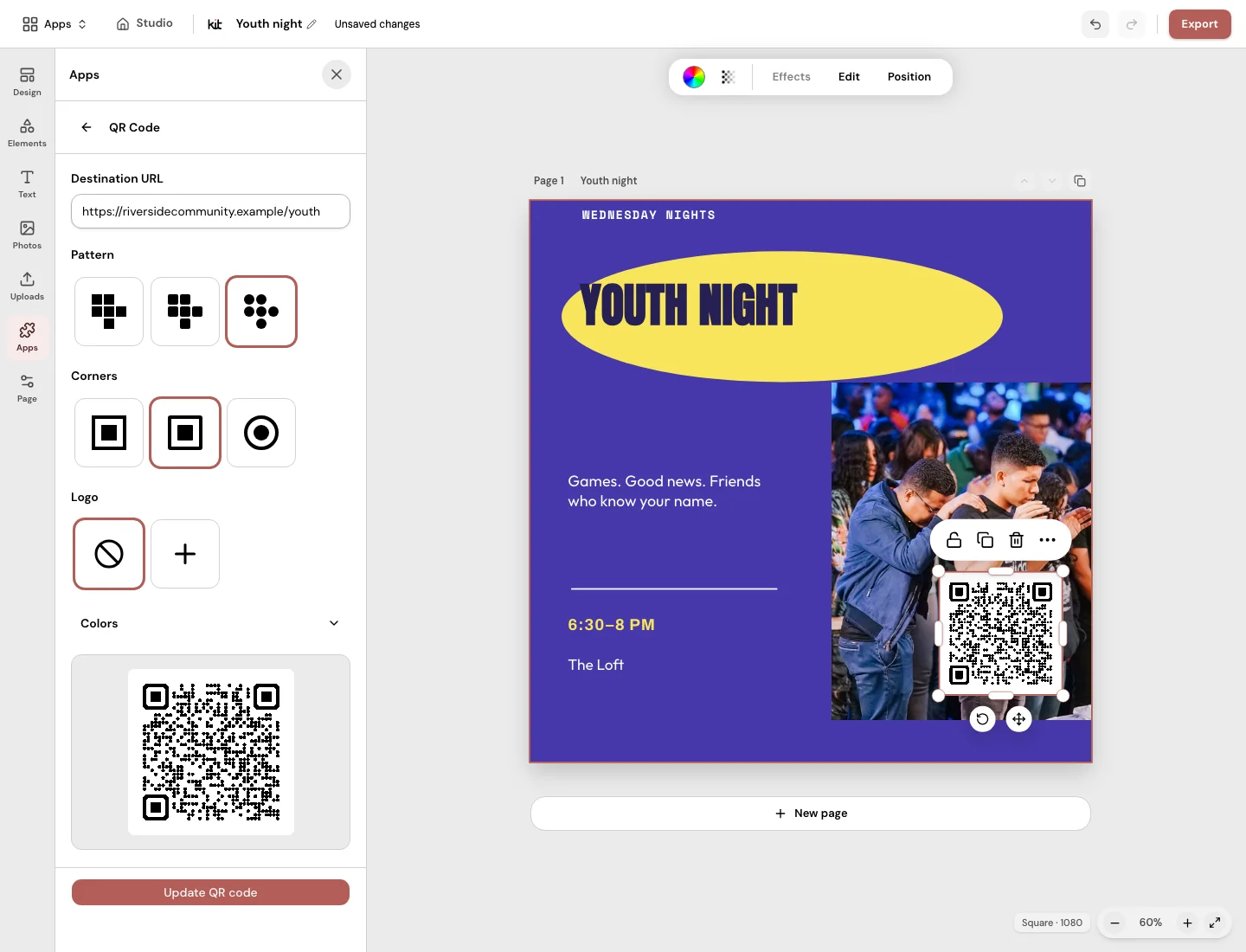
Design’s QR code tool adds a code to a church flyer or slide. It opens any web address you pick.
Free with any account. Plans start at US$29.95 a month.
“How do people reach my page from paper?”
The flyer is on the wall, but the sign-up page is online. A QR code lets people scan it with a phone and open your page.
Any web address.
Type or paste a web address that starts with http:// or https://. The code updates as you type.
Your style.
Pick one of three looks and three corner styles. The code stays dark on a light background.
Preview, then add.
You see the code before you add it. Then move or resize it like any other part of the design.
What to know. The code always opens the address you typed. Design does not track scans.
Questions about QR code
What does the QR code open?
Any web address you enter. Try your Church in bio, a sign-up page or a giving page.
Can I choose how the QR code looks?
Yes. Pick one of three looks and one of three corner styles.
Will the QR code change if I change my page?
No. It always opens the address you entered. If that address changes, make a new code.
Does Design track scans?
No. Design does not track scans.
Where can I use a QR code?
On any design, such as a flyer, a slide or a social image. Download it as a PNG or JPG.
Can I edit the QR code after I add it?
Yes. Move or resize it like any other part of the design.
Should I test the code before I share it?
Yes. Scan it with a phone first. Check that it opens the right page.
Is the QR code tool included in my plan?
Yes. Design comes with every plan.
More in Design
Your church’s look, ready on Sunday.
Add a QR code to a design, then download it.
Free with any account. Plans start at US$29.95 a month.
More apps in Church Media Kit.
 Sermon to SocialPaste a YouTube sermon link. Get posts you can edit and share yourself.
 Sermon ClipsUpload a sermon video. Get short video clips with captions.
 Sermon SlidesTurn your sermon notes into a presentation and livestream text bars.
 Verse of the DayA ready-made Bible verse image for every day.
 BackgroundsBackgrounds for the song words on your church screens.
 Church in bioOne link for your Instagram or Facebook page, with service times and directions.