Product evaluation and buying decisions
Is Canva free for churches? Canva Nonprofits eligibility explained
Canva Pro can be free for churches through Canva Nonprofits, but only if Canva approves the application. Here is what Canva says today, what is still unclear, and what to do if you are declined.
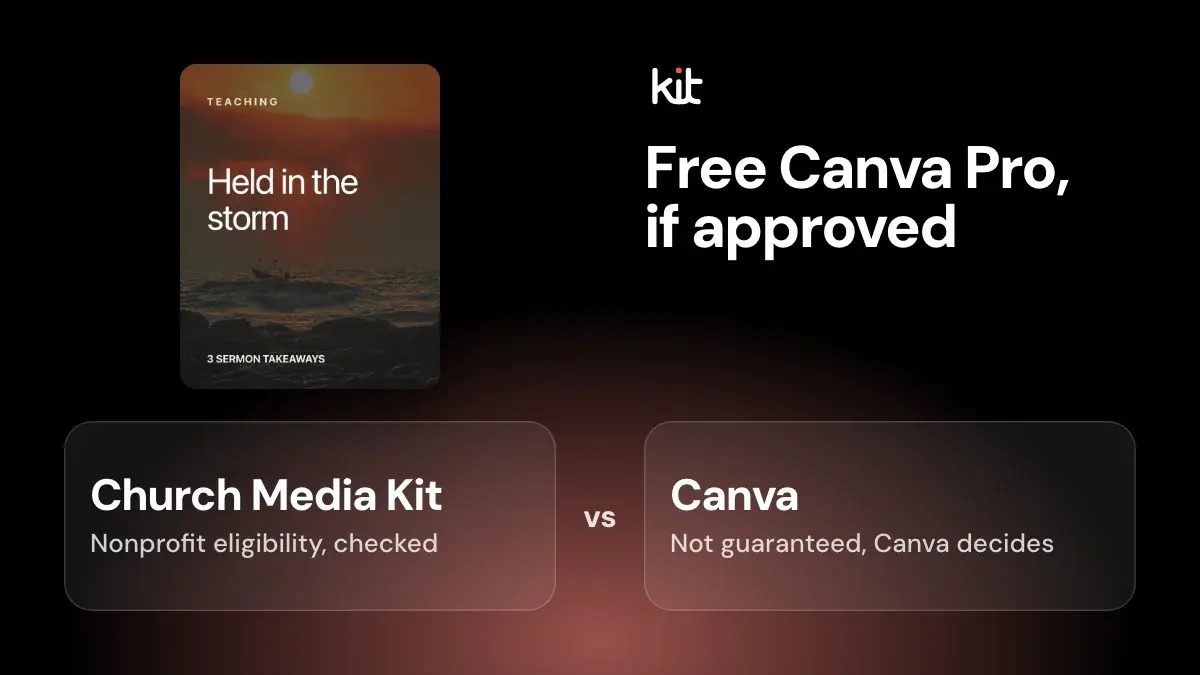
Sometimes. Canva gives its Pro features free to registered charitable nonprofits through Canva Nonprofits, and a church that meets Canva's rules can apply. Canva's own pages do not mention churches, and Canva decides every application, so approval is not guaranteed.
This guide is based on pages we read on 15 October 2026. Canva changes its program, so check the linked pages before you apply. We make Church Media Kit, a sermon-to-graphics tool, so we have a commercial interest. We kept the facts to what each source says.
Scope and what we could check
We read Canva's eligibility guidelines, its Nonprofits page and its features page. We also read the IRS page on churches and a Church of England Digital Labs guide dated 11 July 2025.
We did not apply for Canva Nonprofits, create a Canva account, or see Canva's application form. We could not read the verification partner's document list for the United States. Where a point is our reasoning and not a quote from a source, we say so.
Can a church get Canva Pro for free?
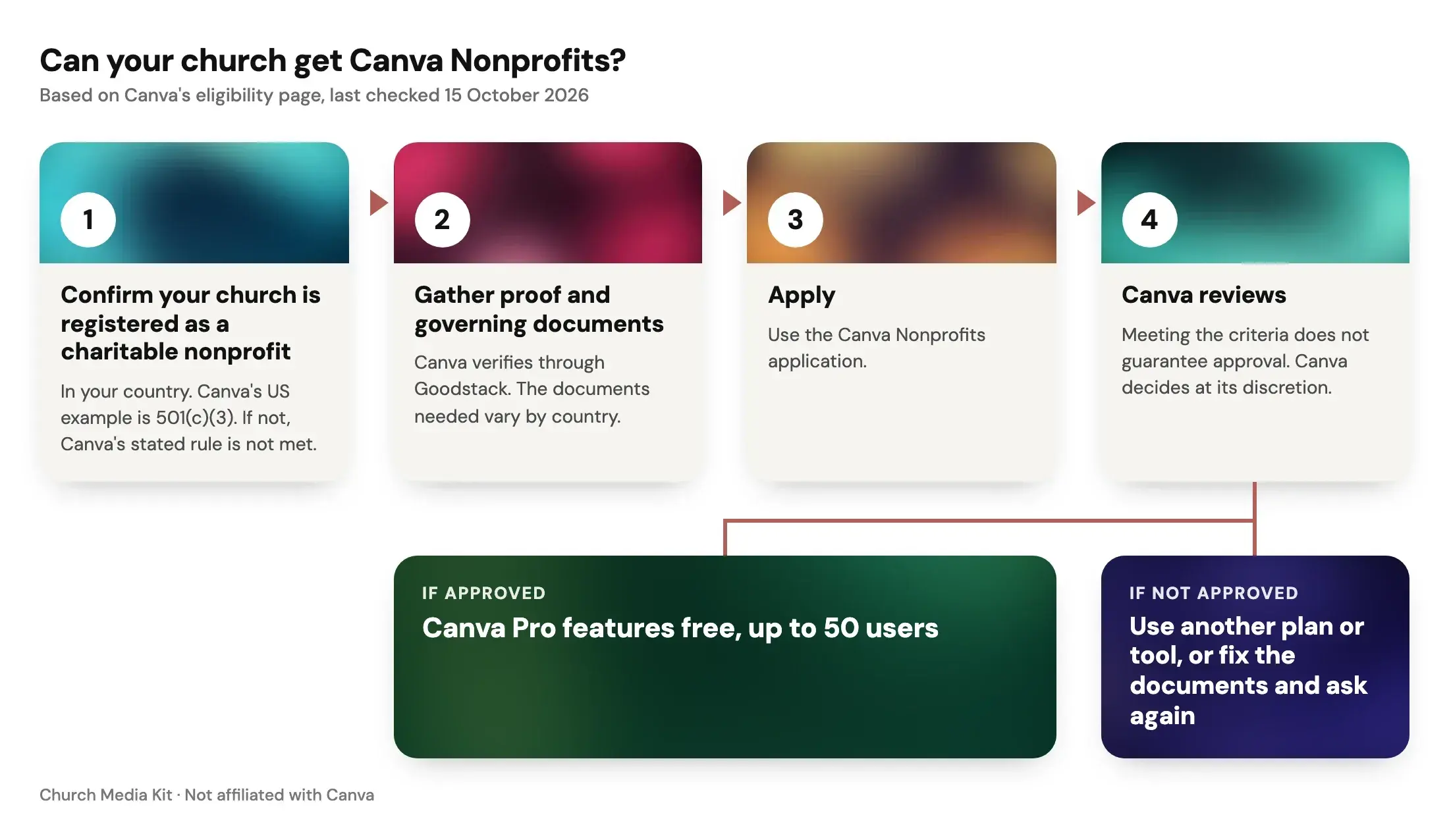
Canva's Nonprofits page says the program "gives registered organizations free access to all Canva Pro features – plus collaboration tools for up to 50 users." The same page says additional seats are 50% off Canva Enterprise.
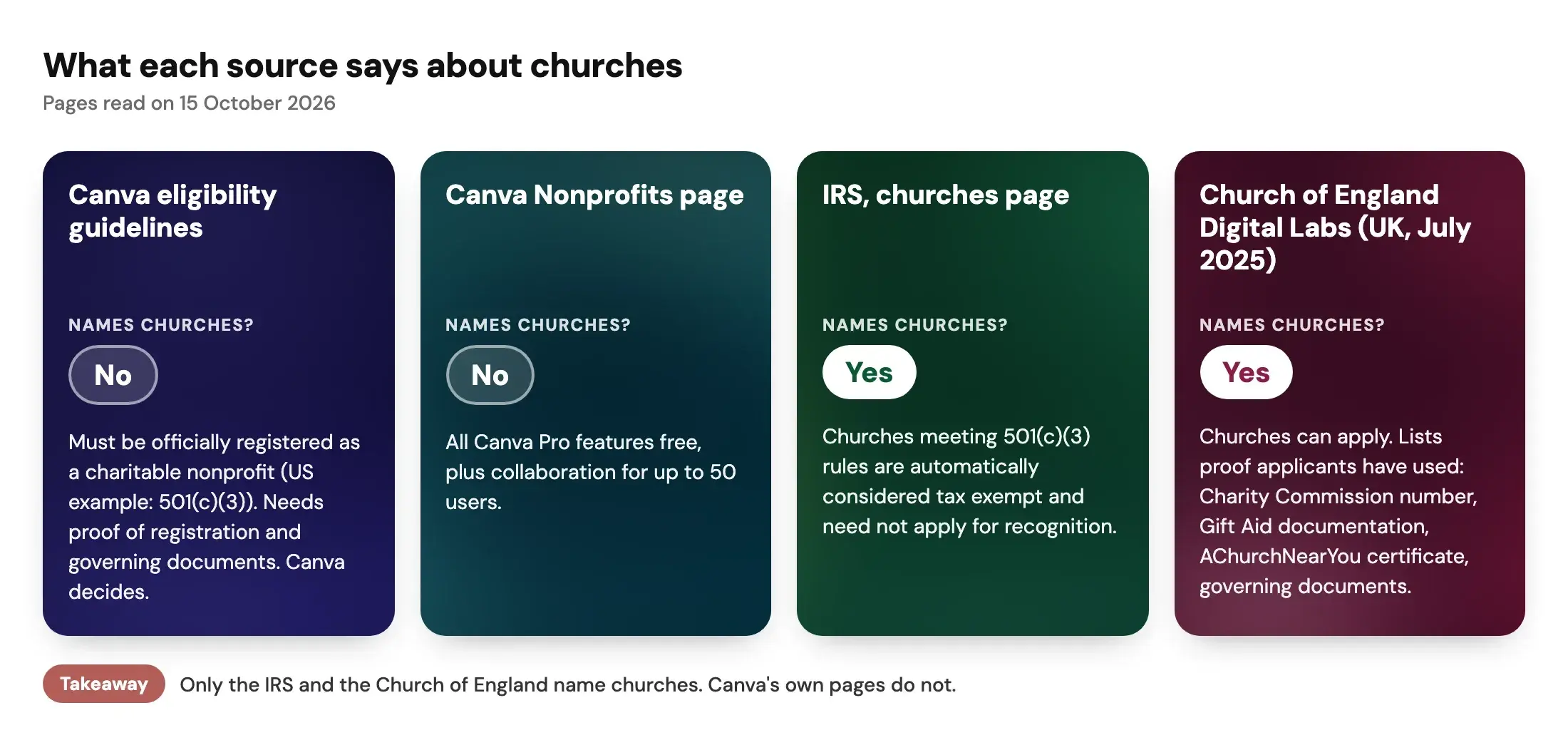
Churches are not named on either of Canva's pages. The eligibility guidelines say an organization must be:
- officially registered as a charitable nonprofit in your country, with 501(c)(3) in the US given as the example;
- independent of government affiliation and direct government funding;
- not operating for commercial profit.
Canva adds that meeting the criteria "does not guarantee eligibility" and that participation is "subject to review" and at Canva's discretion. So the honest answer is that a church can apply, and Canva decides.
Is Canva still free for nonprofits?
As of 15 October 2026, yes. Canva's Nonprofits page calls the program "100% free for registered nonprofits, NGOs, and social impact organizations with up to 50 users." We have no record of earlier versions of the page, so we cannot say what changed over time.
Two cautions. The program is separate from Canva's regular plans, and Canva says ongoing participation is also at its discretion. A church should not build its weekly work on a free offer it cannot renew with certainty.
What does Canva say about churches specifically?
Nothing, on the pages we read. The eligibility guidelines contain no church, religious or faith wording. A page that older guides pointed to, /help/canva-for-nonprofits-eligibility/, no longer shows an eligibility page, and /canva-for-nonprofits/ now redirects to /nonprofits/. If you read an older guide that quotes those addresses, it may be out of date.
The guidelines do list groups that are not eligible. Two entries could make a church wonder:
- "501(c) groups other than 501(c)(3)."
- "Membership-based organisations whose primary purpose is to provide benefits, services, or professional advantages to their members rather than deliver a charitable public benefit."
Canva does not say whether a congregation counts as either. Our reading is that a church registered as a 501(c)(3) charity matches the first eligibility line and not the first exclusion. That is inference, not a Canva statement. Only Canva's review settles it.
What proof does a US church need?
Canva says to bring "proof that your organisation is officially registered as a nonprofit" and "governing documents showing your structure and charitable purpose." It verifies eligibility with a partner, Goodstack, and says the documents needed vary by country. We could not read Goodstack's US document list, so we cannot give you an exact list.
Here is what the IRS says. Churches that meet the 501(c)(3) requirements "are automatically considered tax exempt and are not required to apply for and obtain recognition of exempt status from the IRS." Many churches still seek recognition, because it gives leaders, members and donors reliance that the church is recognized as exempt.
That creates a practical gap, and it is our inference. A church that never asked the IRS for a determination letter may have no IRS document that says "registered." Canva asks for proof of registration. Whether Canva or its partner accepts other evidence for a church, such as its governing documents or a state filing, is not stated on the pages we read.
Before you apply, gather:
- Your IRS determination letter, if you have one.
- Your governing documents: articles, constitution or bylaws.
- The church's legal name, as it appears on those documents.
- A church email address, if you have one. The Church of England guide says this can help, which is anecdotal.
Do not guess at tax questions. A treasurer, denominational office or tax professional can tell you which documents your church has.
What do UK churches need?
The Church of England's guide says Canva offers "a free non-profit account which churches are eligible to apply for." It lists proof that applicants have used:
- a Charity Commission charity number;
- Gift Aid documentation from HMRC;
- an AChurchNearYou certificate;
- other governing documents, such as articles of association, a certificate of incorporation or bylaws.
Treat this as UK guidance written in July 2025. Canva's current page names Goodstack for verification and sends you to a country list, so recheck before relying on the older list. The guide also says Canva gives no decision timeframe and does not say whether approval needs renewing.
Run through the readiness questions for your church:
Canva nonprofit readiness checker
Answer four short questions to see which documents to gather before you apply to Canva Nonprofits.
- Current
- To do
- To do
- To do
Where is your church registered?
Canva says the documents it needs vary by country.
Canva decides eligibility. This is not legal advice.
Want this tool on its own page? Open the free Canva Nonprofits eligibility checker. For the wider picture, see our guide to church Canva templates.
What do churches get if approved?
On Canva's pages, the program includes all Canva Pro features and team collaboration for one team of up to 50 users. The features page lists:
- Brand Kits, to keep colors, fonts and logos in one place;
- Magic Resize and a photo background remover;
- the Canva AI assistant and Magic Write for documents;
- more than 100 million premium photos, videos, graphics and music;
- presentations, video, print and email designs;
- social content "design, schedule, and publish" in one place.
We did not test any of these. We cannot say how Canva's list compares with the paid Pro plan today. The program is written for nonprofits in general, so some items, such as the donation app, will not suit every congregation.
What if the application is not approved?
Do not read a decline as a verdict on your church. These steps are our suggestions:
- Check the documents. Make sure the name on your proof matches the name on the application.
- Ask Canva again. The Canva page has a "Contact us" link. The Church of England guide reports that some churches had better luck messaging Canva on social media, which is anecdotal.
- Ask a larger body. Your denomination or a federation may already have an account or guidance.
- Use Canva's regular plans. They are separate from the nonprofit program. We did not check what each includes, so read Canva's pricing page.
- Match the tool to the job. If your main task is weekly sermon graphics, a tool built for that may fit better than a general design canvas.
When a sermon-based tool helps
Canva is a general design tool. If you design flyers, bulletins and event posters every week, an approved nonprofit account costs nothing, which is hard to argue with.
Church Media Kit solves a narrower problem. You give it a public YouTube sermon, and it makes draft post graphics and captions from what was said. You edit them in Studio, check every quote against the sermon, and download image files. It does not post or schedule for you. See our comparison with Canva for the details and a fair test you can run.
Many churches could use both: Canva for flyers and print, and a sermon-based tool for the weekly posts. Church Media Kit plans start at US$29.95 a month. See current pricing, the sermon-to-social workflow and the free Design editor.
Start with one sermon
Prepare clips and post text for your church to review.
Free account, no card needed. Sermon to Social, Sermon Uploads and Sermon Slides each give one free use, so you can compare a real sermon in both tools before you decide.
Last checked
We last checked the Canva, IRS and Church of England pages on 15 October 2026. Canva's rules and wording can change, and a decision on your application is Canva's alone. Corrections are welcome. See our editorial standards.