
Get visitors to your door
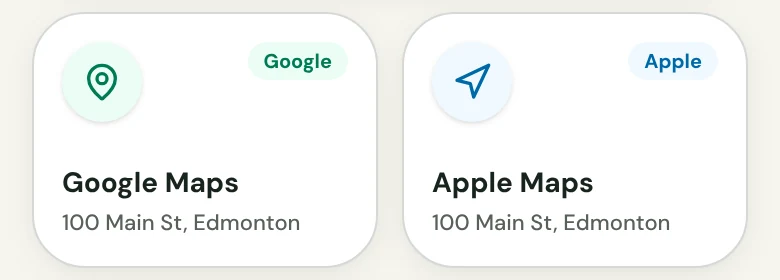
Church in bio gives every location Google Maps and Apple Maps directions links, so a visitor can open the route in the map app they already use.
From US$29.95/month · 7-day trial for eligible new owners (card required)
“Where exactly is it?”
A newcomer has decided to visit this Sunday. Now they need the address, and they want it in the map app on their phone. You point them to the door. Church in bio gives them a directions link for each of your locations.
- Both map apps. Each location has a Google Maps link and an Apple Maps link, so visitors use the app they already have.
- Next to the times. The location sits with the services held there, so the address and the time are never on different pages.
- Entered once. Type the venue name and street address one time. Every service at that venue uses it.
What to know. Directions open in Google Maps or Apple Maps, not inside the page.
Questions about directions
Does it include Google Maps and Apple Maps?
Yes. Every location includes a link for each.
What if my church meets in more than one place?
Each different venue gets its own group, with its own directions links.
Which address do the map links use?
The address your team enters for that location.
Do I enter the address for every service?
No. Services at the same venue share one location, so you enter it once.
Does the page show a map?
No. Visitors tap a link that opens the route in Google Maps or Apple Maps.
Can I check the directions before visitors see them?
Yes. Preview shows the page exactly as visitors will see it, and nothing is public until someone with permission publishes.
More on a Church in bio
One link, ready for Sunday.
Choose a plan, fill in a private draft, preview it, and publish when it is ready.
From US$29.95/month · 7-day trial for eligible new owners (card required)