Planning and sustainable church communication
VBS social media plan: what to post from ten weeks out to the last day
A week-by-week VBS promotion plan with copy-ready post wording, a post for each day of VBS week, and a photo consent routine for children, counted back from an example week in June 2027.
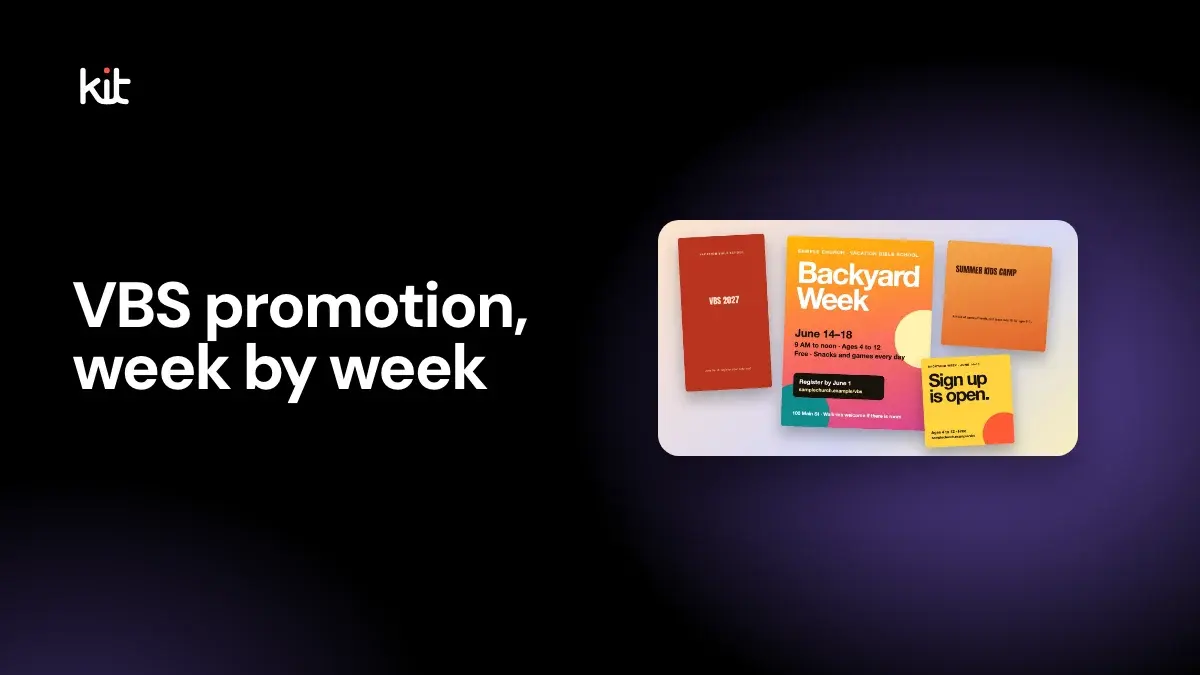
A VBS social media plan has three phases: announce about ten weeks ahead, open registration and recruit helpers over the next month, then switch to a countdown in the last two weeks and one short post a day during VBS week. Put the dates, ages, cost and one sign-up link on every post, and post a child's photo only when a parent has said yes in writing.
This guide counts back from an example week, Monday 14 to Friday 18 June 2027. It gives wording for each post, a post for every day of VBS week, and a consent routine for photos of children. It was last checked on 16 October 2026.
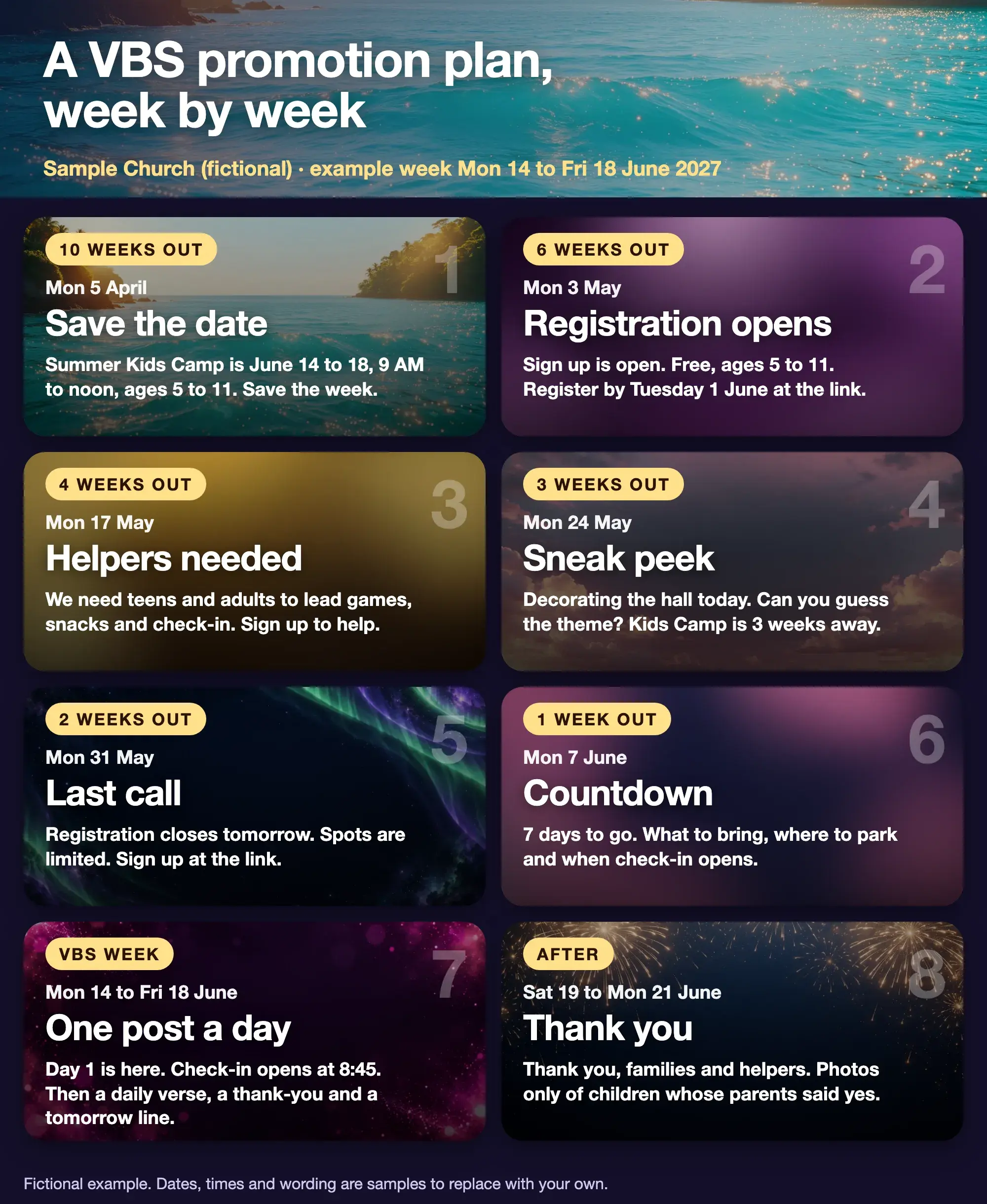
Fictional example from a sample church. Dates, times and wording are samples to replace with your own.
When should a church start promoting VBS?
About ten weeks ahead for the first announcement, and no later than two to three months. Think Orange's VBS marketing guide, published 11 February 2025 and read on 16 October 2026, puts the big announcement three months out, registration at two months, reminders and volunteer recruiting at one month, a last call at two weeks and a countdown in the final week. Our plan is a little tighter, which is our own choice, but it follows the same order.
The landing page for VBS graphics has the six core designs and their sizes. This guide is about what to say and when, so you can write the captions before you open a design tool.
What is the week-by-week VBS promotion plan?
Count back from your first day. The dates below use Monday 14 June 2027 as day one, so swap in your own.
| Weeks out | Date | Post | Sample wording |
|---|---|---|---|
| 10 | Mon 5 April | Save the date | Summer Kids Camp is June 14 to 18, 9 AM to noon, ages 5 to 11. Save the week. |
| 6 | Mon 3 May | Registration opens | Sign up is open. Free, ages 5 to 11. Register by Tuesday 1 June at the link. |
| 4 | Mon 17 May | Helpers needed | We need teens and adults to lead games, snacks and check-in. Sign up to help. |
| 3 | Mon 24 May | Sneak peek | Decorating the hall today. Can you guess the theme? Kids Camp is 3 weeks away. |
| 2 | Mon 31 May (Memorial Day in the US; post it on Sunday 30 May if your office is closed) | Last call | Registration closes tomorrow. Spots are limited. Sign up at the link. |
| 1 | Mon 7 June | Countdown | 7 days to go. What to bring, where to park and when check-in opens. |
| VBS week | Mon 14 to Fri 18 June | One post a day | See the daily posts below. |
| After | Sat 19 to Mon 21 June | Thank you | Thank you, families and helpers. Photos only of children whose parents said yes. |
The ten-week start, the six-week registration opening and the other exact Mondays are our suggestions, not research. Think Orange gives the shape but its own timeline is in months, not Mondays. If your registration closes on a different day, move the last call to match.
How do you write each pre-VBS post?
Start from the same five facts every time: the days, the hours, the ages, the cost and one link. A parent who sees only one of your posts should still be able to act.
- Save the date. Keep it short. The question a parent has is "is this week free?", so lead with the dates. Add a flyer to hand out at church.
- Registration opens. One link, one deadline. Say whether walk-ins are welcome, and what happens if the class is full.
- Helpers needed. Name the jobs, such as games, snacks, crafts and check-in, and say whether teens can help. Think Orange suggests clear instructions on how to get involved, so give a person or a form to contact.
- Sneak peek. A picture of the decorated room or a pile of supplies, with no children in it. Think Orange suggests decoration progress and leader prep photos. Ask people to guess the theme, which gives them a reason to comment.
- Last call. Say "closes tomorrow" and repeat the link. This is the post most parents act on.
- Countdown. Put the practical details here: what to bring, where to park, when check-in opens and who to ask for.
Outreach's five tips for promoting VBS on social media, read on 16 October 2026 and showing no publication date, suggests an Instagram Story with a countdown sticker so parents can tap a reminder for when registration opens, and sharing your Facebook event in local parent groups. Both are quick. Check the sticker and the group rules in the app, because platforms change their features often, and ask a group's admin before you post an invitation there.
For more on caption wording, see how to write church captions that do not sound generic if you want a longer set of examples, and the Instagram guide for Story ideas.
Printing the save-the-date flyer? Check the size and bleed first.
Flyer print size calculator
Pick a paper size to see its bleed, safe area and the pixels to export for print.
Trim size
8.5 × 11 in
Size with bleed
8.75 × 11.25 in
Pixels to export at 300 DPI (with bleed)
2625 × 3375 px
Safe-area inset
0.25 in
Aspect ratio
1 : 1.29
Trim in millimetres: 215.9 × 279.4 mm. Without bleed: 2550 × 3300 px. With bleed: 2625 × 3375 px.
In Design, export the PNG at the default Maximum quality preset (2x), or export a JPG and set its scale to 2x. Design stores print pages at 150 units per inch, so 2x is 300 DPI.
Worship
under the
stars
Live music, free food and a night to meet your neighbours.
Your address
Sample flyer for a fictional church
- Bleed: art runs out here, then gets cut off
- Trim line: where it is cut
- Safe area: keep text inside, 0.25 in from trim
A guide, not a printer spec. Bleed of 0.125 in and a 0.25 in safe area are the values Design uses. Printers such as 4over4 ask for text at least 0.125 in inside the trim, and some ask for 3 mm of bleed. Check your printer's own template before you order. Pixels are size in inches times DPI, rounded.
Open the flyer print size calculator on its own page.
What should you post during VBS week?
One short post a day, from the church account, written the evening before so you are not typing in a crowded hallway. Here is a pattern with a sample wording for each day.
| Day | Post | Sample wording |
|---|---|---|
| Monday | Day 1 is here | Day 1 is here. Check-in opens at 8:45 in the foyer. |
| Tuesday | Verse and thank-you | Today's verse is on the board. Thank you to everyone who made snacks. |
| Wednesday | Halfway | Halfway through the week. Tomorrow, wear the colour of your team. |
| Thursday | Tomorrow line | Last day tomorrow. Families are invited at noon for a short celebration. |
| Friday | Celebration | Thank you for a great week. See you next summer. |
Three habits keep this light.
- Post words and objects, not faces. A picture of the craft table, the name-tag stack or the empty hall tells the story and keeps children out of public view.
- Give one volunteer the phone. Choose one adult who knows which children have a signed release, and ask everyone else to keep their phones in their pockets.
- Do the thank-you on Friday. Name the roles, such as snack team and check-in, instead of individual children.
Think Orange also suggests short clips from volunteers and staff about what they are most excited for. That works well in the week before VBS, when the volunteers can be filmed without any children present.
How do you handle photos of children at VBS?
Get written permission from a parent or guardian before you post an identifiable child, and keep a plain list of who said no. This is general church practice, not legal advice, and the rules differ by country and state, so check with your own leaders or counsel.
One real example of the wording: a Child and Youth Image Release from an Episcopal diocese, read on 16 October 2026, has a parent consent to images taken at church events being used on the church website, newsletter or social media. It adds that the child's name will not be published without the parent's express permission, and that consent can be withdrawn by speaking with a church leader at any time.
Here is a routine that follows those ideas. It is our suggestion.
- Ask at registration. Add a tick box to the sign-up form: May we use photos of your child on the church website and social media? Yes / No. Add a second box for names, and keep the default as no.
- Mark it on the name tag. A small coloured dot or sticker on the tag tells helpers which children are not to be photographed. Brief the helpers on Monday morning.
- Prefer group shots, wide shots or backs. A wide shot of a room full of children is safer than a close-up, and a photo of the craft says as much.
- Skip the name. A caption can say "our Tuesday crafts" without saying whose craft it is.
- Say who to tell. Put one contact on the form, and take a post down promptly if a parent asks.
- Do not collect medical details by comment or message. Keep them on the registration form, which is private.
The baptism photo and consent checklist on the Church Media Kit graphics page follows the same general practice.
What if your curriculum has its own theme and art?
Use your own theme name for your graphics unless your license says otherwise. Publishers of VBS curriculum usually own the names, logos and art of their themes, so read the license before you reuse any of it on social media, and check whether it allows edits. This guide uses a plain "Summer Kids Camp" label so the plan fits any theme.
How do you make the posts accessible?
Put the dates and the link in the caption as well as on the image, and write alt text that says what the picture says. The accessible church graphics guide covers alt text, type size and contrast. Sample alt text for the save-the-date: Orange Summer Kids Camp post. June 14 to 18, 9 AM to noon, ages 5 to 11, at Sample Church. Use plain words, avoid emoji in place of words and add captions to any video.
How do you make the VBS set quickly?
Make one design, copy it to each size, and change the words. You can do this in any design tool. Design by Church Media Kit has VBS and kids camp templates, print sizes and a Brand Kit for your colours and fonts. It does not post or schedule for you, so you download each file and share it yourself. The VBS graphics page shows the real templates and sizes.
Start with one sermon
Prepare clips and post text for your church to review.
Open Design by Church Media Kit with a free account, no card needed, and start from a VBS template. Plans start at US$29.95 a month.
Before each VBS post goes out
- Does it say the days, the hours, the ages, the cost and one link?
- Does the link work on a phone?
- Is the theme name one you may use?
- Does it show no identifiable child, or only a child with a signed yes?
- Is there alt text, and is the date in the caption too?
- Did someone who is not on the VBS team read it?