Captions, stories, and calls to action
Church weekly email recap after Sunday: a copy-ready template, subject lines and send time
A copy-ready sermon recap email template for churches, with ten subject line ideas, a sensible length, who should send it and when. Fill in the brackets and send it from your own email tool.
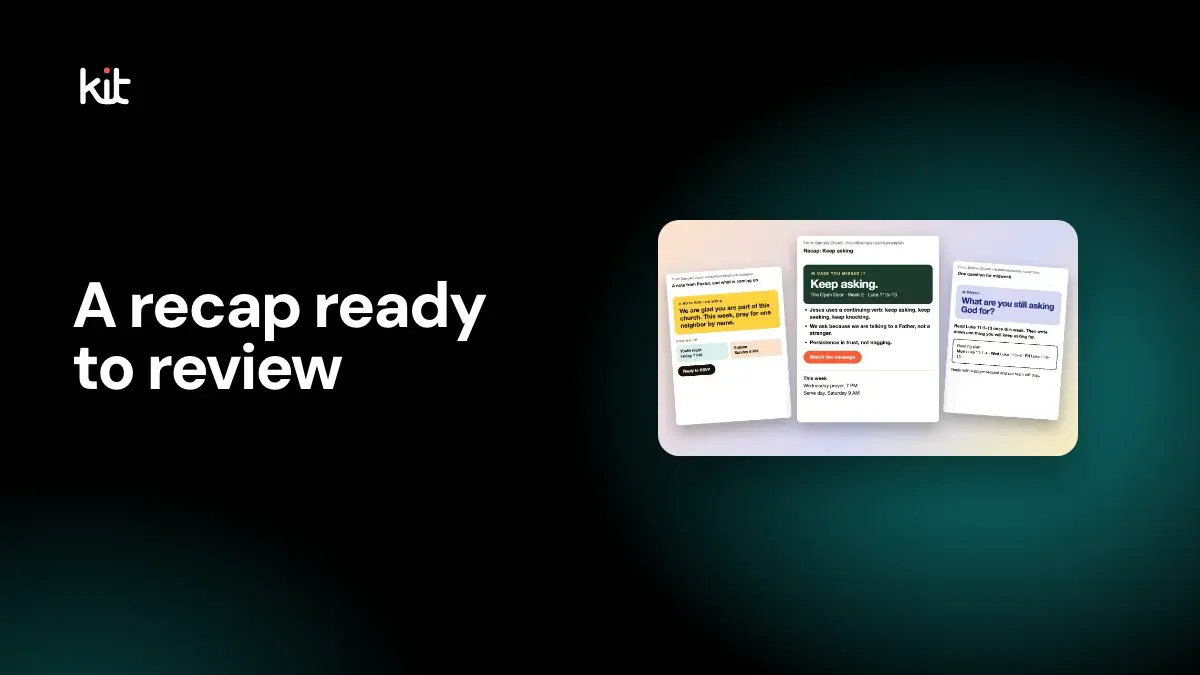
A good church recap email is short: a subject that says what is inside, three points from Sunday's message, the Scripture, one link to the recording and one thing to do this week. Send it from a real person's name, in plain words, and keep it to about 150 to 250 words.
Below is a template you can copy, ten subject lines, and straight answers on length, sender and timing. It was last checked on 16 October 2026.
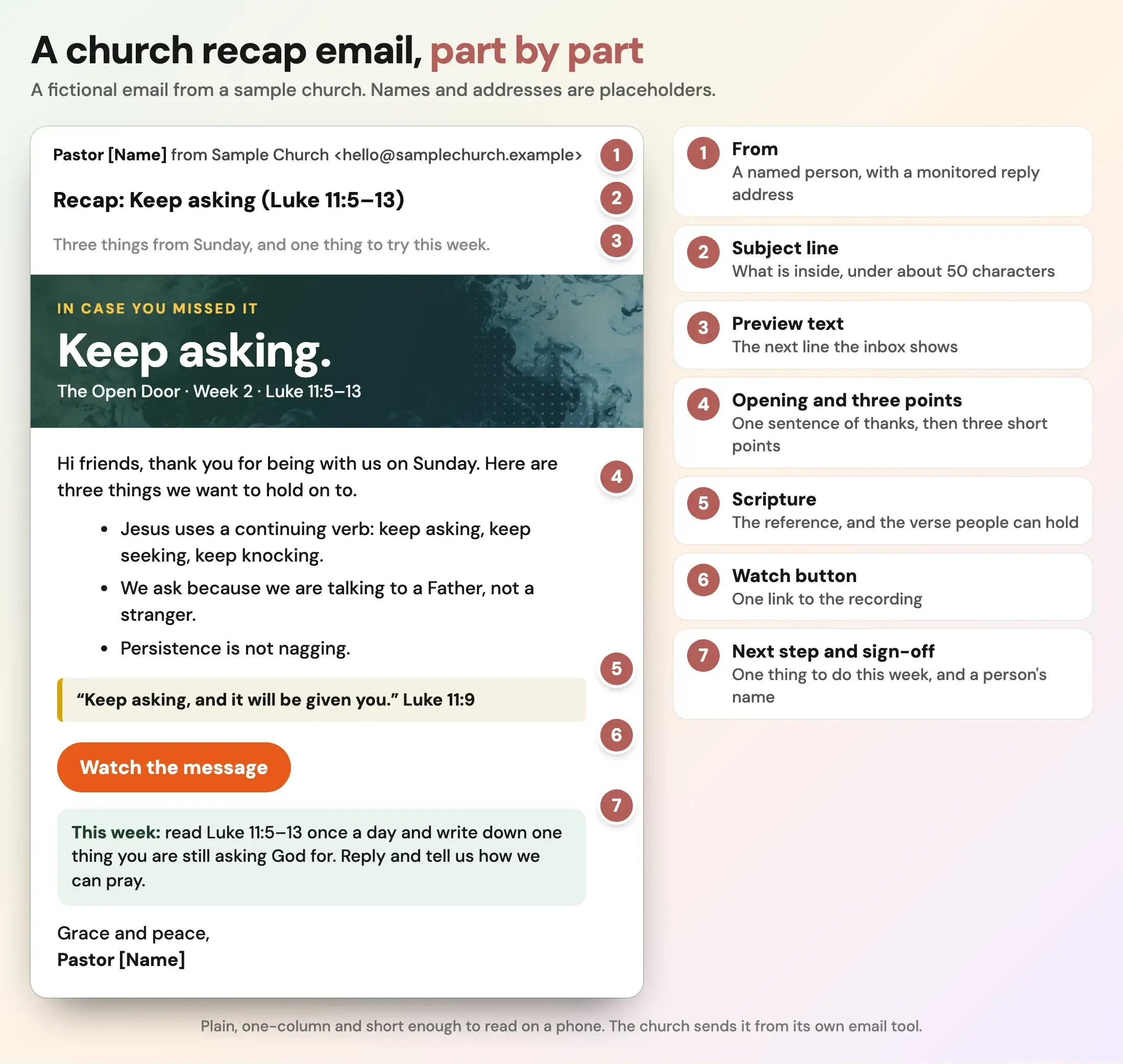
Fictional example. The sermon, church name, pastor name and address are placeholders.
What should a church recap email include?
Seven parts cover it. They are numbered the same way in the picture above.
- From: a named person and a reply address someone actually checks.
- Subject line: what is inside, in about 50 characters or fewer.
- Preview text: the line the inbox shows next to the subject. Use it to add a detail, not to repeat the subject.
- Opening and three points: one sentence of thanks, then three short points from the message.
- Scripture: the reference, and the one verse people can hold.
- Watch button: one link to the recording.
- Next step and sign-off: one thing to try this week, then a person's name.
That is the whole email. If a part has no use this week, drop it. The more it looks like a note from a person, the more likely it is to be read, a point the Nucleus guide to church emails people read makes when it says the strongest email has one subject and one primary action (read on 16 October 2026).
What is a copy-ready church sermon recap email template?
Replace everything in square brackets. Delete any line you do not need.
From: [Pastor or staff name], [Church name]
Subject: Recap: [Sermon title] ([Scripture reference])
Preview text: [Three things from Sunday, and one thing to try this week.]

Hi [friends / church family],

Thank you for being with us on Sunday. Here are three things we want to hold on to from [Sermon title].

- [Point one, one sentence.]
- [Point two, one sentence.]
- [Point three, one sentence.]

"[One verse people can hold.]" [Reference]

[Watch the message] -> [link to the recording]

This week: [One small thing to do, such as read the passage once a day, or ask one question at supper.] Reply and tell us how we can pray.

[Closing line, such as "Grace and peace,"]
[Name]
[Church name, address and service times]
Three notes on filling it in:
- Use the points you preached, not new ones. If you are not sure, check the recording or your notes. For a longer discussion on how to keep points faithful, see how to repurpose one sermon without losing its point.
- Quote a verse exactly. Copy the words from your translation and name it.
- Keep the next step small. "Read Luke 11:5 to 13 once a day" is easier to do than "apply this to your life".
What subject line should a recap email have?
Say what is inside. The Nucleus guide says strong subject lines are specific, honest and connected to the actual content, and it warns against all caps, false urgency and a subject the email does not deliver. Clickminded's church newsletter guide, read on 16 October 2026, suggests keeping subject lines under 50 characters when you can.
These ten are our examples, each under 50 characters. Swap in your own series and passage.
| Style | Example |
|---|---|
| Label and title | Recap: Keep asking (Luke 11:5–13) |
| In case you missed it | In case you missed it: Keep asking |
| Count the points | Three things from Sunday's message |
| Short and plain | Sunday in three points |
| Missed Sunday | Missed Sunday? Here is the message |
| A question | What did Jesus say about asking? |
| A small step | One thing to try this week |
| Series name | The Open Door, week 2: Keep asking |
| Scripture first | Luke 11 in three short points |
| Named sender | Pastor [Name]: what we heard on Sunday |
Write the subject after the email, so it matches what you wrote. A cleverer line that the body does not deliver costs trust.
How long should a recap email be?
There is no standard. Our suggestion is about 150 to 250 words: the three points, the verse, the step and a sign-off. Clickminded suggests 100 to 150 words for the pastor's note in a newsletter, which is a useful comparison for how short a personal note can be. Nucleus recommends short paragraphs, one column and one subject per email.
Do not paste the transcript into the email. A link to the recording does that job.
When should you send a church recap email?
Pick a day and a time and keep to it. The sources disagree on which one:
- Nucleus says the exact hour matters less than the pattern.
- Clickminded suggests a weekly send on a consistent day such as Tuesday or Wednesday rather than Monday.
- A ChurchTrac guide on scheduling says Tuesday to Thursday and morning sends do best, but the page links to general studies and shows no data (read on 16 October 2026).
None of these is church-recap research, and a recap is time-sensitive in a way a newsletter is not. Our suggestion is Sunday afternoon or Monday morning, while the message is fresh, then to compare your own open rates after a few weeks and keep what works. Your email tool shows opens and clicks; use them.
Who should the email come from?
A person, not "Weekly Update". Nucleus's example contrasts a church name with "Pastor" plus a church name and says the second tells the reader who is speaking. It also advises a monitored reply-to address and a personal sign-off. If the pastor's name is on it, make sure that someone reads the replies.
Should the recap be plain text or designed?
Either works. A plain, one-column email with a short header image reads on any phone. A heavily designed one may display differently in some email apps. Whichever you choose:
- Give any image a short alt text.
- Make the button text say what it does: "Watch the message".
- Put the link in the text too, in case the button does not load.
- Keep the type large enough to read on a phone.
The accessible graphics guide covers alt text and contrast.
How do you draft the recap faster?
The slow part each week is writing three accurate points. Options: write it yourself from your notes, fill in a newsletter template in your email tool, or draft it from the recording. The Church Media Kit church email newsletter page compares them.
Sermon Uploads by Church Media Kit drafts a recap email from the sermon video you upload: a subject line and a short message. You review it, copy it and send it from your own email tool. Church Media Kit does not send email for you. Read the draft against the sermon before you send it, as you would anything written for you. The recap email page shows the output.
For what else to share after Sunday, see what a church should post after Sunday and a weekly sermon content rhythm from quote to Sunday invite.
Start with one sermon
Prepare clips and post text for your church to review.
Open Sermon Uploads by Church Media Kit with a free account, no card needed, and draft a recap email from one sermon video. Plans start at US$29.95 a month.
Before you press send
- Is the sender a named person, and does the reply address work?
- Does the subject say what is inside, in about 50 characters or fewer?
- Do the three points match what was actually preached?
- Is the verse copied exactly, with its reference?
- Does the button open the recording? Click it.
- Is there one next step, not three?
- Did you send a test to your own phone and read it there?