Sermon repurposing and source integrity
How to repurpose one sermon without losing its point
A context-first method for turning one sermon into useful social posts while keeping quotes, paraphrases, and applications faithful to the source.
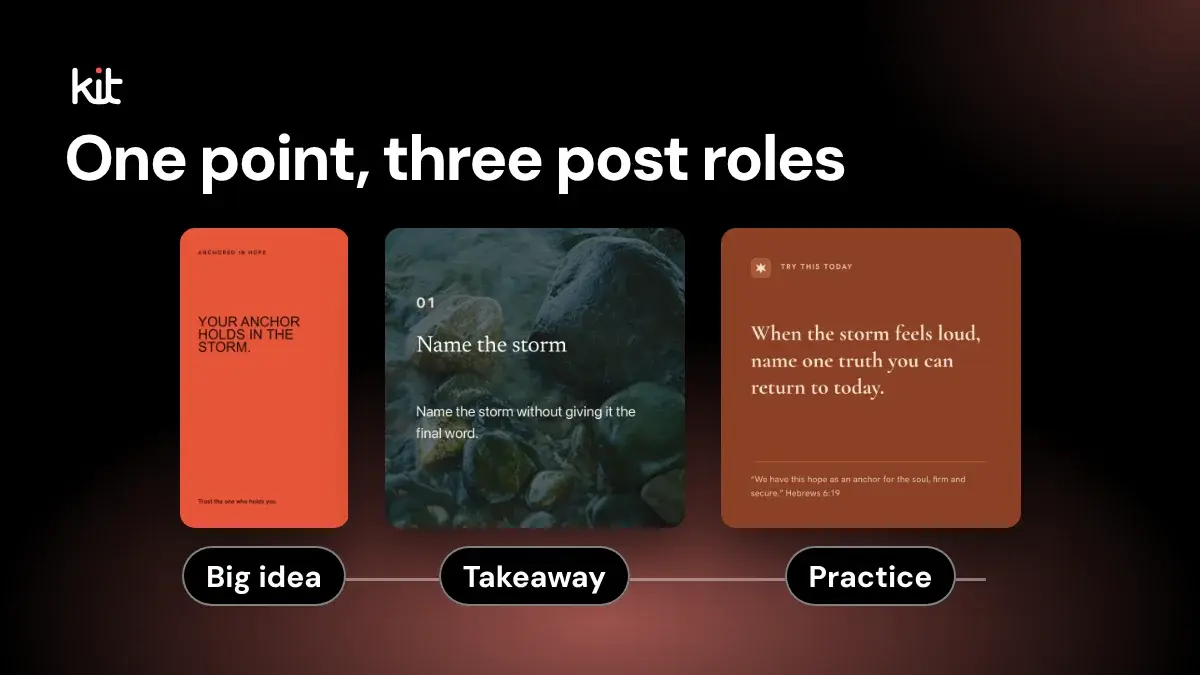
To repurpose a sermon faithfully, map its central claim, supporting moves, qualifications, and landing before selecting a quote, writing a caption, or choosing a design. Give each proposed post one clear job and tie it to a source passage. The full YouTube-to-social workflow covers authority, captions or supplied text, review, and export; the exact-quote rule explains when wording can use quotation marks.
If a post needs missing context to remain true, add that context or drop the post.
The short version
If you have one evening and one sermon, use this order. It needs the recording or a transcript, because you cannot check a quote from memory.
- Map the sermon's central claim, supporting moves, and landing (the map is below).
- Decide what each post is for, such as quoting, explaining, or inviting reflection. Fewer posts is fine.
- For each post, note the minutes of the sermon it came from and whether it is an exact quote or a paraphrase.
- Ask whether someone who was not there would understand the post alone. If not, add a sentence of context in the caption, or drop it.
- Check each post against the recording and get approval. If nobody who can approve is reachable, hold the post. Do not publish it.
Steps 4 and 5 are the ones to keep when time is short. Try the method on one sermon first and note how long it takes you.
The order matters. Many current church-content guides begin with clips, graphics, captions, and carousels. Those formats can be useful, but a format cannot protect meaning. A polished quote card can still misstate a sermon.
A transcript, an AI suggestion, or a strong visual can speed up the first draft. None can decide what the preacher meant or whether a short passage fairly represents the full message. The church communicator makes that call.
Free printable PDF
Sermon recording checklist
What is inside
- Choosing the sound source: the preacher's mic, the sound board or a separate recorder, with the source for each
- A mic, room and levels check, a test recording and a backup recording for one volunteer or a team
- File format, naming, a second copy and the hand-off to whoever posts, plus a notice for the congregation and guest speakers
- Variants for a phone, a board and cameras, a homily, an audio-only church and several campuses, plus a setup card and a weekly log
Enter your email and confirm a code to download. We email you a copy the first time each day.
What does it mean to preserve a sermon's point?
A sermon is an argument, not a bag of quotable sentences. It may begin with a problem, interpret a passage, answer an objection, and end with an application. A sentence near the beginning can mean something different after the preacher qualifies it ten minutes later.
Preserving the point means that a reasonable person who sees the post alone would understand the same claim the sermon makes at that moment. The post does not need to reproduce the whole message. It does need enough context to stay accurate.
Use this four-part source map before selecting any posts:
- Write the sermon's central claim in one sentence.
- List the main moves that support, qualify, or apply that claim.
- Record where each move begins and ends in the video or transcript, as minutes and seconds.
- Note the sermon's landing, meaning what the preacher asks listeners to believe, consider, or do at the end.
Do not write this map from memory if a recording or transcript is available. Memory keeps the striking line and often drops the qualification.
If you have no transcript, open the YouTube video and turn on its captions, or listen and type the key lines yourself. Either way you need the recording, because the check in this method is against what was actually said.
How do you find post ideas without flattening the message?
Decide what each post is for before choosing a format. A useful set might include one exact quote, one plain-language paraphrase of the main idea, a short teaching sequence, and one reflection question. It might include only two of those. The source decides.
For every candidate, record four things:
- Job. What is this post for? Is it quoting, explaining, inviting reflection, guiding prayer, or recapping?
- Source span. The minutes of the sermon the post came from: which timestamp or transcript passage supports it?
- Context debt. How much would someone who was not there need to know for this to make sense?
- Approval owner. Who can judge the source, pastoral fit, and permission to publish? In a small church this is often the pastor. Agree on that before Sunday, not on Tuesday night.
Context debt is the useful test: would a stranger get this from the post alone? A candidate has low context debt when it expresses a complete thought and the surrounding sermon does not reverse or narrow it.
It has high context debt when it relies on a story the reader has not heard, a pronoun with no clear subject, a theological distinction made elsewhere, or a conclusion that arrives only after several earlier steps.
High context debt does not always kill a post. Sometimes the caption can supply the missing sentence. If the repair turns a short post into a miniature sermon, use a recap or link to the full message instead.
Here is the same idea in practice. This worked example is fictional. It does not come from a real sermon or church.
- Map: central claim, "Grace tells the truth about failure without making failure our name." Moves: the problem (about minutes 3 to 8), the passage (minutes 9 to 17), an objection (minutes 18 to 24). Landing: receive grace, then extend it (minutes 30 to 33).
- Keep: an exact quote of that sentence, taken from the minutes 9 to 17 passage. Low context debt, because the sentence is a complete thought.
- Repair: "He said we should not be defined by it." Before: no one knows what "it" is. After: the caption names failure and links to the full message.
- Drop: a line from minute 6 that the preacher corrects at minute 20. A shorter version would say the opposite of the sermon.
Current repurposing guides point to many formats, including short clips, written reflections, graphics, and carousels. See the Church of England's list of repurposing ideas and FaithMark's weekly content guide. The harder editorial work comes first: deciding which idea can stand alone without changing the source.
Is this an exact quote or a paraphrase?
Call copy an exact quote only when the published words match the recording. Do not smooth the grammar, swap words, or join distant sentences and keep quotation marks around the result.
This is stricter than ordinary marketing copy for a reason. Newsrooms such as Reuters tell their journalists not to alter quotations in ways that change their sense. That is a newsroom standard, not church law, but the test travels well: the people who hear a quote should be able to trust it.
A paraphrase restates the idea in new words. Remove quotation marks and say in the caption whose idea it is. A summary compresses a larger section. Original application copy takes a source-grounded idea and invites a response. These are different editorial acts, so label them differently in your working notes.
Using the fictional line from the example above:
Exact source line: "Grace tells the truth about our failure without making failure our name."
An exact quote graphic must keep those words. A paraphrase could say that grace names what went wrong without reducing a person to it. A reflection question could ask what changes when failure is treated as an event rather than an identity. The latter two should not appear in quotation marks or under the preacher's name as spoken words.
If you work from YouTube captions, check any exact quote against the recording. YouTube says automatic captions can misrepresent speech because of pronunciation, accents, dialects, or background noise. YouTube's caption guidance tells creators to review and correct automatic captions.
Pay special attention to names, negation, numbers, Scripture references, and similar-sounding theological terms. A missing "not" can reverse a claim. A wrong chapter number can send a reader to a different passage.
What should the source checkpoint catch?
Stop before design and compare each candidate with its full source span. Ask:
- Does the post make the same claim as the source?
- Did the preacher qualify, correct, or complicate it nearby?
- Is an illustration being presented as a factual account?
- Is a personal story safe and permitted to repeat?
- Does a Scripture reference match the passage actually used?
- Can a reader understand every pronoun and implied subject?
- Does the caption add a promise, outcome, event detail, or pastoral claim that the sermon did not make?
Read one section before and after the selected passage. For a clip, watch those sections. For a quotation, listen to the words while reading the transcript. The transcript is a locator, not the final authority.
Keep the source span attached to the draft until approval. A bare design file is difficult to audit. A reviewer should be able to move from the post to the supporting moment without searching through the entire service.
When should you drop a potential post?
Drop it when repair would require you to write a new message on the preacher's behalf.
That includes candidates where:
- the memorable line depends on a setup the post cannot carry;
- shortening removes a condition, exception, or contrast;
- the sermon later corrects the first wording;
- the transcript is uncertain and the recording does not settle it;
- a testimony, counseling story, prayer request, or image lacks clear permission (a student's story or a child's photo needs the family's or person's explicit permission first);
- the post would expose a child or vulnerable person;
- the application sounds like a guarantee;
- the only reason to keep it is that the weekly plan has an empty slot;
- several drafts repeat the same claim in different designs.
Publishing fewer posts is not a failed repurposing session. The win is a small set the church can defend, review, and use. A reviewer has limited time, and each extra draft is one more thing to check.
What does the final review need to decide?
The final reviewer is not checking spelling alone. They are deciding whether the post is faithful, suitable, permitted, readable, and ready for the chosen destination.
Use a short approval record. If you work alone, the first three items matter most: rewatch the span, read the post aloud, and check the quote, names, and Scripture reference.
- source span checked against the recording;
- quote mode confirmed as exact, paraphrase, summary, or original application;
- Scripture reference and names checked;
- sensitive material and permissions checked;
- visual text read on a phone-sized preview;
- caption and image alternative text reviewed;
- destination and timing confirmed;
- approver and date recorded.
Alt text is the short description screen readers read aloud for an image, and you type it in the image field of your posting tool. For an informative graphic, it should convey the essential information rather than repeat "image of." W3C's images accessibility tutorial also advises against putting important text only inside an image. Put the post's core idea in the caption when practical, and write alt text for what the image contributes.
When a reviewer changes the post's claim, return to the source checkpoint. A copy edit can become a meaning edit without anyone noticing.
Where does Church Media Kit fit?
Church Media Kit starts with a public YouTube sermon link and an explicit confirmation that the user has the right to use it. When captions are available, the current workflow uses bounded sermon evidence to create reviewable static post drafts. It records whether generated copy is an exact quote, paraphrase, or neither, and keeps transcript evidence with the draft. Without captions, it cannot start from the link.
Those controls reduce the time spent finding and organizing candidates. They do not determine theology, pastoral suitability, consent, or whether a short selection fairly represents the sermon. The church still chooses the content mix, checks the source, edits the copy, and approves publication.
If you post only a quote or two a week, a notebook and any design tool may be enough. See what Church Media Kit does and does not do for the boundaries.
That is the workable division of labor. Let software shorten the search. Keep interpretation and approval with the people responsible for the message.
The point of it all
The point of repurposing is not to make one sermon look like many messages. It is to carry the same message into smaller, useful encounters without pretending the smaller piece is complete on its own.
Free printable PDF
Sermon recording checklist
A printable checklist for recording the sermon or homily every week, from one volunteer with a phone to a team with a sound board and cameras: choose the sound source, place the mic, set levels, frame the preacher, run a backup recording, name and save the file, tell people it is being recorded, and hand the file on, with a setup card and a weekly log.
Enter your email and confirm a code to download. We email you a copy the first time each day.
Try Church Media Kit
Review what’s included and try the tools that fit your church’s workflow.
A free account needs no card. Sermon to Social, Sermon Clips and Sermon Slides each give one free use. That is one sermon, one upload up to 2 hours, and one AI presentation. Church in bio is free for 14 days after you first publish it. Design and Verse of the Day are free with any account. Review the offer when choosing your plan.