Captions, stories, and calls to action
Youth group Instagram post ideas: 28 ideas by type, a weekly rhythm and safeguarding rules
28 youth group Instagram post ideas in seven types, a four-post weekly rhythm, and plain safeguarding rules for photos of minors, direct messages and who runs the account.
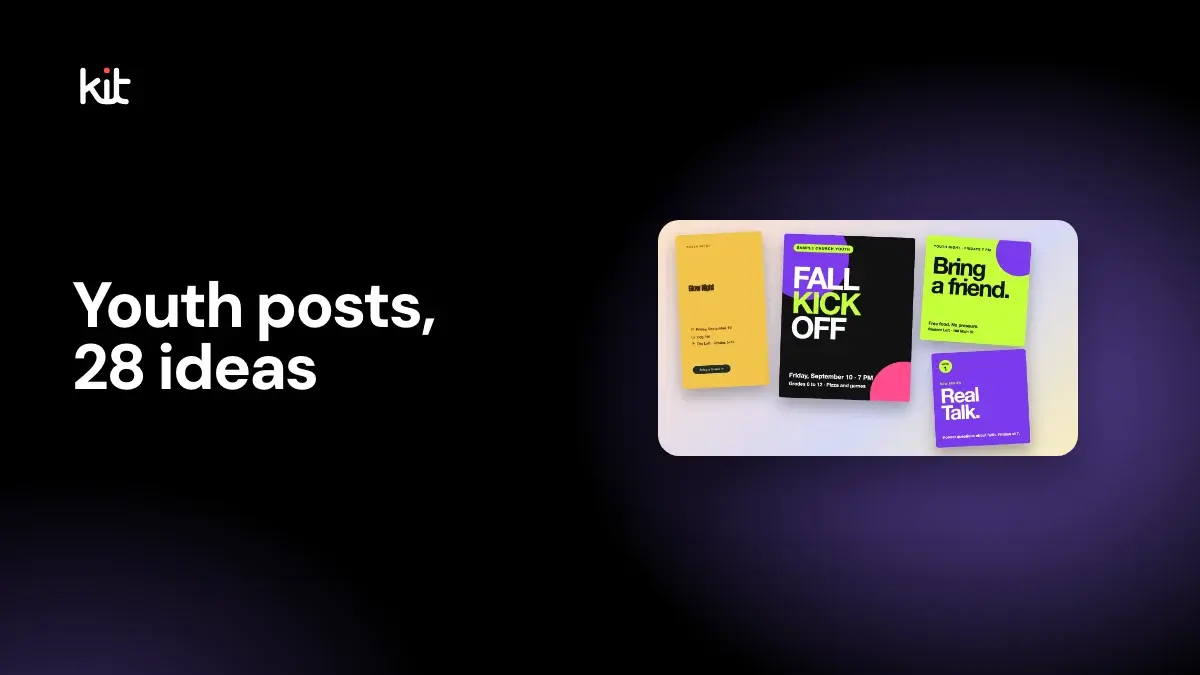
A youth group Instagram account works best with a small, steady set of posts: an invite before each meeting, a recap that does not need faces, a question or verse in the middle of the week, and now and then something in a student's own voice. About three or four posts a week is plenty. Before you post anything, agree on the safeguarding rules: written permission for photos of minors, no private one-to-one messages, and at least two adults on the account.
This guide gives 28 post ideas in seven types, a weekly rhythm, and a short policy you can adapt. It was last checked on 16 October 2026.
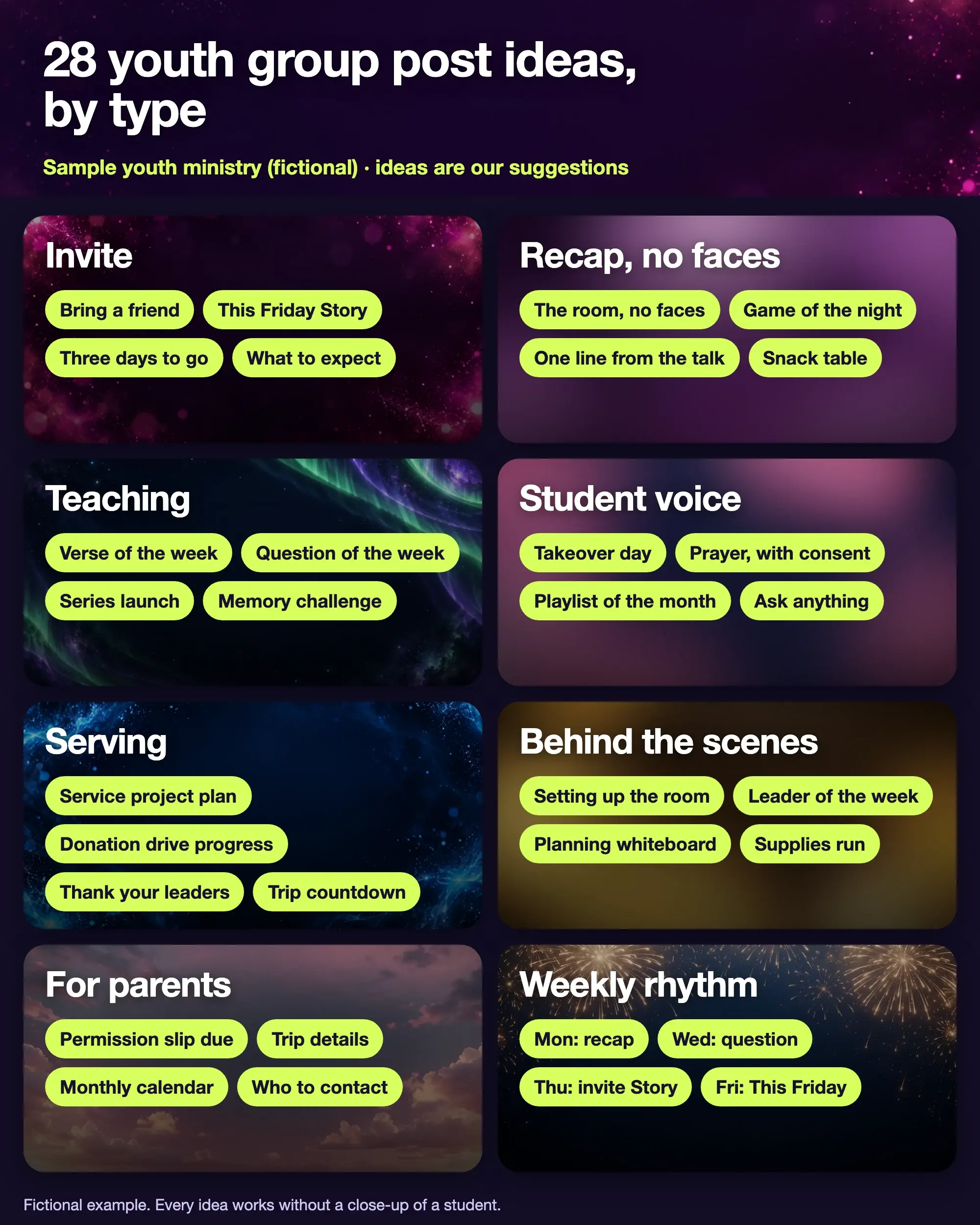
Fictional example from a sample youth ministry. The ideas and the rhythm are our suggestions.
What should a youth group post on Instagram?
Post what a teenager, or the parent of one, would open the account to find: when and where, what to expect and why it is worth coming. The same list in a different order also works for a youth worker's own planning.
The church youth graphics page has real templates, sizes and a fall kickoff plan. This guide is about what to say and how to keep students safe.
ChurchLeaders' guide to social media in youth ministry, published 25 June 2025 and read on 16 October 2026, suggests live "Ask Anything" sessions with anonymous questions, a weekly faith challenge, Story bingo, student testimonies and "Takeover Tuesdays" with adult oversight, worship playlists and serving projects. Several of the ideas below build on those. The article itself gives little guidance on consent or privacy, which is why this guide adds it.
What are 28 youth group post ideas?
Each idea is written so that it works without a close-up of a student.
Invite
- Bring a friend. One line, one day, one place, and a nudge: Friday, 7 PM. Bring someone. There is food.
- This Friday Story. The day, the time and a "Send this to a friend" prompt.
- Three days to go. A countdown with the one thing that makes this week special, such as a game or a guest.
- What to expect. Answer the question a first-timer asks: what happens, how long it lasts, what to wear, who to ask for.
Recap, no faces
- The room, no faces. A wide shot of the room set up, or full of chairs and snacks.
- Game of the night. The result as text: Blue team won by one point.
- One line from the talk. A sentence on a plain background, with the verse reference.
- Snack table. Food is a reason students come. Show it.
Teaching
- Verse of the week. A short verse over a calm background. Name the passage; do not paste long text.
- Question of the week. A poll or a question box in Stories. Keep it open enough that students answer honestly.
- Series launch. The series title, the dates and one line about what it covers.
- Memory challenge. Post a verse reference and invite students to say it from memory next Friday.
Student voice
- Takeover day. One student plans and writes a day of posts, and an adult approves and posts each one.
- Prayer, with consent. A prayer a student wrote, shown only if the student and a parent have both agreed, and without a name unless they ask for it.
- Playlist of the month. Students vote for songs; you post the list as text.
- Ask anything. Students send questions anonymously; you answer a few in a Story or a short live session.
Serving
- Service project plan. The date, the place, what to bring and who is driving.
- Donation drive progress. A thermometer or a number: 312 cans so far. Goal 500.
- Thank your leaders. Name the adult volunteers and what they do. Adults can be named; students need permission.
- Trip countdown. Days to go, the packing list and the parent meeting date.
Behind the scenes
- Setting up the room. Chairs, lights and a whiteboard. Pictures of preparation with nobody in the frame.
- Leader of the week. A short introduction to one adult leader, their favourite game and why they serve.
- Planning whiteboard. A photo of the plan with the series title and dates.
- Supplies run. A cart of snacks or craft supplies, with a caption about what it is for.
For parents
- Permission slip due. The date, the link and who to ask for a paper copy.
- Trip details. Departure time, pick-up time, cost and what to pack.
- Monthly calendar. One graphic with every date, repeated in the caption.
- Who to contact. The youth pastor's church email or phone, not a personal account.
What is a good weekly rhythm for a youth account?
Four posts, tied to the meeting night. This is our suggestion, not research, so change the days to fit when your group meets.
| Day | Post | Example |
|---|---|---|
| Monday | Recap, no faces | Game of the night result, plus one line from the talk |
| Wednesday | Question of the week | A poll in Stories about the coming Friday |
| Thursday | Invite Story | "This Friday, 7 PM. Send this to a friend." |
| Friday | This Friday | A morning post with the time and place |
Frequency advice is thin. Treat three or four posts as a baseline you can drop on busy weeks. For a general view, see how often a church should post on social media.
How do you make youth posts look like they are for teenagers?
Use big type, two or three strong colours and plain words, and skip clip art. Font choice does a lot of this work: a bold sans-serif headline with a simple body font reads as current, while a decorative script reads as a children's event. Try some pairings on a sample post.
Font pairing previewer
Compare headline and body font pairings on a sample church post.
Social post
Sermon slides
Print flyer or bulletin
Scripture text
Series title art

Your church name
Walk in the light
Join us this Sunday at 10:00 for worship, coffee and a message for the whole family.
Sunday 10:00
Sample post, slide and flyer for a fictional church
Pairing 1: Poppins Bold with Inter
Why it works: Poppins is round and friendly, with generous shapes that hold up when a phone shrinks the image. Inter is built for screens and stays clear at small sizes.
Where to avoid it: Avoid it when your brand is traditional or liturgical, where the geometric shapes may feel too casual.
SIL Open Font License — free for church use
Open the font pairing previewer on its own page. For summer, see the VBS social media plan.
Ask two or three students to read your captions before they go out. They will tell you quickly if a line sounds like a parent wrote it. The captions guide has more on writing in a voice that does not sound generic.
How do you keep minors safe on a youth Instagram account?
Write the rules down, share them with parents and follow them every time. This is general church practice and not legal advice, and rules differ by country, state and denomination, so check your own denomination's policy and your insurer.
We read one example, the Recommended Practices and Guidelines for Social Media and Electronic Communications for Children and Youth, a template published on an Episcopal diocese's site. It was read on 16 October 2026 and its date is not shown in the file. It says to:
- have multiple administrators or supervisors for accounts that represent the church;
- prohibit tagging children and youth, and, where a parent or guardian gives written permission, allow captions that do not include a minor's full name or link to a profile;
- obtain a media release for each person and post only images that respect their dignity;
- not send connection requests to children or youth, because they may be unable to decline an adult's request;
- avoid contact before 8:00 am or after 10:00 pm unless it is an emergency;
- tell parents which social platforms the ministry uses.
Other denominations set different details, so use yours as the starting point. From that and from general practice, a short policy for your own group might look like this. The wording is ours.
- Photos. No photo of an identifiable student without a signed release from a parent or guardian. Group shots and photos from behind are safer than close-ups. No tags and no full names.
- Direct messages. No private one-to-one messages between an adult and a student. Use a group thread with two adults in it, or copy a parent. Quiet hours: nothing before 8 AM or after 9 PM.
- Who runs the account. At least two adults have full access, and a leader who steps down loses access the same day. Students may help with ideas and takeover days, with an adult approving each post.
- Who follows whom. Students ask to follow the ministry account; adults do not send friend requests to students from personal accounts.
- Mistakes. One named adult takes a post down promptly when a parent or student asks. Tell the youth pastor first, and keep a short note of what happened.
- Review. Re-read the policy each fall and give the new version to parents.
If you are unsure, ask your safeguarding contact before you post.
How do you handle photos and names in student posts?
Ask at registration, store the answer and check it before every post. A simple form has two tick boxes: May we post photos of my child on the church's social media? Yes / No. and May we use my child's first name? Yes / No. Make No the default. A student who is 16 may also want a say, so ask them too.
One habit that helps: keep the list of No answers on a sheet by the door, so whoever holds the phone on Friday can see it. A coloured dot on the name tag works for younger groups.
How do you make the youth set quickly?
Make one design, copy it to Square, Portrait and Story, and change the words. Design by Church Media Kit has youth night templates, a Brand Kit for your ministry colours and print sizes for a flyer. It does not post or schedule for you, so you download each file and share it yourself.
Start with one sermon
Prepare clips and post text for your church to review.
Open Design by Church Media Kit with a free account, no card needed, and start from a youth night template. Plans start at US$29.95 a month.
Before each youth post goes out
- Does it say the day, the time, the place and the grades?
- Is there a clear next step, such as a friend to bring or a form to fill in?
- If a student is in it, do we have a signed release?
- Is anyone tagged, or is a full name shown?
- Did a second adult see it?
- Did a student read the words?