Volunteers, pastors, and operational handoffs
Church photo and video consent policy: a one-page template for signs, children and livestreams
A one-page church photo and video consent policy with fill-in blanks: entrance signs, parent permission for children, livestream camera zones, a no-camera seating area, takedown requests and where to keep consent records.


On this page
- Do you need a policy if you already have a release form?
- Are signs enough, or does everyone need to consent?
- How should you handle children and safeguarding?
- How do you set up camera zones and a no-camera seating area?
- What should happen when someone asks you to take an image down?
- Where do you keep the consent records?
- The one-page policy
- Where another approach is better
- Frequently asked questions
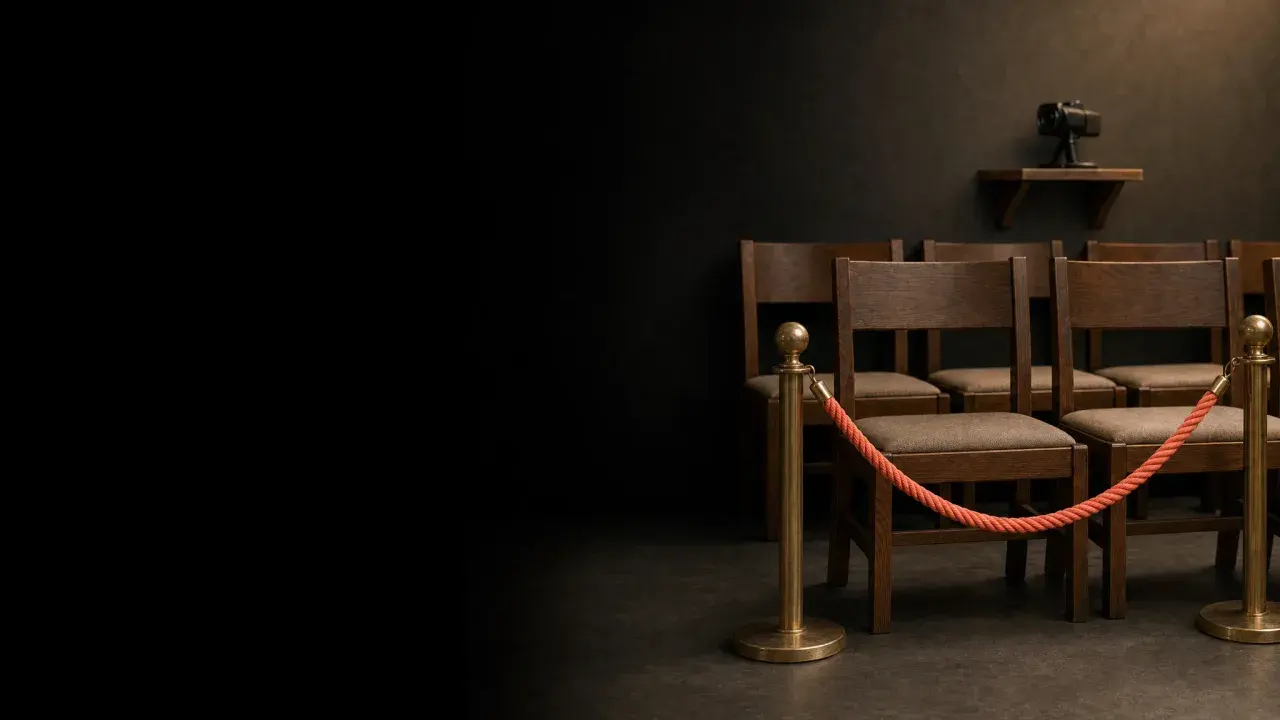
A visitor sits near the front on a Sunday morning, then notices the camera on the back wall. Nobody told her it was filming. She does not want to say anything, so she says nothing, and she does not come back.
A short policy prevents that. It says where people will be filmed, where they will not be, what is needed for children, and who to tell if someone wants an image removed. Ten-minute win: print the sign wording below and ask your pastor to say it out loud next Sunday.
This article is the policy. For the form people sign, see our guide to the church photo release form. This is general information from church and safeguarding guidance, not legal advice. Rules differ by country, state and denomination, so ask your insurer, your denomination or a local adviser before you adopt it.
Do you need a policy if you already have a release form?
Yes. A form records one person's permission. A policy tells the whole team what to do on a normal Sunday, including for people who have signed nothing.
Brotherhood Mutual, a US church insurer, advises ministries to keep an updated "do not photograph" list and share it with staff and volunteers who might take pictures, and to check it before posting online. The article is dated 2018 and was read on 8 November 2026. Its page also says it is not legal advice. A policy is where that list, the signs and the rules for cameras live together.
Are signs enough, or does everyone need to consent?
It depends on where you are and on what the image shows, which is the reason to ask an adviser. The guidance we read does not agree on one answer, so here is what each source says.
- United States, Diocese of St. Petersburg (Roman Catholic), Video and Streaming Policy, 14 May 2020. For a wide view of the congregation, individual forms for minors are not required. For individuals or small groups seen in close-up, it says to collect releases from a parent or legal guardian for anyone under 18. It also allows posters saying people consent by entering. That wording is a broad legal waiver, so we do not copy it here. Have a lawyer or your diocese check any entry-sign wording before you use it. Read 8 November 2026.
- Scotland, Church of Scotland, Live-Streaming Guidance Note V2. It calls specific written consent from everyone in view best practice, accepts that this may be impossible for a weekly stream, and then lists steps: a note in the weekly sheet that describes the pews in view of the camera, a welcome to online viewers at the start, and visible notices at the entrance and in the camera's area. The document refers to an offer ending on 15 April 2020, so it appears to date from about that month. Read 8 November 2026.
- United Kingdom, Thirtyone:eight, Photos and filming, updated 5 November 2025. It says an organisation must get permission before taking photos or film of anyone taking part in its activities, and that if you livestream an activity you should make participants aware. Read 8 November 2026.
The US diocese and the Church of Scotland describe notices as a minimum, while Thirtyone:eight asks for permission from participants. Check which standard applies to your church before you choose between them.
How should you handle children and safeguarding?
Treat children as a separate rule, stricter than the adults' one.
NSPCC Learning's guide to photographing and filming children, updated 9 July 2026 and checked on 9 November 2026, says that for young people under 16 you should also get parental consent before taking a photo or video. It says to record written consent, to avoid supplying children's names with images, and to let only authorised people take pictures. It suggests staff use organisation-owned devices rather than personal ones. Brotherhood Mutual says that until a youth is 18 a parent or legal guardian should sign. The two ages differ, so set the age your insurer or denomination uses.
Thirtyone:eight says to use group photos as much as possible and never to identify a child by name or other personal information.
The Church of Scotland adds a camera rule: unless prior consent has been obtained, the camera must avoid children and adults at risk, and be angled away during any part of the service that involves them. When children take part, such as a children's talk or a baptism, the policy below tells the camera operator to switch to a wide shot of the front or hold the shot on the speaker.
Ask the person who leads child safety at your church to read your final policy.
How do you set up camera zones and a no-camera seating area?
Decide where cameras point, then tell people. The Diocese of St. Petersburg advises offering seating that is out of view of the camera. The Church of Scotland says notices should describe the pews in view of the camera and the Sunday sheet or entrance signs should tell people where the camera reaches, so people can choose their seats.
Steps for the media team:
- Walk the room with the camera on. Sit in the main seating areas and look at the preview screen to see who is in frame.
- Choose one section out of frame. Put chairs there, mark it, and make sure a seat for a wheelchair user is among them. The Church of Scotland says some wheelchair places should be in areas the cameras do not pick up.
- Fix the wide camera. Keep the angle on the platform and the front, and away from the no-camera section.
- Brief the operators. One line: if you are unsure who is in a shot, go wider or cut away.
- Say it on the day. The Church of Scotland suggests the minister welcomes those online as well as in the room, which tells people the cameras are live. For the rest of your Sunday setup, use our livestream checklist.
What should happen when someone asks you to take an image down?
Decide ahead of time who receives the request and how fast it is dealt with. Thirtyone:eight says people must be informed that they can withdraw permission for their image to be used at any time. Its page does not set out a removal process, so your policy needs one.
A workable one: the request goes to a named person, who adds the name to the do-not-photograph list the same day, removes the image from your website and your church's social accounts, and replies to say what was done. Be honest that copies others have already saved or shared cannot be recalled. Where you hold a livestream recording, say how long it stays online. The Church of Scotland notes that if services will be available indefinitely, the congregation should know.
Where do you keep the consent records?
In one place with a named keeper. NSPCC says images are personal data under the UK Data Protection Act 2018, and suggests storing them in a secure location. Other countries have their own privacy laws, so ask your adviser which apply. None of the sources we read sets a retention period, so choose one with your adviser and write it in the blank below.
Keep three things: the signed forms with what each person ticked, the do-not-photograph list and the date each takedown request was handled. Keep the list somewhere the whole team can check before posting, as Brotherhood Mutual advises.
The one-page policy
Copy this into a document, fill in the brackets and ask your pastor, your child-safety lead and your insurer to read it.
[Church name] photo and video policy
Adopted: [date]. Reviewed every: [period, for example 12 months]. Policy owner: [name and role].
Why: We film and photograph to help people take part and to tell our story. We want everyone to know when it is happening and to be able to say no.
Telling people: We put signs at [entrances] saying "Filming today". We announce it at the start of each service and print it in [bulletin or weekly sheet]. The notice names the area that is in view of the camera: [area].
No-camera seating: [section] is out of view of every camera. Ask [role] for a seat there.
Camera rules: Cameras stay on the [platform and front]. Operators go wider or cut away when [children, a prayer ministry time or a baptism] is happening, unless [role] has confirmed consent.
Children: We photograph or film a child in a close or identifiable way only with written permission from a parent or legal guardian for anyone under [age set by our denomination or insurer]. We do not name a child beside an image. [Child-safety lead] approves this policy.
Who may take photos for the church: Only people authorised by [role], using [church-owned devices or approved apps].
Taking something down: Send a request to [name, email]. We will add the person to the do-not-photograph list on the same day and remove the image from our website and social accounts within [days]. We cannot recall copies others have saved.
Records: Consent forms and the do-not-photograph list are kept by [name] in [location]. We keep them for [period chosen with our adviser].
Legal check: This policy was read by [insurer, denomination or adviser] on [date].
Where another approach is better
A one-page policy suits a church that films the front and the platform from a fixed camera. If your church films in a way that puts many individuals in close-up, runs a youth or school programme with its own rules, or serves families who may have safety concerns about being shown online, use a stricter approach: written consent for every identifiable person, a sign-in sheet, or no filming of the congregation at all. Your insurer or denomination may have a required policy, so use that first and adapt this page to fit.
Frequently asked questions
Do we need a sign if we only stream the stage?
Tell people anyway. Brotherhood Mutual, the Diocese of St. Petersburg, the Church of Scotland and Thirtyone:eight all point to telling people in advance, though they differ on whether a notice is enough. Your wide shot may catch the front rows even when most of the room is out of frame.
Can a parent sign for all of their child's photos at once?
Decide which you mean and write it on the form, for example one event or an ongoing activity, and a review date. Ask your insurer what period it expects.
What if a visitor says no on the day?
Point them to the no-camera seating and tell the operators. The visitor does not need to explain.
Can volunteers take photos on their own phones?
NSPCC advises that staff use organisation-owned devices rather than personal ones when photographing children. Ask your adviser whether the same rule should apply to all of your volunteers, and give them one place to send photos so nothing stays on personal phones.
Where do the posts go once the photos are cleared?
Your church decides, and you can use our youth group Instagram guide as a model for what to post and what to leave out.
Try Church Media Kit
Review what’s included and try the tools that fit your church’s workflow.
A free account needs no card. Sermon to Social, Sermon Clips and Sermon Slides each give one free use. That is one sermon, one upload up to 2 hours, and one AI presentation. Church in bio is free for 14 days after you first publish it. Design and Verse of the Day are free with any account. Review the offer when choosing your plan.