Church media glossary: plain-English definitions for pastors and volunteers.
A church media glossary of 91 terms for slides, audio, cameras, livestreaming, social, licensing and captions, each defined in one plain sentence.
Free account. No card needed. Plans start at US$29.95 a month.
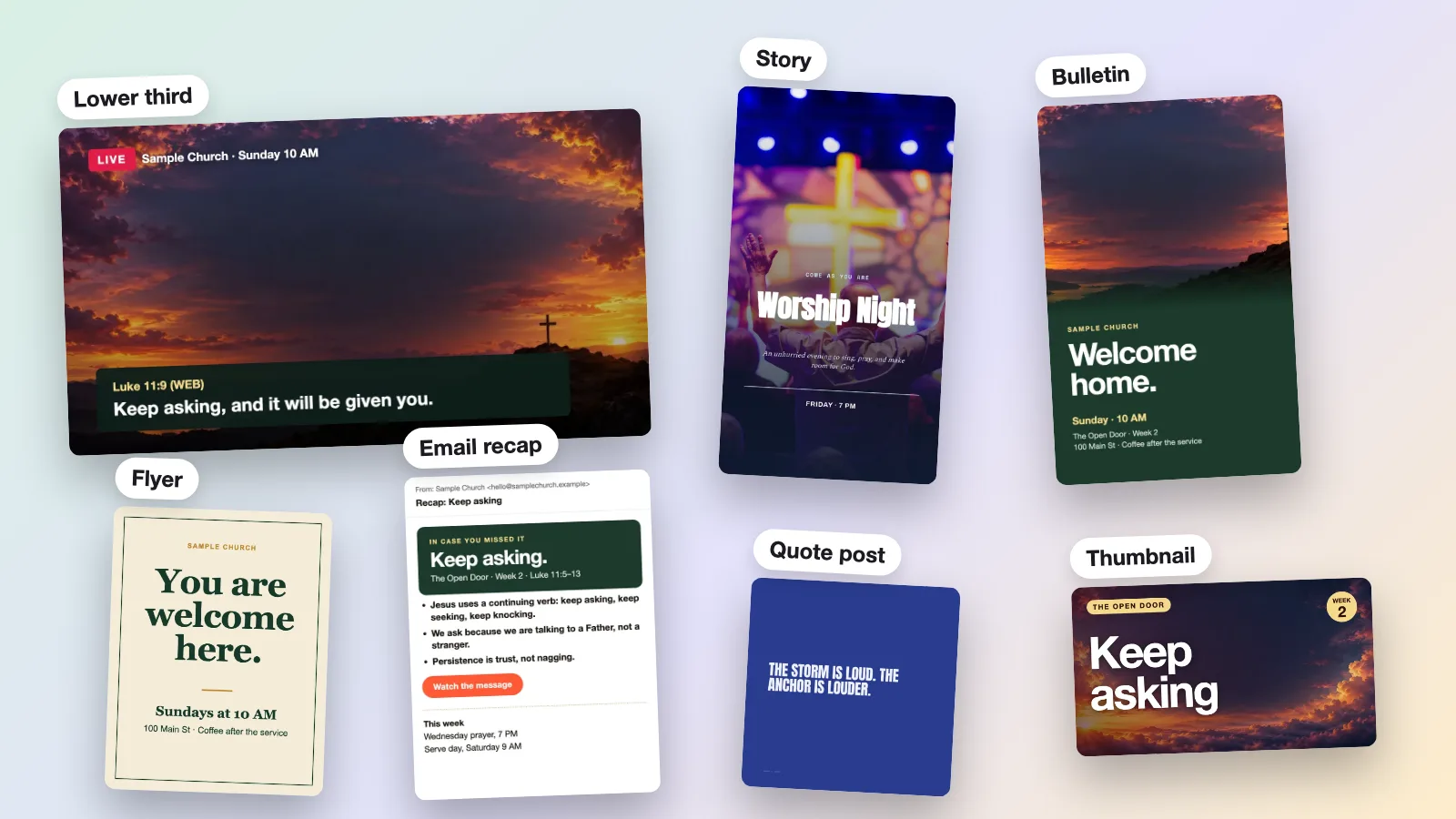
What is a church media glossary?
A church media glossary lists the words a church media team uses, with a plain definition of each: lower third, run of show, front of house, stream key and more.
- Slides and lyrics: the words and pictures on the room screen.
- Audio and camera: how the room sounds and how video is shot and sent.
- Livestream: how a service reaches people online.
- Graphics and social: images, posts and plans for sharing the message.
- Licensing and accessibility: song licenses, captions and readable design.
- Team and workflow: the roles and plans that keep Sunday running.
Church media terms, A to Z.
Every term has its own link, so you can send one definition to your team. Song license entries use US wording, so check your own country’s terms.
A
- Alt text
- Alt text is written wording that stands in for an image so people who cannot see it still understand it.
- Licensing and accessibility · Also called alternative text, image description
- Announcement slide
- An announcement slide shows an event, date or request, often looped before or after the service.
- Slides and lyrics · Also called loop slide, pre-service slide
- Aspect ratio
- An aspect ratio is a picture’s width compared with its height; 16:9 is the wide standard for HD video and screens, and 9:16 is the same shape turned upright for phone video.
- Slides and lyrics
- Audio description
- Audio description is narration added to a video that explains important visuals to people who are blind or have low vision.
- Licensing and accessibility · Also called described video, video description
B
- B-roll
- B-roll is supplemental footage, such as shots of the congregation or building, intercut with the main video to cover or illustrate it.
- Camera and video · Also called cutaway footage
- Bitrate
- Bitrate is how much data a video or audio stream uses each second; higher usually looks better but needs more upload speed.
- Livestream · Also called data rate
- Blank slide
- A blank slide is an empty, black or logo-only slide shown when no words should be on screen, such as during prayer or silence.
- Slides and lyrics · Also called black slide, logo slide
- Bleed
- Bleed is extra artwork that runs past a printed page’s trim edge, so no white edge shows after the page is cut.
- Graphics and social
- Booth
- The booth is the area where the tech team runs sound, video and slides during a service.
- Team and workflow · Also called control room, tech booth, tech desk
- Brand kit
- A brand kit is a saved set of a church’s logo, colors and fonts so every graphic looks consistent.
- Graphics and social · Also called brand guidelines, style guide
- Bulletin insert
- A bulletin insert is a printed sheet placed in the Sunday bulletin to promote an event or next step.
- Graphics and social · Also called handout, insert
C
- Call to action (CTA)
- A call to action is a clear request telling people what to do next, such as register, visit or give.
- Graphics and social · Also called CTA
- Captions
- Captions are on-screen text of the speech and important sounds in a video, for viewers who cannot hear it; on social media the word can also mean the text under a post.
- Licensing and accessibility
- Carousel
- A carousel is one social post made of several images or videos that people swipe through.
- Graphics and social · Also called swipe post, slideshow post
- CCLI Church Copyright License
- The CCLI Church Copyright License lets a US church project song lyrics and print them in bulletins and song sheets, while streaming needs its Streaming License add-on, and recorded tracks in a stream need Streaming Plus.
- Licensing and accessibility · Also called CCLI license, church copyright license
- CCLI Streaming License
- The CCLI Streaming License is an add-on that covers streaming or uploading services with songs your own musicians perform live; recorded tracks need Streaming Plus.
- Licensing and accessibility · Also called streaming licence
- CCLI Streaming Plus License
- The CCLI Streaming Plus License extends the Streaming License to cover recorded tracks, such as artist tracks, backing tracks and multitracks, in your online services.
- Licensing and accessibility · Also called Streaming Plus
- Chat moderator
- A chat moderator is someone the channel owner appoints to keep live chat respectful by deleting messages and muting or hiding disruptive users.
- Livestream · Also called chat host, mod
- Click track
- A click track is a steady metronome-like beat that performers, usually the drummer or band, hear through headphones or in-ears to keep tempo; the audience does not hear it.
- Audio · Also called click, metronome
- Close-up
- A close-up is a shot framed tightly on a face or object so viewers see expression or detail.
- Camera and video · Also called tight shot
- Closed captions
- Closed captions are captions a viewer can turn on or off, unlike open captions, which are part of the picture.
- Licensing and accessibility · Also called CC
- Codec
- A codec is the method, such as H.264, that compresses video or audio into a smaller file and turns it back into pictures and sound for playback.
- Camera and video
- Color contrast
- Color contrast is the brightness difference between text and its background; the W3C’s Web Content Accessibility Guidelines (WCAG) ask for 4.5 to 1 for normal text and 3 to 1 for large text, at level AA.
- Licensing and accessibility · Also called contrast ratio
- Content calendar
- A content calendar is a plan listing what a church will post, on which channels and on which dates.
- Graphics and social · Also called social calendar, editorial calendar
- Countdown
- A countdown is a timed screen shown before a stream begins, so viewers know when the service starts.
- Livestream · Also called starting soon screen
- Cue
- A cue is a signal or marker that tells someone it is time to act, such as changing a slide, starting a video or bringing up a microphone.
- Slides and lyrics · Also called trigger, next-slide signal
D
- Debrief
- A debrief is a short team review after a service of what worked and what to fix.
- Team and workflow · Also called post-service review
- DI box
- A DI box is a small box that lets a guitar, bass or keyboard plug into a mixer’s microphone input and run over long cables without picking up noise.
- Audio · Also called direct box, direct injection box
E
- Encoder
- An encoder is software or a device that compresses your camera and sound feed and sends it to a streaming platform.
- Livestream · Also called streaming encoder
- EQ
- EQ (equalization) turns chosen parts of a sound up or down, such as the bass or treble, to make it clearer or less harsh.
- Audio · Also called equalizer, tone control
F
- Feedback
- Feedback is the loud squeal or howl that happens when a microphone picks up its own speaker output and re-amplifies it in a loop.
- Audio · Also called squeal, howl
- Frame rate
- Frame rate is how many still pictures a video shows each second; common values include 24, 25, 30, 50 and 60, plus the slightly lower 23.976, 29.97 and 59.94 used in some regions.
- Camera and video · Also called fps, frames per second
- Framing
- Framing is how a camera places people and objects inside the picture, including how much space is left around them.
- Camera and video · Also called composition
- Front of house (FOH)
- Front of house (FOH) is the mix position and the sound the audience hears in the room, as opposed to the monitor sound sent to the stage.
- Audio · Also called house mix, FOH
G
- Gain
- Gain is how much a microphone or instrument signal is boosted when it first enters the mixer, before the fader sets how loud it is sent out.
- Audio · Also called input level, trim
- Green screen
- A green screen is a plain green backdrop that software replaces with another picture or video behind the person on camera.
- Camera and video · Also called chroma key
H
- HDMI
- HDMI is a single-cable connection that carries video, multichannel audio and data between devices such as cameras, computers and screens.
- Camera and video · Also called high-definition multimedia interface
I
- In-ear monitors
- In-ear monitors are small earpieces that carry a performer’s personal monitor mix directly to their ears instead of through stage speakers.
- Audio · Also called IEMs, in-ears
- ISO recording
- ISO recording saves each camera input as its own separate file in addition to the mixed program, so the service can be re-edited later.
- Camera and video · Also called isolated recording
L
- Latency
- Latency is the delay between something happening in the room and viewers seeing it online.
- Livestream · Also called delay
- Lavalier mic
- A lavalier mic is a tiny microphone clipped to a collar or lapel so a speaker’s hands stay free.
- Audio · Also called lav mic, clip-on mic, lapel mic
- Line check
- A line check is a quick test, usually before soundcheck, that every microphone and input reaches its own channel on the mixer.
- Audio · Also called input check
- Live chat
- Live chat is the text conversation viewers can type during a livestream.
- Livestream · Also called stream chat
- Lower third
- A lower third is a text graphic shown on the lower part of the screen, usually naming a speaker or showing a verse.
- Livestream · Also called chyron, name strap, super
- Lyrics slide
- A lyrics slide shows the words of a song, usually one verse or chorus at a time, so the congregation can sing along.
- Slides and lyrics · Also called song slide
M
- Master recording
- A master recording is the original recorded version of a song, as opposed to the written song itself.
- Licensing and accessibility
- Media director
- A media director is the person who leads a church’s media team, including volunteers, and oversees audio, video, slides and livestreaming.
- Team and workflow · Also called media pastor, media lead
- Mix
- A mix is the blend of all sounds, such as voices, instruments and tracks, with each one’s loudness, tone and placement balanced against the others.
- Audio · Also called audio mix, balance
- Mixing console
- A mixing console combines audio from microphones, instruments and tracks, and lets an operator adjust each one’s level and tone before it goes to speakers, a recorder or a stream.
- Audio · Also called soundboard, sound desk, mixer
- Monitor mix
- A monitor mix is a separate blend of sound sent to stage speakers or earpieces so performers can hear themselves and each other.
- Audio · Also called stage mix, wedge mix
- Motion background
- A motion background is a short looping video placed behind lyrics or text so the screen has gentle movement while the words stay readable.
- Slides and lyrics · Also called looping background, video loop
- Motion graphic
- A motion graphic is an animated piece of text or artwork, such as a moving title or verse.
- Graphics and social · Also called animated graphic
- Multitracks
- Multitracks are separate recordings of each part of a song, such as drums or vocals, that can be played back and mixed individually.
- Audio
N
- NDI
- NDI lets video, audio and data travel between devices over a computer network, usually a wired one, instead of dedicated video cables.
- Camera and video · Also called Network Device Interface
O
- Online host
- An online host is a person who welcomes viewers and answers their questions in the chat while a service streams.
- Livestream · Also called digital host
- Open captions
- Open captions are captions burned into the video picture, so every viewer sees them and no one can turn them off.
- Licensing and accessibility
- Order of service
- An order of service is the list of the parts of a worship service in the order they happen.
- Team and workflow · Also called order of worship
P
- Photo release
- A photo release is written permission from a person, or a parent for a child, to use their picture or video of them.
- Licensing and accessibility · Also called media release, consent form
- Premiere
- A premiere is a video that plays for everyone at a set time, with a countdown and live chat, so people watch it together as if it were live.
- Livestream
- PTZ camera
- A PTZ camera is a motorized camera that pans side to side, tilts up and down and zooms, all controlled remotely.
- Camera and video · Also called pan-tilt-zoom camera, robotic camera
- Public domain
- A work in the public domain has no copyright protection because it expired or never applied, though rules differ by country and a newer arrangement of it may be protected.
- Licensing and accessibility · Also called PD
Q
- QR code
- A QR code is a square barcode that a phone camera scans to open a web page or form.
- Graphics and social · Also called scan code
R
- Rehearsal
- A rehearsal is a practice run of the service parts, including cues and transitions, before the real service.
- Team and workflow · Also called walkthrough, run-through
- Replay
- A replay is the saved recording of a livestream that stays on your channel so people can watch it after the service ends.
- Livestream · Also called VOD, video on demand, rewatch
- Resolution
- Resolution is how many pixels, the tiny dots that make up a picture, a video frame holds; 1080p is 1920 by 1080 (Full HD), and “4K” usually means 3840 by 2160.
- Camera and video · Also called 1080p, 4K
- RTMP
- RTMP is the usual way an encoder sends live video to a streaming platform; RTMPS is its secure version.
- Livestream
- Run of show
- A run of show is a detailed plan of an event that lists what happens, when, and who is responsible.
- Team and workflow · Also called run sheet, service flow
S
- Safe area
- A safe area is the inner part of the frame where content stays visible when a screen crops the edges; text and lower thirds need a smaller area than pictures.
- Slides and lyrics · Also called title-safe area, safe margin
- Scripture slide
- A scripture slide shows a Bible passage with its reference so everyone can read along with the speaker.
- Slides and lyrics · Also called verse slide
- SDI
- SDI is a cable standard that carries uncompressed digital video between professional cameras, recorders and switchers.
- Camera and video · Also called serial digital interface
- Sermon clip
- A sermon clip is a short cut from a full sermon, usually under a minute or two, shared on social media.
- Camera and video · Also called sermon excerpt
- Short vertical video
- A short vertical video is a brief, tall-format clip made to be watched on a phone, often a minute or two long.
- Graphics and social
- Simulcast
- Simulcast is sending the same live video to more than one platform at the same time.
- Livestream · Also called multistream
- Slide deck
- A slide deck is a set of slides shown in order on a screen, such as songs, verses, announcements and sermon points.
- Slides and lyrics · Also called presentation
- SongSelect
- SongSelect is CCLI’s online library of worship songs, with chords and sheet music, and free lyrics for Church Copyright License holders.
- Licensing and accessibility · Also called CCLI SongSelect
- Soundcheck
- A soundcheck is a pre-service test where performers play so the sound team can confirm the sound is clear, at the right level and well balanced before people arrive.
- Audio · Also called sound check
- Stage display
- A stage display, or confidence monitor, is a screen facing the platform that shows leaders the current and next slide, notes and a clock; the congregation does not see it.
- Slides and lyrics · Also called confidence monitor, stage monitor screen
- Story
- A Story is a short, tall photo or video post that viewers see for a limited time instead of staying on a profile permanently.
- Graphics and social · Also called Instagram Story, Facebook Story
- Stream key
- A stream key is a private code that tells a streaming platform which channel should receive the live video from your encoder.
- Livestream · Also called streaming key
- Subtitles
- Subtitles are on-screen text of the spoken words, often a translation into another language for viewers who can hear but do not know it; in the US the word is sometimes used for captions.
- Licensing and accessibility · Also called translation subtitles
- Sync license
- A sync license is permission from a song’s rights holder to use the song in a video; using a commercial recording also needs a master use license for that recording.
- Licensing and accessibility · Also called synchronization license
T
- Tally light
- A tally light is a small lamp on a camera: red means that camera is live to the screen or stream, and some systems show green for the next one.
- Camera and video · Also called on-air light
- Technical director (TD)
- A technical director is the person who runs a service’s tech live, making sure people and equipment work together.
- Team and workflow · Also called TD
- Thumbnail
- A thumbnail is the small picture that represents a video in lists and search results, shown before someone presses play.
- Graphics and social · Also called cover image, preview image
- Transcript
- A transcript is a text version of what is said and the other sounds needed to follow audio or video.
- Licensing and accessibility · Also called text version, sermon transcript
V
- Video switcher
- A video switcher lets an operator choose which of several live video sources, such as cameras, goes out to the screen or stream.
- Camera and video · Also called vision mixer, video mixer, production switcher
- Volunteer rotation
- A volunteer rotation is a repeating plan that takes turns assigning team members to roles, so no one serves every week.
- Team and workflow · Also called rota, roster
W
- White balance
- White balance is a camera setting that makes white objects look white under a given light, so skin tones and colors look natural.
- Camera and video · Also called WB
- Wide shot
- A wide shot shows the whole stage or room, so viewers see the setting and everyone in it; it is often used as an establishing shot.
- Camera and video · Also called long shot, establishing shot
Y
- YouTube Short
- A YouTube Short is a short vertical video made for YouTube’s Shorts feed, where people swipe through clips.
- Graphics and social
How these definitions were checked.
Caption, transcript, audio description and contrast terms follow the W3C’s accessibility guidance, and livestream terms follow YouTube Help where it covers them. Song license terms follow CCLI’s own US pages, read on 29 October 2026, and are not legal advice, because licenses differ by country and church. Camera, audio and connector terms rest on standard reference definitions.
Some words are church habits rather than standards, such as booth, cue and debrief. Those describe common practice, so your team may use them a little differently.
Frequently asked questions
A lower third is a text graphic on the lower part of the screen, usually naming a speaker or showing a verse. It is also called a chyron.
A run of show is a detailed plan of an event that lists what happens, when and who is responsible. It is also called a run sheet.
FOH means front of house: the mix position and the sound the congregation hears in the room. It is separate from the monitor sound sent to the stage.
A stream key is a private code that tells a streaming platform which channel should receive your live video. Treat it like a password.
Captions show speech and important sounds so people who cannot hear the audio can follow. Subtitles show the spoken words, often translated, for viewers who can hear but do not know the language.
Latency is the delay between something happening in the room and viewers seeing it online. Some platforms offer lower-delay settings that can trade away some smoothness.
A PTZ camera pans, tilts and zooms by remote control. One person can run several of them from the booth.
In the US, CCLI says it covers projecting song lyrics and printing them in bulletins and song sheets, and streaming needs its Streaming License add-on. Read CCLI’s own terms for your church, because this is not legal advice.
Words you can use on Sunday.
Start from your sermon, review each draft and download what your church needs.
Free account. No card needed. Plans start at US$29.95 a month.
More apps in Church Media Kit.
 Sermon to SocialPaste a YouTube sermon link. Get posts you can edit and share yourself.
 Sermon ClipsUpload a sermon video. Get short video clips with captions.
 Sermon SlidesTurn your sermon notes into a presentation and livestream text bars.
 DesignMake graphics for posts, flyers, bulletins and cards. Then download or print them.
 Verse of the DayA ready-made Bible verse image for every day.
 BackgroundsBackgrounds for the song words on your church screens.
 Church in bioOne link for your Instagram or Facebook page, with service times and directions.