Design, branding, and accessibility
How to add church lower thirds in OBS and vMix: safe zone, timing and file names
Add a church lower third in OBS or vMix: keep it inside the safe margin, set the timing, name the files and test before Sunday. Examples to copy are on the church lower thirds page.
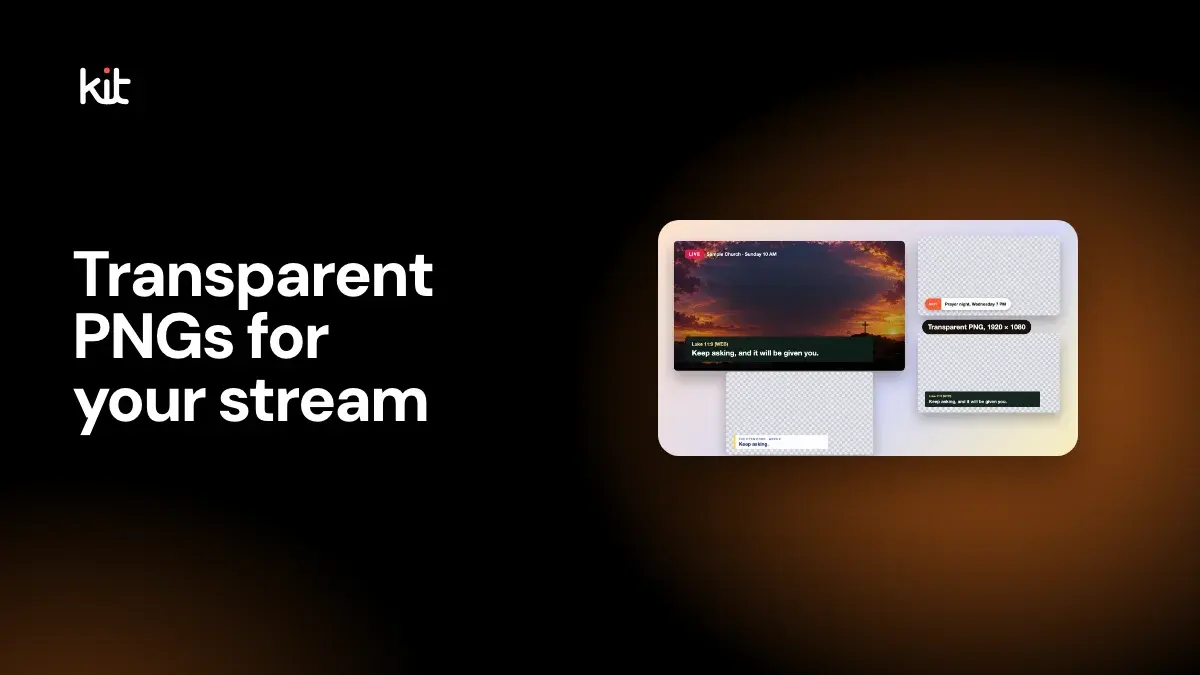
To add a lower third in OBS or vMix, start with a transparent PNG the same size as your stream, usually 1920 × 1080, with one short line on a dark strip. Then add it as an image layer above the camera and show it when the moment comes. For ready-made examples and the exports to start from, see the church lower thirds page.
This how-to covers where the strip should sit, how long to leave it up, the OBS and vMix steps, how to name the files, and a short test to run before Sunday. It was last checked on 16 October 2026.
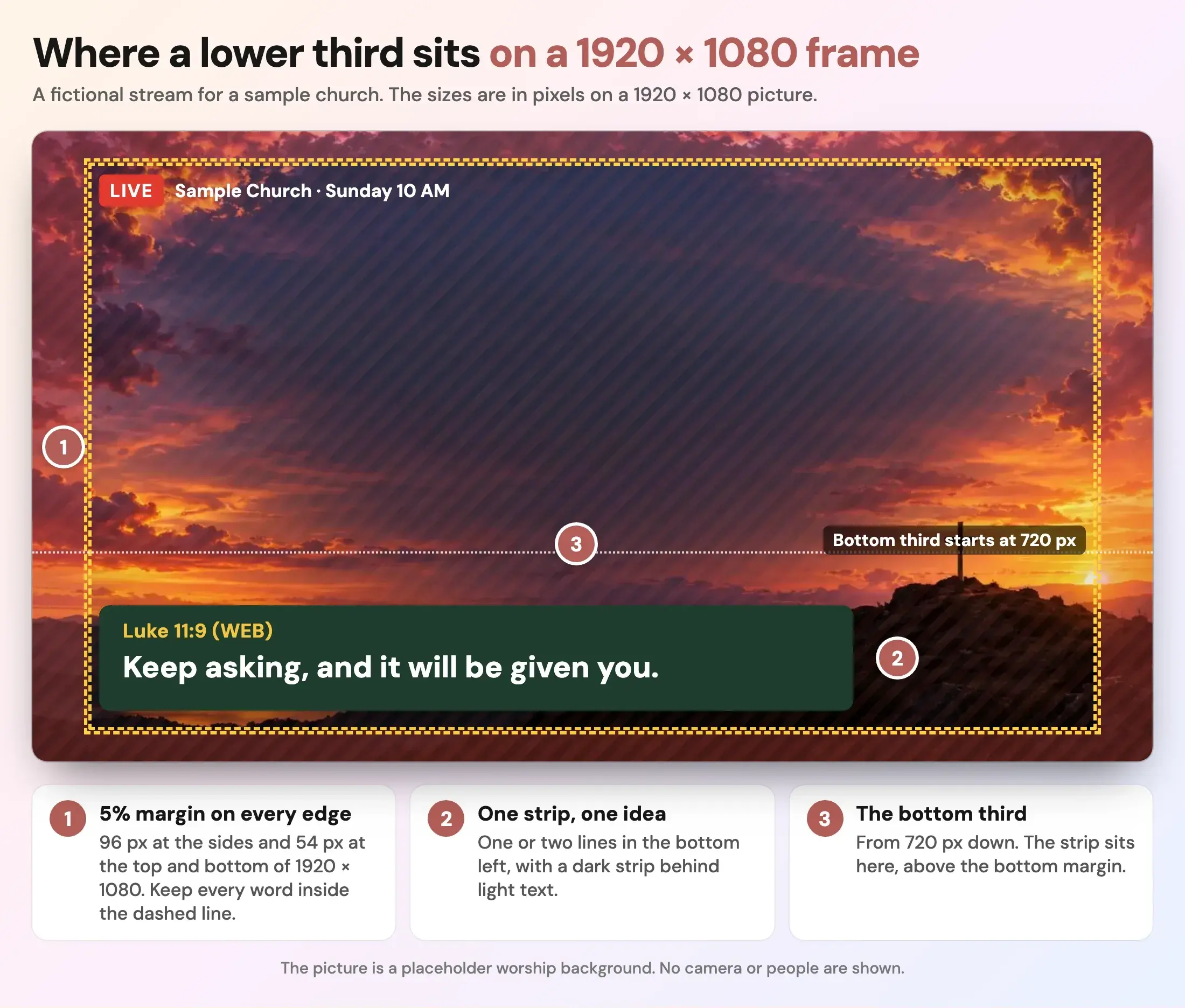
A fictional stream for a sample church over a placeholder worship background.
What is a lower third?
A lower third is a strip of text over the lower part of the video picture. On a church stream it names a speaker, shows a Bible reference, repeats a sermon point, announces an event or gives a giving address. Our church lower thirds page shows five examples of each. This guide is about making and running them.
Where does a lower third go on the screen?
Put it in the lower part of the frame, in the bottom left, and keep every word inside a safe margin.
Broadcasters have a rule for this. The European Broadcasting Union's recommendation R 095, read on 16 October 2026, defines a graphics safe area of 5% per edge for 16:9 pictures. On a 1920 × 1080 frame, 5% is 96 pixels at the sides and 54 pixels at the top and bottom. Keeping text inside that line is a sensible rule for a church stream too. A phone, a TV or a player can crop a little of the edge, and a margin keeps your words from touching it.
Three more placement habits:
- Bottom left, not centred. It leaves the middle of the picture, where faces and the stage are, clear.
- A strip behind the text. Light text on a dark strip stays readable over a bright stage. Text with no strip can disappear on the brightest shot.
- The same spot every time. Viewers learn where to look.
What size should a lower third PNG be?
Match your stream. Most church streams are 16:9, so a transparent PNG at 1920 × 1080 fits a 1080p stream. It can be scaled to 1280 × 720 and, with some softening, to 3840 × 2160.
Make the PNG the full frame, with the strip drawn in its place and the rest fully transparent. That way you add it once, stretch it to the whole canvas, and never need to position it by hand. A small cropped strip also works, but you then have to place it in the same spot every time.
A transparent background is what lets the camera show around the strip. A solid rectangle would cover the entire picture.
What should a church put in a lower third?
One idea per strip, in one or two lines.
| Type | What it says | Keep it |
|---|---|---|
| Speaker name | Name and role | One line |
| Scripture | The reference, then the verse | Two lines; split a long passage |
| Sermon point | One sentence to take home | One or two lines |
| Announcement | The event, the day and the time | One line |
| Giving and connect | One web address | One line |
Check every name and reference against your notes. A wrong name or verse on screen is the mistake people remember.
How long should a lower third stay on screen?
There is no standard. Our suggestion is to read the text aloud twice at a natural pace and leave it up for that long, with a few seconds as a floor for a name. Scripture can stay longer, since viewers may be turning to the page. Test it on a phone and on the room screen, where distance changes how fast people read. Vimeo's lower-thirds guide gives no fixed number either. It says an overlay should last long enough for viewers to take in the message without speed-reading, and not overstay its welcome.
How do you add a lower third in OBS?
OBS Studio's own documentation covers the pieces, though not a church recipe. This is the sequence they support.
- Add the PNG as an Image source. OBS's Image Sources page, read on 16 October 2026, says it supports
.pngand "alpha channel support is also available where applicable". - Put the Image source above your camera in the source list. OBS's Sources Guide says sources higher in the list draw on top.
- Stretch the image to the full canvas if it is a full-frame PNG.
- Show and hide it with the eye icon beside the source. The same guide describes it as the way to hide a source and show it again.
- Rehearse the show and the hide, and look at the stream output, not just the preview.
If the transparent parts show as black or a checkerboard, the file is the first thing to check: confirm the PNG really has a transparent background. A flattened export, such as a checkerboard drawn into the picture, will not work.
How do you add a lower third in vMix?
vMix uses overlay buttons. Its Overlay help page, read on 16 October 2026, says clicking a numbered button puts that input over the current program output, and clicking it again removes it. The overlay settings page says transparency comes from the input's alpha channel: a PNG with a transparent background is taken into account when it is overlaid.
So the steps are the same in spirit: add the PNG as an input, assign it to an overlay button and click the button when the speaker starts. Check your vMix version's guide for the exact menu names.
Other streaming apps have their own names for layers and overlays. If yours can show an image above the camera, a transparent PNG should work, but test it.
How should you name lower third files?
Name them so a volunteer can find the right one in a hurry, in the order they will be used. A convention that works:
2027-03-28_lt-01_speaker.png
2027-03-28_lt-02_scripture-luke-11-9.png
2027-03-28_lt-03_point-1.png
2027-03-28_lt-04_announcement-prayer-night.png
2027-03-28_lt-05_give.png
The date first sorts weeks together. The number second keeps them in service order. A short label last says what the file is. Keep a folder per Sunday and an "evergreen" folder for the giving and welcome strips you reuse.
Put a single named person on the show and hide cues, and let the pastor see the list before Sunday. A simple content handoff helps with who does what.
What if the name or verse changes every week?
A PNG is a fixed picture, so each name and verse needs its own file. For a small team that is fine: make the week's set once on Friday. If you show dozens of changing names, a text-based title or browser source in your streaming software may be easier, because you edit the words and keep the design. That has a learning cost, so most churches should start with PNGs.
How do you make the lower thirds?
You can draw them in any design tool that exports a transparent PNG. Keep one font, one strip shape and one colour from your church's colours, so the stream looks like the screen in the room. The minimum brand guide describes a set a volunteer can maintain, and the accessible graphics guide covers contrast.
Sermon Slides by Church Media Kit pairs each slide with a matching Stream Lower Third. You paste your sermon notes, review the outline, edit the slides and lower thirds, and download PowerPoint or PDF plus transparent lower-third PNGs. The first deck is free. ProPresenter, Keynote and Google Slides: coming soon.
Start with one sermon
Prepare clips and post text for your church to review.
Open Sermon Slides with a free account, no card needed, and download a transparent lower third for each slide. Plans start at US$29.95 a month.
A test to run before Sunday
- Is every PNG genuinely transparent around the strip?
- Is every word inside the 5% margin?
- Can you read the strip over the brightest camera shot?
- Are names and references right against the notes?
- Does each file show and hide cleanly in your software, on the real stream output?
- Is the strip readable on a phone?
- Who clicks, and do they have the list?