Design, branding, and accessibility
The minimum church brand guide a volunteer can maintain
A one-page handoff for approved names, logo files, tested color pairs, type roles, image limits, ownership, and temporary exceptions.
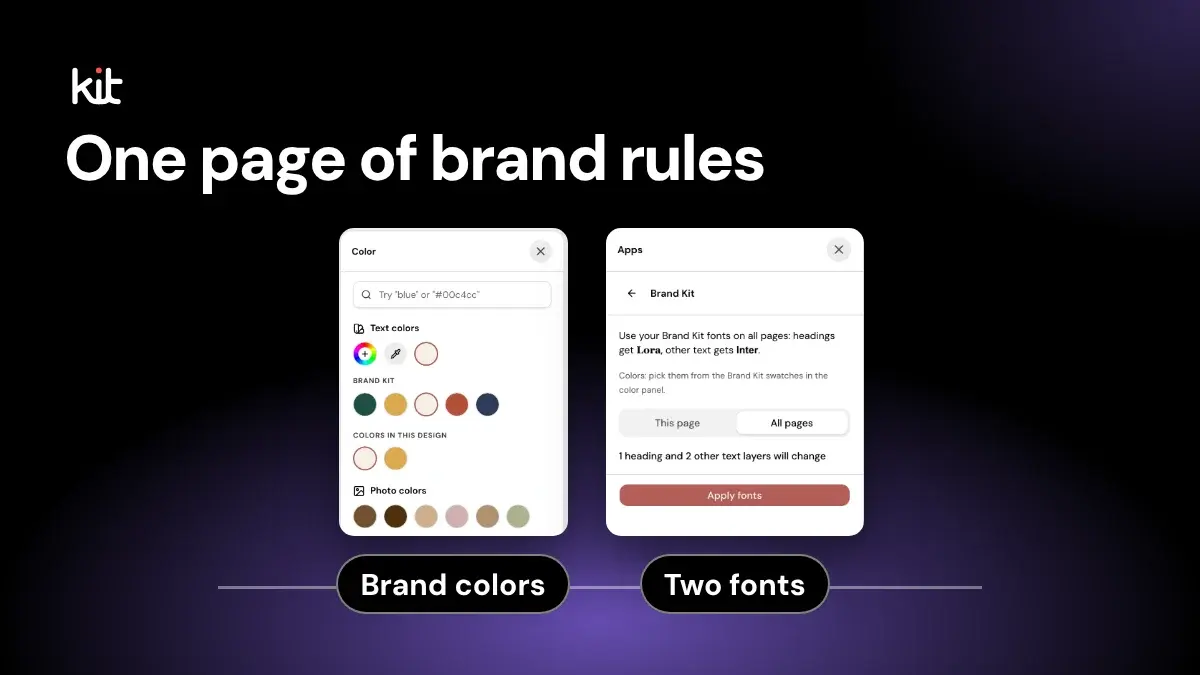
The minimum church brand guide has two parts: one view-only page and one folder of approved files. Together, they should answer the questions a volunteer meets in ordinary work:
- the church's public name, short form, and handle;
- which logo file to use, and which treatments are prohibited;
- tested foreground and background color pairs, with a stronger fallback;
- type roles, weights, fallbacks, source, and licence;
- image, consent, privacy, and safeguarding limits;
- approved names for ministries, gatherings, and roles;
- the guide owner, review date, change triggers, and exception route.
Two roles keep this clear. The owner decides and keeps the page current. The volunteer applies it and asks the owner when a row is blank. In a small church, one person may be the owner and also check contrast and image rights. If that is you, you are the owner. Name yourself and a backup, and do the rest of this in order.
Do not ask the volunteer to choose among unresolved logos, palettes, or typefaces. Those are identity decisions.
Instead, record what the church has approved. Show where the current files live. Then name the person who can answer the next question.
Use one page for decisions and one folder for files
A long brand book can explain the history of a mark, the reasoning behind a palette, and examples for dozens of channels. That detail may matter to the people who own the identity. A volunteer doing routine work needs a much shorter handoff.
The volunteer needs two dependable links:
- A view-only guide that opens without special design software.
- A view-only asset folder with the current logo, font, and reusable image files.
Keep the current files at the top level of the asset folder. Move replaced files into a dated archive folder or a separate restricted archive. Do not leave final-logo.png, final-logo-2.png, and new-final-logo.png together and expect someone to infer the decision.
Write the owner's name, contact route, guide version, and last-reviewed date at the top of the page. A role such as communications team is not enough when nobody knows who will answer. One person may own several decisions, but a real person should be reachable.
Published church style guides, such as the Church of England's guidance for local churches, start with logo use, color, and fonts. That is a useful visual core. A volunteer handoff also needs accessibility pairings, rights limits, file ownership, and a route for exceptions.
Free printable PDF
Church social media policy template
What is inside
- A twelve-section policy with blanks for your church name, accounts, approvers and administrators
- Account security: at least two adult administrators, two-step sign-in, separate logins and access that ends when someone steps down
- Rules for personal accounts, photos and children, comments, prayer requests, copyright and a crisis pause
- An adoption page for your pastor or board; a short notes block for the United States, Canada and the UK; and notes for several campuses and a solo volunteer
Enter your email and confirm a code to download. We email you a copy the first time each day.
Start here if you have no guide yet
A church with no designer needs only five lines to begin. Write these first and leave the rest for later:
- Owner and backup.
- Public name, short form, and handle.
- One approved logo file, or the words
no logo yet. - One tested text and background color pair.
- One heading font, one body font, and one image rule.
This is a starting point, not a finished guide. Add the other rows as real questions come up. If a row is blank, the volunteer marks the work pending and asks the owner. They do not pick a color, font, or logo themselves.
See a filled-in example first
This example is invented for illustration. It does not describe a real church.
| Section | Example entry |
|---|---|
| Owner and version | Owner: the office administrator. Backup: the associate pastor. Version 1, reviewed 2026-10-13, next review 2027-04-13 |
| Public identity | Full name: [full public name]. Short form: [short name]. Handle: [@handle]. Do not use: [retired abbreviation] |
| Color pair | Text #1F3A5F on background #FAF6EE. Ratio 10.65:1 (calculated for this example). Tested for body text. Fallback: black on white |
| Type roles | Heading: one serif family, bold. Body: one sans-serif family, regular. Fallback: the device's default sans-serif. Licence link saved with the entry |
| Image rule | Use only photos from the church's licensed folder. Anything showing children goes to the safeguarding contact first |
| Exception | Joint event poster, partner logo allowed on this one poster, approved by the owner, expires the day after the event, then delete the file |
Opens a free sign-up for Church Media Kit.
Copy this one-page church brand guide template
Use the template below as a working record. Replace every bracketed prompt with an approved answer or a link. If the church has not decided something, write the owner who will decide it and keep the affected work in draft.
| Section | Record on the page |
|---|---|
| Owner and version | Owner name, contact route, version, last-reviewed date, next review date |
| Public identity | Full public name, approved short form, public handle, website, names that must not be used |
| Logo files | Link to each approved current file, its background or channel, minimum practical size if known, clear-space rule if approved |
| Prohibited logo use | No stretching, recoloring, rotating, outlining, rebuilding, cropping, effects, or placement on an unapproved background |
| Color pairs | Foreground hex, background hex, recorded contrast ratio, text role tested, checker and date, high-contrast fallback |
| Type roles | Heading family and weights, body family and weights, fallback, file or source, licence, approved languages and sample check |
| Image rules | Approved sources, rights record location, consent owner, people or situations that need extra review, prohibited reuse |
| Copy terms | Approved names for services, ministries, locations, roles, Scripture references, and public contact routes |
| Asset location | View-only guide link, canonical asset folder link, archive location |
| Exceptions | Requester, change requested, reason, channel, approver, approval date, expiry date, replacement or removal action |
| Change triggers | Name, logo, owner, licence, platform, language, accessibility, safeguarding, or folder changes that require review |
This is a decision record, not a form for the volunteer to complete alone. The owner fills it in, someone checks the color pairs and examples for accessibility, and the person responsible for rights or safeguarding approves the image boundaries. In a small church, one person may do all three checks.
Record the public name before the logo
Start with words. A church may have a legal name, public name, short name, handle, campus name, and ministry names. The minimum page should tell the volunteer which form belongs in public communication.
Useful entries look like this:
- Public name:
[approved full name] - Short form after first mention:
[approved short form] - Public handle:
@[approved handle] - Sunday gathering:
[service, gathering, worship service, or another approved term] - Building or campus:
[approved public location name] - Do not use:
[retired name, abbreviation, or internal nickname]
Do not put every internal department name on the page. Include terms that appear often enough to create a real handoff problem. Link to a separate writing guide when copy rules need more space.
A word such as campus, parish, location, or service may carry organizational or theological meaning. The volunteer should not have to choose the preferred term by copying whichever old post appears first in search.
Link each approved logo to a use
A logo section should show current files, not a gallery of possibilities. Give each variant a plain role:
- full-color mark for an approved light background;
- reversed or light mark for an approved dark background;
- one-color mark for a use the owner has approved;
- compact mark only if the church actually has one.
Link the exact files. State whether the volunteer needs SVG (a scalable vector file), PNG (a common image file), or another format for the ordinary work they do. Do not upload a file merely because it exists. An unlicensed redraw, a blurry copy taken from a website, or a retired ministry logo does not become approved when it enters the folder.
Show a few prohibited treatments beside the rule when that can be done without turning the page into a design course. The most common rules are simple: do not stretch, rotate, recolor, crop, add effects, rebuild, or place the mark on a background where it disappears.
If a new size or channel exposes a problem the guide does not answer, the volunteer asks the owner. They do not improvise a new logo variant to meet a deadline.
Save color pairs, not a loose palette
A row of brand colors does not tell a volunteer which color can carry text. Record approved foreground and background pairs instead.
For each pair, include:
- foreground hex value;
- background hex value;
- contrast ratio recorded by the checker;
- whether the pair was checked for ordinary text, large text, an informative graphic, or decoration;
- checker name and test date;
- a high-contrast fallback pair.
A contrast ratio is a number from 1:1 to 21:1 that compares how light the text is with how light the background is. A free tool such as the WebAIM Contrast Checker takes two hex values (six-character color codes such as #1F3A5F) and returns the ratio. Paste in the text color, paste in the background color, then record the number and the date.
WCAG 2.2 sets a 4.5:1 minimum for ordinary text and 3:1 for large text on web content, with defined exceptions. The same specification says color cannot be the only visual means of conveying information.
Those checks answer specific questions. They do not make a palette, template, or social account universally accessible. A ratio that passes on a flat background can fail when a photograph, gradient, transparency, or compression changes the pixels behind the words. Small or thin type may remain difficult to read even when the measured ratio passes.
Give the volunteer a fallback that removes doubt. Black or very dark text on a light solid background and white text on a sufficiently dark solid background are common patterns, but the actual pair still needs a recorded check.
Review a real sample at the size people will encounter it. Put the finished graphic on a phone. Check every line, not only the headline. If the volunteer must zoom to read the date or Scripture reference, the layout is not ready.
Treat font limits as starting constraints
One heading face and one body face are a sensible starting constraint for a small team. That is not a universal design rule. If the church has an approved type system with more roles, record it. If it does not, fewer choices make the handoff easier to follow.
For each role, write down:
- exact family name;
- approved weights and styles;
- ordinary fallback family;
- download or licence source;
- whether the volunteer may share the font file;
- languages and characters the team has checked;
- one approved phone-size sample.
Do not assume a font may be copied because someone on staff has it. Google states that fonts in its directory use open-source licences, but other libraries and purchased fonts have their own terms. Keep the licence or source link with the record.
If the church publishes in one language, you can skip the other scripts. Where it publishes in more than one, language support needs a real test. Type the church's public name, local place names, accented names, Scripture references, punctuation, and a short sentence in every language the team publishes.
Google Fonts documents that type families support different script subsets. A Latin sample does not prove that Arabic, Cyrillic, Greek, CJK, or another script will render correctly.
Record a fallback for missing or unavailable fonts. The fallback should be readable and available in the tools the volunteer uses. It does not need to imitate the approved face perfectly.
Put image rights and consent in the handoff
An image folder should answer may we use this here?, not only can we download it?
For stock, commissioned, staff-made, or congregational images, record:
- who owns the file or supplied the licence;
- the permitted channels and uses;
- where the licence, release, or permission record lives;
- whether an expiry, territory, credit, or editing limit applies;
- who approves reuse involving identifiable people;
- which people or situations need a safeguarding or pastoral review.
Do not put private consent forms or sensitive personal records in a widely shared asset folder. Link the volunteer to the owner who can confirm the permission state.
The U.S. Copyright Office notes that a photographer is generally the first copyright owner unless another rule, such as work made for hire, applies. It also warns that photos found online remain protected.
Local law and the actual licence control, so a church outside the United States should use its own qualified guidance. Ask a qualified adviser before you rely on any of this as legal advice.
Consent and safeguarding also depend on policy, jurisdiction, and context. As one example from another country, the Church of England's social-media guidance tells its churches that consent for sharing images of children should cover social media. It also points teams to safeguarding advisers.
That is a useful reminder to name the route. It is not a universal legal test.
For photos of children and teenagers, the image rule should point to the church's own safeguarding policy and name its contact. The church's safeguarding lead sets the actual rule, not this guide.
Set stricter review rules for children, vulnerable people, prayer, baptism, pastoral care, testimonies, grief, medical matters, housing or immigration risk, and any image that could reveal a person's location or private situation. If the owner cannot confirm the use, choose another image or publish without one.
Keep essential words outside the graphic
A graphic may contain a quotation, date, place, or short invitation. Do not make the image the only place a reader can get the information.
W3C's image guidance says the right text alternative depends on what the image does in context. Informative images need an alternative that conveys the essential information. Decorative images can use a null alternative. Images of text should generally be avoided when real text can provide the same content.
The guide should tell the volunteer to:
- keep the essential wording in the post text or another accessible text location;
- write alternative text from the final image and its purpose;
- add or verify that text on the actual publishing destination;
- inspect any automatic crop before publishing.
An alt-text field inside a design file is only a draft record unless the destination receives and presents it correctly. Exported pixels do not carry a useful description by themselves.
Walk through the guide together
The first build takes a single sitting for the five starter lines. Plan a short review each time one of the triggers below happens. The owner should walk through the guide with the volunteer once. Keep the test practical.
- Open the view-only guide from the link the volunteer will use later.
- Say which public name, short form, and handle are current.
- Open one logo file from the canonical folder and identify its approved background.
- Choose one recorded text and background pair, then locate its fallback.
- Find the heading and body font roles, weights, source, and fallback.
- Show where image rights are confirmed without exposing private records.
- Name the person who handles an accessibility, consent, safeguarding, or identity question.
- Submit one fictional exception request and find its expiry field.
Then give the volunteer a small test asset. Ask them to identify the right name, logo file, color pair, type roles, image permission route, and reviewer. Do not judge their taste. Check whether the handoff led them to the approved decision.
If the volunteer cannot find an answer, fix the page or the folder. Repeating the answer in a chat message hides the documentation problem until the next person asks.
Use expiring exceptions instead of quiet drift
Sometimes an outside partner, funeral notice, conference, holiday, or joint event needs a temporary variation. Record it. Do not let an emergency file silently become the next template.
An exception record needs:
| Field | Question it answers |
|---|---|
| Requester | Who needs the change? |
| Asset or rule | What will differ from the guide? |
| Reason and channel | Why is the difference needed, and where will it appear? |
| Approver | Who accepted the exception? |
| Approval date | When did approval begin? |
| Expiry date | When does ordinary guidance apply again? |
| Removal action | What file, template, or post must be replaced, archived, or removed? |
An exception is not a new rule. When the same exception returns, the owner decides whether to change the guide. The volunteer should not infer a permanent policy from repeated one-off approvals.
Review the guide when a real trigger occurs
Set a review date, but do not rely on the calendar alone. Review the page when:
- the church's public name, handle, website, campus structure, or ministry terms change;
- a logo, color, typeface, or owner changes;
- a font, stock library, or other licence changes;
- the church begins publishing in another language;
- a new destination crops, compresses, or displays content differently;
- a recorded color pair fails in a real asset;
- privacy, consent, or safeguarding policy changes;
- volunteers repeatedly need the same exception;
- an asset link breaks or current and obsolete files become mixed.
Record the new version and review date. Move replaced files out of the current folder. Tell active volunteers what changed and which old templates should stop circulating.
Leave these items out of the minimum guide
The one-page guide does not need:
- a brand history or positioning essay;
- mood boards;
- unresolved logo, color, or type options;
- passwords, recovery codes, or private keys;
- a giant table of dimensions for every platform;
- full accessibility, privacy, safeguarding, or copyright policies;
- ministry sub-brands without an owner;
- unlicensed fonts, photos, icons, or marks;
- obsolete assets mixed with current ones.
Link to the owning policy when more detail is required. Link to a separate format guide for sizes and export settings. The minimum page should state the approved decision and the escalation route.
Watch for handoff failures
| What the volunteer sees | Why it fails | Better record |
|---|---|---|
Six logo files named final | The decision is hidden in filenames | One current folder with each variant named by use |
| Five brand swatches | No text and background relationship is stated | Tested pairs with ratios, roles, dates, and fallback |
Use our heading font | The family, weight, source, licence, and fallback are missing | Complete type role with a real-language sample |
Use welcoming photos | Rights, consent, dignity, and safeguarding remain unresolved | Approved sources, limits, owner, and escalation route |
Make it accessible | The volunteer has no checks or accountable reviewer | Pair checks, phone review, destination alt text, named owner |
Ask the team | No person is responsible | One named owner and contact route |
| A partner graphic approved last year | A temporary exception became an undocumented rule | Approval date, expiry, and removal action |
These failures are not evidence that a volunteer lacks design ability. They show that the church handed over taste where it should have handed over decisions.
Where Church Media Kit fits
A document alone is enough for many churches. A tool helps when the same people design every week and want the approved choices inside the editor.
Church Media Kit has a Brand Kit that an Owner or Admin sets up by hand. It holds up to six colors, one heading font, one body font, and the church logo. Anyone who can edit the church's shared designs can read it. In the design editor, its colors appear as swatches in the color panel, and an Apply Brand Kit action sets the heading and body fonts on a page or a whole design. That action changes fonts only; people still choose colors from the swatches.
It does not hold your tested color pairs, ratios, or fallbacks, and it does not store type licences or image rights. It does not certify accessibility, confirm consent, or approve brand exceptions. A person still chooses the correct asset, applies the recorded decisions, reviews the final design, and decides whether it is ready.
The guide should remain usable outside one product. A volunteer may need the same approved name, logo, pair, type role, and image rule in a website editor, slide deck, document, email, or social platform.
Minimum church brand guide FAQ
How long should a church brand guide be?
The minimum volunteer handoff should fit on one current page, with links to approved files and longer policies. Add another guide only when a real recurring decision no longer fits without becoming hard to find.
How many fonts should a small church use?
One heading face and one body face are a useful starting constraint, not a standard. Record the approved roles, weights, fallbacks, licences, and language checks. Use a different settled system when the church already has one.
Is a color palette enough?
No. Record foreground and background pairs, the measured ratio, the role tested, the checker and date, and a high-contrast fallback. Recheck the final asset when a photo, gradient, transparency, or small text changes the result.
Does a logo need to appear on every church post?
No universal rule requires that. Follow the church's approved logo uses. A repeated type, color, layout, image approach, or account identity may already identify the source. Do not add a logo merely because an empty corner exists.
Should each ministry have its own logo?
Only when the church has approved the need, ownership, relationship to the main identity, and maintenance plan. Do not ask a volunteer to create an unowned sub-brand for one event.
What if the volunteer needs an unlisted color or font?
They should request a temporary exception or ask the guide owner to revise the system. Record the decision, approver, date, expiry, and removal action. Do not let a one-off choice enter the current folder without review.
Does passing a contrast check make a graphic accessible?
No. Contrast is one check. Review type size, line length, image text, color-only meaning, reading order, destination alt text, crop, language, and the complete post in context. A single passing pair cannot certify the asset or channel.
Where should consent forms and licences live?
Keep sensitive records in the church's approved private system. The shared guide should name the owner and permission state or link to a safe record without exposing personal data. Do not place private consent forms in a general asset folder.
Who should maintain the guide?
Name one accountable owner and a backup contact. The owner does not need to make every design. They keep decisions current, answer exceptions, coordinate qualified accessibility and rights review, and remove obsolete files from the current handoff.
Start by writing the owner and public name. Then link the approved files and record the pairings, roles, limits, and exception route that already have answers. Where an answer does not exist, name the person who will make it. Do not hand that uncertainty to the volunteer.
Free printable PDF
Church social media policy template
A fill-in church social media policy your pastor or board can adopt: who may post and who approves, account ownership and two-step sign-in, personal accounts, photos and children, comments and moderation, prayer requests, copyright, a crisis pause and a signature page. Information, not legal advice; check with your denomination or insurer.
Enter your email and confirm a code to download. We email you a copy the first time each day.
Try Church Media Kit
Review what’s included and try the tools that fit your church’s workflow.
A free account needs no card. Sermon to Social, Sermon Clips and Sermon Slides each give one free use. That is one sermon, one upload up to 2 hours, and one AI presentation. Church in bio is free for 14 days after you first publish it. Design and Verse of the Day are free with any account. Review the offer when choosing your plan.