AI governance for ministry content
AI in church communications: useful assistant, poor final authority
A practical boundary for AI-assisted church drafts, with named human responsibility for teaching, care, privacy, rights, review, and publishing.
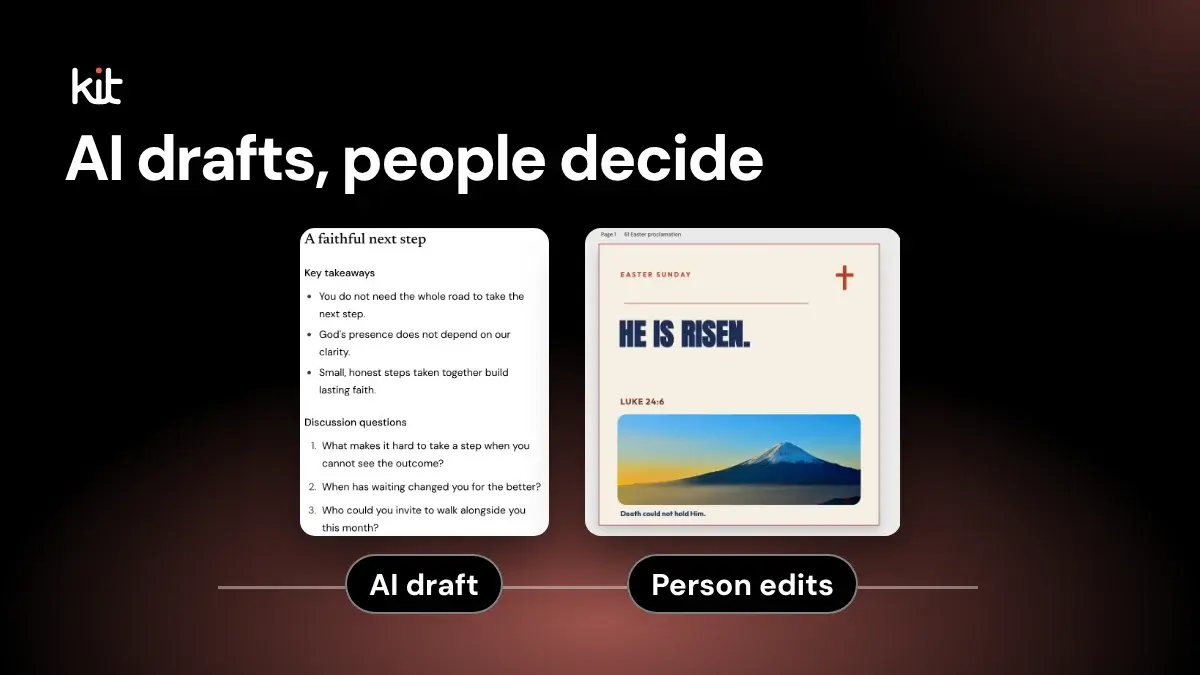
Can a church use AI to draft its social posts? Yes, for first drafts made from material the church has already approved, such as a sermon transcript or an event flyer, as long as a named person checks and approves every post before it goes out. Deciding not to use AI at all is also a sound choice.
This guide is for the pastor, staff member, or volunteer who handles church posts with little or no communications team. It gives you a short checklist, one worked example, and a plain policy you can take to your pastor or board. It does not compare tools or estimate time saved.
The boundary is simple. AI can get you past a blank page. It should not decide what the church teaches, how the church responds to a person, whether sensitive information may be used, or what gets published. Put a named person over each of those decisions.
Before you post an AI-drafted caption, check these
- The draft came from an approved source: a sermon transcript, bulletin, or event flyer the church has already published or signed off.
- Every quotation matches the source word for word. Nothing was added, softened, or flipped. Watch for a dropped "not."
- Names, dates, times, places, and links match the source.
- No prayer requests, pastoral conversations, or personal stories went into the tool, and no names, photos, or locations of children or teens.
- Anything about doctrine, a person's situation, or a safeguarding concern went to the pastor or responsible leader instead of into a draft.
- A named person approved this exact final version, and a named person will post it.
If you are the only person doing communications, you are the named approver for routine posts. Ask a pastor, elder, or another trusted adult to read anything about people, prayer, or young people before it goes out.
Free printable PDF
Healthy church media rules
What is inside
- Twelve short rules, each with one line for what it looks like on Sunday
- Honesty, permission before faces, care with children and hard moments, and prayer requests that stay private
- Copyright, captions and contrast, kind comment moderation, a day without posting and a pause plan for a crisis
- A sign-off for the pastor and the media lead, and notes for liturgical churches, several campuses, a solo volunteer and a school or daycare
Enter your email and confirm a code to download. We email you a copy the first time each day.
A worked example: one sermon line, one draft, one catch
This example is illustrative, not taken from a real church.
The approved transcript says: "Grace does not mean your choices stop mattering. It means you no longer carry them alone."
A drafting tool offers this caption: "Grace means your choices stop mattering. You never have to carry them again. Join us next Sunday!"
It reads well, and it says the opposite of the sermon. The tool dropped "does not" and turned "no longer carry them alone" into a promise the preacher did not make. The volunteer compares the draft with the transcript, restores the exact quotation with attribution to Sunday's sermon, and checks the service time against the bulletin. The pastor, as the named approver, reads the final caption and says yes. The volunteer posts it.
Opens a free sign-up for Church Media Kit.
Now a stop case. Someone asks the volunteer to turn a member's prayer request into an encouraging post. That request never goes into the tool. It goes to the pastor, who decides with the member whether anything should be shared at all.
The tool can start a draft. It cannot own the result
A drafting tool may suggest a summary, a discussion question, or a few caption options. That can remove the blank page. The next decisions are still human decisions. Did the summary preserve the preacher's point? Is the question pastorally appropriate? Does the draft expose a person? Does the church have the right to use the source? Can everyone understand the finished post? Who approves it? Who publishes it?
A draft that reads well can still be wrong. Even AI providers say so: OpenAI's terms of use warn that output may be inaccurate and tell users to evaluate it before using or sharing it. Whatever tool you use, checking its output is your job, not the tool's.
Church bodies from different traditions reach a similar principle: people stay responsible for what AI helps produce. The United States Conference of Catholic Bishops recommends local guidelines for church staff who use AI on social media. Antiqua et nova, a 2025 Vatican document on AI, says final responsibility for AI-assisted decisions rests with people. The Presbyterian Church U.S.A. offers a discernment worksheet for deciding whether and when to use AI.
None of these sets one rule for every church. Your denomination, state or country, insurer, and safeguarding policy may ask for more. Your local policy should name who carries those requirements.
For larger teams: a full responsibility matrix
If several people share communications, this table names who owns each kind of risk. A smaller church can rely on the checklist above and come back to this when the team grows.
| Area | AI may prepare | A person must own | Stop when |
|---|---|---|---|
| Sermon-based drafts | A first-draft summary, caption, outline, or question from an approved source | Source checking, context, attribution, and the final wording | There is no approved source or the attribution is unclear |
| Teaching and doctrine | First-draft wording for review | Meaning, qualification, Scripture use, and denominational language | The draft adds teaching, removes a qualification, or raises doubt |
| Pastoral care | Nothing that simulates personal counsel, prayer, discernment, or crisis response | A real response through the church's pastoral process | The material concerns counselling, grief, health, confession, crisis, or a prayer request |
| Safeguarding | No intake, triage, investigation, report, or public response | The church's safeguarding lead and approved process | A concern, allegation, disclosure, child, or vulnerable person is involved |
| Privacy | A first draft from approved, non-sensitive material | Authority to use the information, tool choice, access, retention, and disclosure | Personal, confidential, or sensitive information lacks explicit approval |
| Consent and dignity | A generic structure or placeholder | Permission from the person and a ministry judgment about whether publication is kind and appropriate | A person or sensitive story is recognizable without suitable permission |
| Rights | A first draft from a church-owned or properly licensed source | Ownership, licence, quotation, attribution, and territory | The source or permission is uncertain |
| Facts | Draft claims or questions | Names, dates, places, quotations, links, and factual claims | No reliable source supports the statement |
| Accessibility | Draft alt text, captions, or a plain-language rewrite | The final asset and words in their actual context | Meaning is trapped in an image or the output has not been checked |
| Approval | A routing suggestion | Approval of the exact final words and asset | The approval covers an earlier version |
| Publishing | Nothing by default | The final channel, timing, permissions, and response plan | A risk remains unresolved or no publisher is accountable |
One person may fill several roles in a small church. That is fine. Write the name beside the role so the team knows who decides and who can stop the work.
Keep red-line material out of AI tools
Red-line material is anything that should never be pasted or uploaded into an ordinary AI drafting tool. The default list should include:
- identifiable counselling notes or pastoral conversations
- prayer requests with personal or sensitive details
- safeguarding concerns, allegations, reports, or case notes
- crisis disclosures involving self-harm, abuse, violence, health, housing, or legal risk
- information about children, teens, or vulnerable people, including their names, photos, locations, and consent forms
- confessions, discipline, employment concerns, or donor records
- testimonies, photos, voices, or stories without specific permission for the planned use
- confidential leadership discussion or unpublished personal information
Removing a name does not always make a story anonymous. A rare event, a family relationship, a photo, a ministry role, or a date may still identify the person.
Privacy rules differ by place, so check your own state or country and your denomination. Regulators that have published guidance, such as Canada's privacy commissioners and the UK Information Commissioner's Office, point the same way: use personal or sensitive information only when you are authorized to. The practical church rule travels well: do not paste sensitive ministry material into a tool because the prompt box is convenient. If a legitimate process may require such use, the church's privacy and safeguarding owners should assess the tool, contract, authority, retention, access, disclosure, and incident response first.
Safeguarding never becomes a content task first
A disclosure may arrive through a direct message, comment, email, transcript, form, or conversation. Once the material raises a safeguarding concern, stop the content workflow.
Do not ask AI to decide whether the concern is serious. Do not use it to draft the first pastoral response, investigate the report, summarize case notes, or decide what the church should disclose. Follow the church's approved safeguarding process and contact the responsible person.
The Church of England safeguarding guidance includes online harm and directs its churches and officers to established reporting and response processes. Its legal status is specific to that church and jurisdiction. The broader editorial lesson is still useful: a public post comes after safeguarding decisions, if a public post is appropriate at all.
Start every draft from an approved source
An approved source is material the church has already published or signed off, such as a sermon transcript, an event flyer, a bulletin announcement, or a set of confirmed facts. AI-assisted drafting is easiest to review when that source is narrow and visible. Tell the reviewer what source the draft should follow.
Then check the draft against that source.
For sermon-based content, confirm the main claim, qualifications, Scripture references, quotations, speaker attribution, and intended application. A clean sentence can still distort a message by dropping a "not," removing uncertainty, or joining two separate ideas.
For event content, verify the date, time, location, audience, registration details, cost, access needs, and contact route. For a story, verify permission, dignity, attribution, and whether the person understood the planned channels and duration.
If the tool introduces a fact that is absent from the approved source, the tool has not discovered supporting evidence. The editor must find a reliable source or remove the claim.
A reviewer should make real editorial decisions
Human review is not a ceremonial click. The reviewer needs time, authority, the source, and a clear pass condition.
Ask these questions on the final draft:
- What source supports each teaching point, quotation, name, date, and factual claim?
- What did the draft omit, combine, soften, or make more certain?
- Could a person recognize themselves or someone else in this material?
- Do we have the needed permission and rights for the words, image, audio, and story?
- Does the copy respect the church's doctrine, pastoral tone, and safeguarding process?
- Can a person using assistive technology get the same useful meaning?
- Who approved this exact version, and who will publish it?
If the reviewer cannot answer one of those questions, pause. A deadline does not supply evidence or permission.
Copyright still needs a separate check
AI assistance does not settle ownership or permission.
The U.S. Copyright Office says AI-assisted work may qualify for U.S. copyright protection when a human author contributes sufficient expressive elements. A prompt alone is not enough. That finding concerns U.S. copyrightability. It does not grant permission to use someone else's sermon, photograph, song lyric, book excerpt, Bible translation, testimony, or recording.
Keep two questions separate:
- Did a person make the creative and editorial decisions in the finished work?
- Does the church have the right to use every source included in it?
The answer to the first question does not answer the second. Rights also differ by country, contract, employment relationship, licence, and intended use. Ask the rights holder or a qualified adviser when the answer is unclear.
Accessibility needs a person looking at the final asset
An AI tool may suggest alt text or simplify a sentence. It cannot certify the finished post as accessible.
The W3C image guidance says informative images need a text alternative that conveys their essential information. It also recommends avoiding images of text when the text is not a logo. The right alt text depends on why the image appears in that post.
Check the final asset, not the prompt that requested it. Confirm that the alt text describes what is actually visible and relevant. Keep essential wording as real text. Review captions, contrast, reading order, link meaning, and plain-language instructions on the channel where the post will appear.
Accessibility is a publication condition. It is not a style request that software can mark complete on its own.
Will AI-assisted content hurt search visibility?
This matters mostly for church website pages. Google does not say that using AI automatically helps or harms a page. Its guidance on AI and Search asks for original, useful, reliable content written for people, and warns against mass-producing pages to game rankings. There is no shortcut: answer a real question, say what the church can stand behind, and remove filler. No workflow can promise rankings or reach.
A policy you can take to your pastor
If you need one paragraph to propose, start here and fill in the names:
Our church may use AI tools to prepare first drafts from approved, non-sensitive material. [Name] approves every post before it is published, and [Name] publishes it. Prayer requests, pastoral and safeguarding matters, and information about children never go into an AI tool.
A church that wants more detail can adopt this ten-point version. Align it with local law, your denomination, and any safeguarding procedure you have.
- Use AI only for drafts based on approved, non-sensitive sources.
- Name the person who owns each draft before work begins.
- Keep red-line material out of prompts and uploads.
- Check source, doctrine, facts, rights, consent, dignity, and accessibility.
- Route pastoral and safeguarding material to people through approved processes.
- Require approval of the exact final copy and asset.
- Let a named person publish. Do not make automatic posting the default.
- Record the source, reviewer, approval, and material changes.
- Recheck the tool when its contract, data use, features, or your local rules change.
- Stop when the team cannot name the accountable person or show the supporting source.
This policy is intentionally plain. A volunteer should be able to use it on a busy week without guessing what "responsible AI" means.
Frequently asked questions
Can AI write a church social caption?
It can prepare a first draft from an approved, non-sensitive source. A person still checks the source, doctrine, facts, rights, consent, dignity, accessibility, and final wording. Another church may choose a stricter boundary.
Can a pastor use AI to write teaching?
The tool can generate text, but that fact gives it no teaching authority. Each church must decide where drafting ends and pastoral or doctrinal work begins. If the tool adds interpretation, application, counsel, or a theological claim, an authorized person owns the decision to revise, reject, or use it.
Can we paste a prayer request into AI after deleting the name?
Do not assume that deleting a name removes the risk. Details may still identify the person, and the request may contain sensitive pastoral information. Keep it out unless an approved church process has assessed the tool, authority, privacy duties, consent, access, retention, and response.
Does human review make AI output safe or accurate?
No. Review is a control, not a guarantee. It works only when the reviewer has the source, time, skill, authority, and a clear reason to stop. Some material should never enter the drafting workflow.
Should we tell readers that AI helped?
There is no single disclosure sentence that fits every tool, country, denomination, and use. Ask whether a reasonable person would need the information to understand how the content was made, assess its trustworthiness, exercise a right, or avoid being misled. Check the tool's terms and applicable rules. If your church chooses to disclose, one optional line is: "Drafted with help from an AI tool and reviewed by our team." Do not present generated material as a personal testimony, pastoral response, or human quotation when it is not one.
Can AI create alt text?
It can suggest a draft. A person must inspect the final image and its purpose in context. The alt text should describe the useful visible information, not the prompt, the intended image, or objects that are missing from the final crop.
Can an AI tool approve or publish the post after review?
The policy in this article says no by default. Approval and publishing belong to named people. If a church later considers an automated step, it needs a separate risk decision, clear authority, access controls, a recovery plan, and proof that the step cannot bypass the final approved version.
What should we record?
Keep the approved source, the final copy and asset, the responsible owner, the reviewers, the approval, and any decision about rights, consent, privacy, or safeguarding. Record material changes after approval. The note should let another person explain why the church published that exact version.
AI is useful when it stays in a small, honest role. It may help a church get from an approved source to a first draft. People decide whether that draft is faithful to its source, respectful of people, supported by facts, accessible, approved, and ready to publish.
For a fuller pre-posting review of sermon-based posts, see the review checklist every sermon-based post needs.
Free printable PDF
Healthy church media rules
Twelve plain rules for what a church shares online and on screen, each with one thing to check on Sunday, a sign-off line for your pastor and media lead, and notes for liturgical churches, several campuses, a solo volunteer and a church with a school or daycare.
Enter your email and confirm a code to download. We email you a copy the first time each day.
Try Church Media Kit
Review what’s included and try the tools that fit your church’s workflow.
A free account needs no card. Sermon to Social, Sermon Clips and Sermon Slides each give one free use. That is one sermon, one upload up to 2 hours, and one AI presentation. Church in bio is free for 14 days after you first publish it. Design and Verse of the Day are free with any account. Review the offer when choosing your plan.