Product evaluation and buying decisions
What software does a church media team need?
A job-by-job guide to church media software, from slides and lyrics to livestream, video, audio, graphics, planning, social and captions, with free options and prices checked on 29 October 2026.
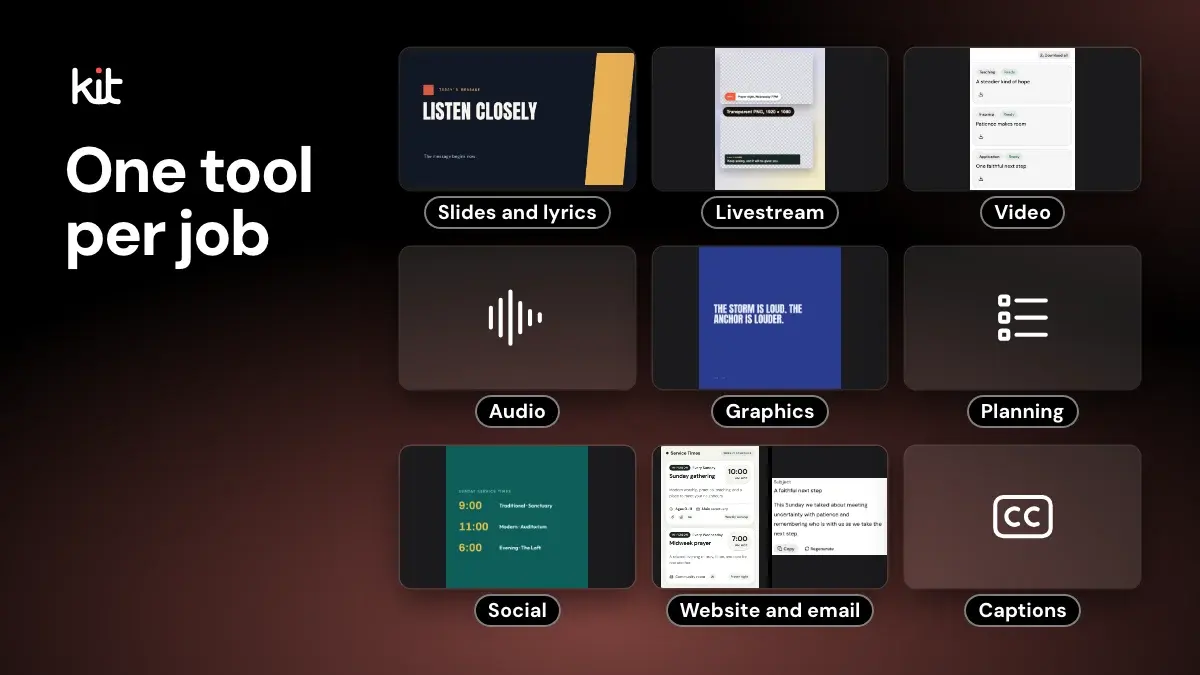
A church media team needs software for up to nine jobs, from slides and lyrics to livestream, video, graphics, planning, social and captions. There is no single product that does all of them. Several jobs have a free option. This guide shows what each job needs, what vendors say the tools cost on 29 October 2026, and which job to set up first.
If you only read one thing: start with slides and lyrics, because every service needs them, and check the stream's sound before you improve its picture. Then add one tool at a time, because most small teams pick one tool per job and add the next only when the first is steady. Some teams run on free tools alone. Church Media Kit makes graphics and sermon drafts, so we have a stake in the graphics and social sections; we say where it fits at the end.
Software for church media, job by job
Prices below are the figures each vendor's own page showed on 29 October 2026. Plans change, so confirm before you buy. Where a page showed no price, we say so. We read the vendor pages but did not install or test the software, so this is what vendors say, not how a tool behaves in your room.
| Job | What to ask first | Typical tool class | Examples to look at |
|---|---|---|---|
| Slides and lyrics | What does the booth computer run, and who clicks the slides? | Church presentation software, or a free presenter | ProPresenter, EasyWorship, MediaShout, Proclaim, FreeShow, OpenLP |
| Livestream | One camera or several, and who runs it? | An encoder or switcher, plus a platform | OBS Studio, vMix, Wirecast, StreamYard, BoxCast, Resi |
| Video editing | Full services or short clips, and which computer? | A video editor | DaVinci Resolve, iMovie, Descript, Adobe Premiere |
| Audio | Room mix, stream mix or both? | Mostly hardware, plus recording software | A mixer; Audacity, Ardour, Reaper |
| Graphics and design | Who edits, and do you keep your own fonts and logo? | A design tool | Canva, Adobe Express, Affinity, GIMP |
| Planning and scheduling | How many people serve, and who needs reminders? | Service planning software | Planning Center Services, Breeze, Tithe.ly |
| Social planning | Which platforms, and who approves? | A scheduler, or each platform's own tools | Buffer, Later, Hootsuite |
| Website and email | Who edits the site, and do you have an email list? | A website builder and an email tool | WordPress, Wix, Planning Center Publishing, Mailchimp |
| Captions | Live, recorded or both? | The platform's captions plus a review | YouTube captions |
Slides and lyrics
This is the tool the room sees. The questions that matter: does it show lyrics and Scripture the way your volunteers expect, can it import songs from your license provider, and can a new volunteer run it after one rehearsal?
- ProPresenter shows $24.08 a month per seat billed annually ($289 for the year), with a 14-day trial. Its page does not name the operating systems.
- EasyWorship shows plans from $17.50 a month (Basic) and $27.50 (Premium) billed yearly, priced by average weekly attendance, with a 30-day trial. It runs on Mac and Windows.
- MediaShout sells one-time purchases for Windows, shown at $449 to $648 at the time we looked, with a 14-day trial.
- Proclaim edits in the browser and has a 14-day trial. Its page shows no price, so ask the vendor.
- FreeShow and OpenLP are free and open source. OpenLP lists Windows, macOS and Linux.
- PowerPoint or Google Slides are enough for many small teams if the songs are few and the operator is careful.
For prices, platforms and a longer comparison, see church presentation software compared, or use the presentation software chooser. A lyrics operator checklist walks a new volunteer through a first Sunday.
Livestream and encoding
A livestream needs three things: a camera and audio source, something that turns them into a stream (an encoder, or a switcher, which chooses between cameras), and a platform that shows it to viewers. The decision is how much you want one person to manage.
- OBS Studio is free and open source for Windows, macOS and Linux. It has a learning curve but no price.
- vMix is Windows only. It sells one-time licenses from $60 (Basic HD) to $1,200 (Pro), each with 12 months of updates, and offers a 60-day trial.
- Wirecast runs on Mac and Windows. Its page shows no price.
- StreamYard works in a browser and has a free plan with a logo and limits. Paid plans start at $18.99 a month, or $14.99 billed yearly.
- BoxCast and Resi are hosted church streaming services. BoxCast shows plans from $109 a month billed annually. Resi shows $99 a month for its Social Only plan and $159 to $299 for higher ones.
The platform has its own rules. YouTube's help page says you need a verified channel, no live streaming restrictions in the past 90 days, and to be 16 or older. Meta's developer documentation (read 29 October 2026) says that since June 2024 an account must be at least 60 days old and a Page or professional-mode profile needs at least 100 followers to go live on Facebook. Check both a week before you plan to stream, not on the Sunday. The livestream graphics checklist covers the on-screen side of the stream.
Video editing
Editing is the job that tires volunteers, so match the tool to the editor, not to the feature list. If you only trim a sermon and export a few short clips, a simple editor is enough.
- DaVinci Resolve has a free version for Mac, Windows and Linux, and a paid Studio version.
- iMovie comes with Apple devices. Its page shows no price.
- Descript edits video by editing its transcript, and has a free plan limited to one hour a month with 720p export.
- Adobe Premiere is a subscription editor with a 7-day trial.
Audio
Most of this job is hardware: microphones, a mixer (the board that sets each microphone's level and sends the sound to the speakers) and cables. Software helps with recording and cleaning up a recording, and the person who sets levels in the room is usually the one to ask what the stream hears. Audacity and Ardour are free and open source. Reaper sells a discounted license at $60 for personal, small-revenue or non-profit use, so check its license page to see whether your church qualifies. StreamingChurch.tv, a church streaming vendor, writes that the front-of-house mix (what the room hears) and the stream mix serve different purposes, so a separate stream mix is worth asking for. Ask whoever runs the board who owns the stream mix and whether the stream gets its own feed, and listen to the stream before the doors open.
Graphics and design
Design tools make the announcement slide, the social post, the flyer and the thumbnail. What matters is whether a volunteer can open last week's file and change the date, and whether your logo and fonts stay saved.
- Canva has a free plan and a nonprofit program with its own eligibility rules. Is Canva free for churches explains what Canva's pages say.
- Adobe Express has a free plan that needs no card.
- Affinity and GIMP are design programs for your computer. GIMP is free and open source, and Affinity's page says it is free for individuals (read its terms for church use).
- For photos, Pexels and Unsplash allow free use. Both restrict selling a photo unaltered, so read their license pages before you put a photo on something you sell.
Planning and volunteer scheduling
A planning tool holds the order of service and tells people when they serve. Planning Center Services prices by number of team members: free for up to 5, $15 a month for up to 20, $32 for 50 and $69 for 150, with scheduling, reminders and signup sheets on every plan. Breeze and Tithe.ly each list volunteer scheduling inside a church management system at $72 a month (both pages showed the same figure). Subsplash shows no price on its pricing page.
If the team is small, a shared spreadsheet and a reminder text can do the job until scheduling becomes the thing that drops. The rotation and burnout check shows whether your schedule is the problem.
Social planning
Schedulers save time if one person plans a week of posts. Buffer has a free plan with three channels and 10 scheduled posts per channel, then $5 a month per channel. Later starts at $18.75 a month billed yearly. Hootsuite starts at $99 a month per user billed annually and has no free plan. The platforms also offer their own scheduling. Whatever you pick, name who approves each post. A church social media approval workflow shows one way to do it.
Website and email
WordPress software is free, though hosting and themes may cost money. Wix has a free plan, with paid plans from $17.77 a month billed yearly. Planning Center Publishing lists a free Essential plan. Mailchimp has a free plan for up to 250 contacts and 500 sends a month. Choose the one the person who updates it each week finds easiest.
Captions
Captions help viewers who are deaf or hard of hearing, and they help anyone watching with the sound off. The W3C's accessibility guidelines (WCAG 2.2) list captions for live audio at Level AA, their middle conformance level. YouTube's help page says automatic live captions are English only, are switched on for each stream, and are rolling out to English channels over 1,000 subscribers on normal-latency streams, so a small channel may not have them yet. The live captions are not kept: YouTube generates new ones for the replay. Machine captions can get names and Scripture wrong, so review them after the stream, and upload or edit captions in YouTube Studio for the recording.
Free printable PDF
Lyrics and slides operator checklist
What is inside
- Before the service: song order, the copyright line, typos, slide breaks, font size, contrast and backgrounds
- During the service: staying a line ahead, repeats and spontaneous moments, the sermon slide cue with the preacher, Scripture and announcements
- After the service, plus a song log, a sermon cue sheet and variants for one volunteer, a stage display, hymnals and liturgy, and bilingual services
Enter your email and confirm a code to download. We email you a copy the first time each day.
Start with one tool per job
You do not need nine tools. Use this order:
- Slides and lyrics. Pick one and have two people able to run it. Every service needs this one.
- Audio check for the stream. If you stream, fix the sound before you improve the picture. It costs a listen, not software.
- Livestream. Add it when the service runs smoothly without it.
- Planning. Add scheduling when reminders start falling through.
- Graphics and social. Add a design tool and a posting routine once the room is working.
- Video editing. Add this last, because it takes the most weekday time.
Budget tiers, as classes
Prices move, so think in classes instead of dollar totals.
- Free: a free presenter such as FreeShow or OpenLP, OBS Studio, DaVinci Resolve's free version, Audacity, a free design plan, and a shared spreadsheet. This works if you have a volunteer who enjoys learning software, and a team of one to three often starts here. That is our reading, not a measured rule. If one person does everything, drop video editing and the social scheduler first.
- Low monthly cost: a presentation subscription, a scheduling plan sized to your team, a design plan and a social scheduler. This suits a team that wants fewer things to maintain.
- Pay for a service: hosted streaming, a church management system, a one-time presentation license or a mixing board. Spend here when a failed Sunday costs more than the bill.
What to ask before you buy
- Which computer runs it on Sunday, and who will fix it when it breaks?
- Can a new volunteer run it after one rehearsal?
- What does the trial let you do, and what happens when it ends?
- Is the price per seat, per attendance band or per church, and does it change after the first year?
- Where do your files live if you leave?
- Does it report the songs you use to your music license service, such as CCLI? A church music license is a separate cost. The pillar page covers livestream, music rights and captions, and your license service's own pages are the reference.
- Who owns the tool when the person who set it up steps away?
Where Church Media Kit fits
Church Media Kit helps with the graphics and social job, and with turning a sermon into editable drafts for review. It does not run live slides, sound or a livestream. For the words on the screen on Sunday morning, use a presentation tool from the list above. Sermon Slides builds a deck you can download as PowerPoint or PDF, and Sermon to Social and Sermon Clips prepare drafts that your team reviews and posts. For the team that runs all of this, see church media team roles and the director job, and for terms you meet along the way, the church media glossary.
Make your next graphic
Church posts, stories and slides with your church's Brand Kit colours and fonts. Design is free with any account.
A free account needs no card, and Design is free with any account.
Frequently asked questions
What software do churches use for media?
Churches use presentation software for lyrics and slides, an encoder and a platform for the livestream, an editor for video, and a design tool for graphics. Most small teams pick one tool per job and add the next when the first is steady.
What is the best software for a church media team?
There is no single best. Choose by job and by who runs it. A free presenter and OBS Studio are enough for some teams, and larger teams often pay for church-specific presentation software, hosted streaming and a scheduling plan.
What free software can a church media team use?
FreeShow and OpenLP for slides and lyrics, OBS Studio for streaming, DaVinci Resolve's free version for video, Audacity for audio, and free plans from design tools, schedulers and Planning Center Services for teams of up to five. Read each tool's terms first.
What do I need to livestream a church service?
A camera, an audio feed, a computer or device that runs an encoder or switcher, a reliable internet connection and a platform such as YouTube or Facebook. Check the platform's requirements and your music license before the first stream.
How much does ProPresenter cost for a church?
Its own page showed $24.08 a month per seat billed annually, $289 for the year, with a 14-day trial, when we checked on 29 October 2026. Confirm on the vendor's page.
Is there a free alternative to ProPresenter?
FreeShow and OpenLP are free and open source. Check that each runs on your operating system and does what your service needs, such as lyrics and a second screen, before the first Sunday.
Does Church Media Kit run my Sunday slides or livestream?
No. It makes editable drafts of graphics, slides and clips from a sermon for a person to review. It does not run live slides, sound or a livestream.
Free printable PDF
Lyrics and slides operator checklist
A printable checklist for the volunteer who runs worship lyrics and sermon slides on the screen, from one person on a laptop to a team with a stage display: before the service, during it and after, with the copyright line, typos, slide breaks, font size, contrast, a line-ahead timing rule, a sermon slide cue sheet and variants for hymnals, liturgy and bilingual services.
Enter your email and confirm a code to download. We email you a copy the first time each day.