Product evaluation and buying decisions
Church Media Kit versus a DIY writing, design, and scheduling workflow
Compare Church Media Kit with a separate writing, design, and scheduling stack by the work each route prepares, transfers, and leaves with the church.
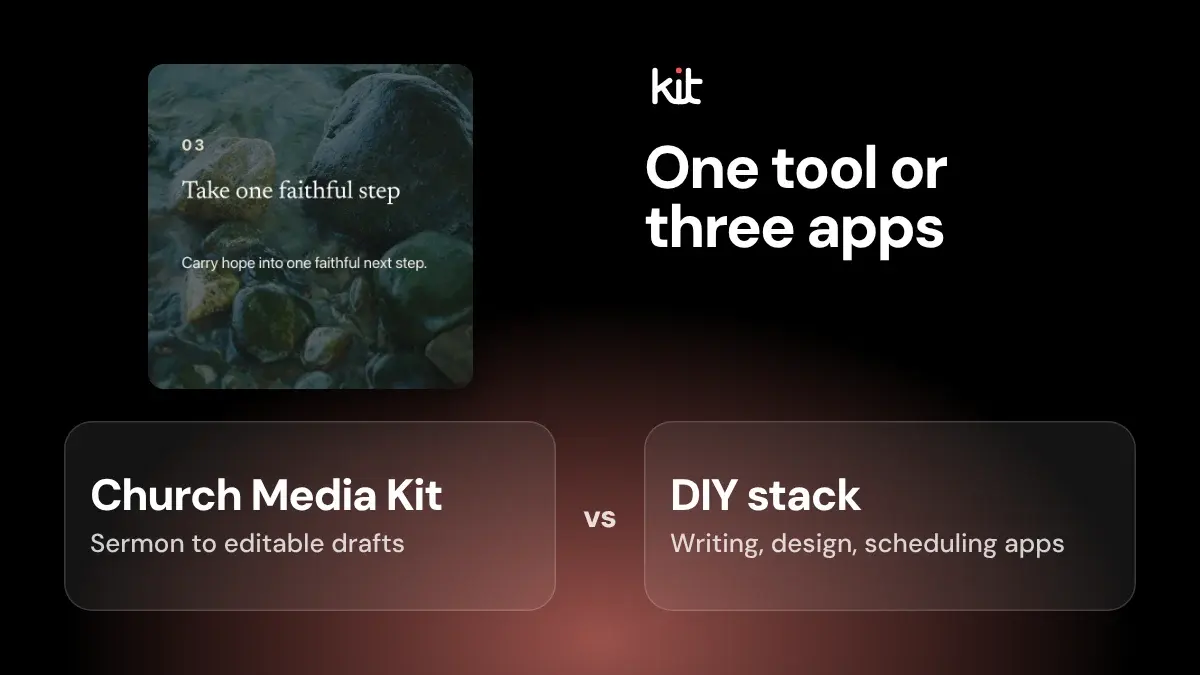
Neither Church Media Kit nor a DIY stack wins by default. The right choice depends on where your weekly process gets stuck.
The short version
- What Church Media Kit makes: from a sermon, its Sermon to Social tool prepares editable static drafts: captions and post designs for a person to review. This guide covers that tool only, not video clips.
- What you need: a permitted public YouTube sermon with English captions (YouTube's automatic captions count), or text you supply (a transcript, manuscript, or notes of at least 40 words). It does not transcribe audio itself: if the video has no captions yet, paste your text instead, or upload the recording to Sermon Clips, a separate app.
- What it does not do: post for you. Posting to Facebook or Instagram is not part of the current subscription, so your team posts there, or to any other channel, itself.
- What it costs: a free account (no card) gives Sermon to Social one free use. Paid plans run US$29.95, US$59, or US$119 per month. See pricing for what each includes.
Church Media Kit may fit when you often start from that kind of sermon source. A DIY route may fit when your church already has a sound writing and design process, works from several source types, or needs controls outside that boundary.
Follow one post from source to approved result. The better route is the one that keeps the source, ministry, design, accessibility, publishing, and recovery work clear.
The Church Media Kit team makes the product, so this is a maker-written guide, not an independent review. We did not run a side-by-side test, so we do not rank speed, quality, savings, or reliability. The “What we checked” section near the end lists what we did and did not test.
What this comparison covers
The example DIY route uses Google Docs for writing and comments. Canva handles static design and downloads. Buffer handles draft scheduling. These choices make the handoffs easy to see, but they are not a prescribed stack.
A church might use another document editor or design tool. It might use one product that combines design and scheduling, or work in the destination's own composer.
Sermon to Social starts with an authorized public YouTube sermon; it can use available captions or manually supplied transcript, manuscript, or notes of at least 40 words. The submitting person confirms source authority.
The product can then prepare editable static sermon-derived drafts. A person reviews and edits them before using a supported static export path.
It does not transcribe captionless audio, provide in-product comments or approvals, or post for you, and it cannot promise a ministry result. Use the church’s existing process to publish.
Both routes still need people to decide what the sermon means, whether a passage should become a post, whether the church has permission, and whether the exact finished version belongs on the intended account.
How the work and responsibility compare
Use the table as a process map, not a scorecard.
| Stage | Church Media Kit route | Example DIY route | Church responsibility in either route |
|---|---|---|---|
| Setup and access | Set up a Church with one Owner (the account holder) and plan-included Seats (one login per person), plus any church assets you use while editing | Set up document, design, and scheduling accounts, folders, templates, and access | Decide who may see sermon material and use social accounts; name a backup for the Owner |
| Source and permission | Supply an authorized public YouTube URL with captions, or supplied text of at least 40 words | Obtain the recording and an approved transcript or manuscript, then paste in only what you need | Confirm permission, remove sensitive material, and stop when rights or consent are unclear |
| Drafting and copy | Generate candidate static copy and designs, then edit the words in the product | Write from the source in a document, with optional AI help your church governs, then approve the words | Choose the post's job, keep context, and check names, facts, references, and calls to action against the sermon |
| Design and accessibility | Use the manual controls for common text, image, shape, background, and layout changes | Build or adapt the page in Canva and keep the approved copy intact when you move it | Check crop, text fit, contrast, imagery, church visual rules, and the image description on the final page |
| Export | Use the supported static export, then open the downloaded file | Download the approved Canva page and confirm the right files arrived | Check filename, page order, size, and that the file matches the approved version |
| Approval | Move the exact draft through your church's own decision process; the product does not provide a broad approval chain | Move approved copy from the document to Canva, then the finished image and caption to Buffer or the destination | Keep one exact version, who decided, and any hold |
| Posting | Not included in the subscription; your team posts using its existing process | A person with the right Buffer access queues the approved draft, or posts through the destination | Confirm account, copy, image, date, time zone, and audience before release |
| Checking and recovery | Check the destination yourself; do not treat a product label as proof | Check the destination after Buffer or the native composer reports a send; verify whether a post is live before retrying | Name who checks the live post, who decides on a retry or fix, and who confirms the result |
The product route groups some preparation inside one sermon-specific workflow. The DIY route exposes more transfers because writing, design, and scheduling can live in separate products. Neither fact settles fit.
A manual transfer can be a useful control. Approved words can stay stable while the design changes. A second person can inspect the exact version before it reaches a social account. The same transfer can also create an error when somebody pastes an older caption, exports the wrong page, or schedules a file that never received approval.
One product can remove a transfer while leaving the decision untouched. It can also make the handoff harder to see if the team assumes that generated, ready, or scheduled means approved and live.
What current DIY tools actually change
A DIY workflow is not necessarily paper, copy-and-paste, and native posting.
Google Docs supports suggested edits that an owner can accept or reject. Its version history can show and restore earlier versions, subject to access and history limits. Those controls can make copy review explicit. They do not identify the correct sermon moment or decide whether a suggestion is faithful.
Canva describes social design and content planning in one product. Its Content Planner guide describes creating or selecting a design, adding a caption, saving a draft, and scheduling on supported plans. A church that already uses those functions may not need a separate scheduler for every post.
Canva's current help material also documents download failures and page-selection steps. That matters because export is not a ceremonial click. The publisher should open the result and confirm that the approved pages, fonts, images, and order survived.
Buffer distinguishes a draft with a date from a post that is actually queued. Its current documentation also places formal draft approvals on a Team plan. That is useful evidence for a DIY route that needs role-based access. It is not ministry approval by itself, and it is not available under every account setup.
These overlaps are why a feature count is weak. The church must compare the exact account, plan, permissions, and route its people will use.
What Church Media Kit changes
Sermon to Social narrows the starting point to an authorized YouTube sermon with captions or manually supplied text of at least 40 words, plus bounded content choices. That can be a relevant route when source-based static drafting is the recurring problem.
The narrow source also creates clear non-fit cases. If the normal input is an internal recording, a newsletter, an event brief, or several ministry updates, the Sermon to Social path does not cover the job; manually supplied sermon text is an option when it meets the stated minimum. If the required output extends beyond editable static sermon-derived drafts, the buyer needs another route.
The current checks and generated source evidence do not transfer authority to the product. Captions can be wrong. A bare URL contains no sermon words; the intake can also accept verified text supplied by the user. A structurally complete draft can still distort the point, expose a sensitive story, use an unlicensed work, or make a claim the church cannot support.
The editor can help a person correct common static-design elements. We could not confirm that it applies a complete church brand automatically, so check your logo, fonts, and colors in a free use. It also does not provide shared editing, formal approvals, universal accessibility, or a finished destination post. The export path produces files that still need opening, naming, handoff, and destination preparation.
The useful question is concrete. Does this preparation reduce the specific source-to-static-draft problem your church has, while leaving a process your people can still check and recover?
Try it on one sermon before choosing
Public pages show what vendors say they offer. They do not show what your church will correct, wait for, or transfer. A free account lets you run one sermon through Sermon to Social without paying, which makes it the cheapest honest test. Run the same sermon through your DIY route for comparison.
Keep the conditions the same for both:
- one public sermon the church has permission to use, ordinary rather than your cleanest;
- the same approved transcript or manuscript and the same communication brief;
- the same post size, church assets, and wording rules;
- the same people making source and ministry decisions.
Define the finish line carefully. The correct approved post visible at the intended destination, with its final copy, crop, links, and image description checked, is the finish. Draft created, image downloaded, and post scheduled are earlier states.
Then write down the whole route: setup, every correction to wording, facts, design, and rights, every copy or file you moved by hand, every export you opened, and the active, waiting, and blocked time. Do not publish a performance conclusion until a test like this supports it. One sermon and one person can reveal a broken handoff. They cannot prove what every church will experience.
Choose by result, evidence, delay, and work
Four plain questions expose more than a feature grid.
What exact reviewed result do you need?
Name the finish line. One sermon-derived static teaching post is different from a month of event notices, photographs, newsletters, and pastoral updates. If the required source or output falls outside a route, stop the comparison there.
What evidence makes that result credible?
Ask whether the important wording can be traced to the sermon. Check the exact pixels and export. Confirm the current plan and permissions. Test any publishing behavior your purchase depends on with your own accounts. A clean product page is not evidence that the ordinary week will work.
What delays the result?
Count missing captions, source questions, permission holds, outside decisions, corrections, tool transfers, account access, export problems, failed connections, and unclear send results. Waiting for a necessary pastoral decision is not the same as correcting weak copy, but both affect the calendar.
What work remains?
Count source preparation, writing, design, accessibility, approvals, file handling, scheduling, destination checks, response coverage, failure recovery, and records. Fewer clicks do not matter if the church still cannot identify the approved version or recover a failure.
When Church Media Kit may fit
It may be worth a test on one sermon when all of these are true:
- the recurring source is a permitted public YouTube sermon with usable captions or verified supplied text;
- editable static sermon-derived drafts are the required output;
- one accountable owner can coordinate source, ministry, design, accessibility, publishing, and recovery decisions;
- the church wants a constrained sermon workflow more than a general writing or design workspace;
- a free-use test on your own sermon shows the drafts are worth correcting.
This is not a conclusion that the route will be faster, easier, or better. It is a reason to test it with the real source and real process.
When the DIY route may fit
Keep or build a DIY route when one or more of these describe the actual week:
- sermon content is only a small part of the communication mix;
- approved templates and writing rules already produce reliable handoffs;
- the source is neither a supported public YouTube sermon nor verified supplied text;
- the team needs document suggestions, named versions, design functions, role-based scheduling approval, or another control not established in the reviewed product;
- the people doing the work can operate and recover the existing tools without hidden dependence on one person;
- the church wants to change one part of the stack without replacing the rest.
A familiar stack is not automatically good. If nobody owns the source, final design, approval, or live check, several capable tools still produce a broken workflow.
When neither route is ready
Hold the purchase and the post when:
- the church cannot establish permission for the source or included material;
- nobody can verify exact wording, context, doctrine, names, or facts;
- a personal or sensitive story lacks a clear consent decision;
- the intended post has no owner for accessibility or response coverage;
- the exact approved version cannot be identified;
- account access or destination authority is unclear;
- nobody checks whether a scheduled post is live;
- the decision depends on promised savings, consistency, reliability, engagement, attendance, or ministry effect without a proper test.
Pause when the church cannot support the post.
What we checked
We rechecked the DIY vendor pages on October 5, 2026, and Church Media Kit’s plan and free-use facts on October 13, 2026. The comparison describes the YouTube-to-static-draft workflow and does not represent every Church Media Kit workspace. Vendor details remain attributed to their sources and may change. We used public, logged-out Google, Google Docs, Canva, Buffer, sermon-software, and practitioner pages. We inspected the Church Media Kit build and tests available that day.
We did not create vendor accounts, select a paid plan, purchase access, use a trial, contact sales, run outputs, or conduct an independent side-by-side test. We did not compare the DIY tools’ prices, so check each vendor’s current pricing page. Church Media Kit plan prices are as listed on our pricing page on the day of this update. Vendor functions may depend on plan, account type, destination, region, and current terms.
Church Media Kit received no payment, affiliate fee, free access, or review account from the other vendors named here. Their capabilities remain vendor statements. Church Media Kit's own description remains limited to the build checked for this guide and is best confirmed by a free-use test on your own sermon.
To report a factual error or changed vendor fact, use the correction route on our editorial standards page.
Next step
Run one ordinary sermon through both routes and compare the finish lines. Start with a free account, then see pricing if you want to continue.
Frequently asked questions
Does Church Media Kit post to social media for me?
No. Posting to Facebook or Instagram is not part of the current subscription. Your team downloads the approved image, writes or pastes the caption, and posts it using the church's existing process or scheduler.
What does it cost?
Paid plans are US$29.95 (Starter, five Seats), US$59 (Growth, ten Seats), and US$119 (Volume, twenty Seats) per month. A free account needs no card and includes one free Sermon to Social use. See pricing for allowances.
Is Church Media Kit an all-in-one replacement for Google Docs, Canva, and Buffer?
No. The comparison covers Church Media Kit’s Sermon to Social path to editable static drafts. Its paid plans include role-based Seats (a Seat is one person’s login), while posting to Facebook or Instagram is not included. See the Sermon to Social feature and pricing.
Does a DIY workflow require three paid products?
Not necessarily. Functions overlap, and some churches use native tools or accounts they already have. Check the exact plan and route. This guide did not compare prices or plan value.
Which route has fewer handoffs?
Church Media Kit groups some sermon preparation and static editing in one workflow. A DIY stack may transfer copy, files, and states among products. No controlled test established the total handoff burden, and a visible transfer can sometimes be a useful approval control.
Which route is safer for sermon meaning?
Neither route can own that decision. Use an authorized source, preserve the sermon's qualification and argument, mark paraphrases honestly, and assign the decision to a person who has authority for the message.
Can either route publish without a person checking the destination?
Do not make that assumption. A scheduled, sent, or posted label can mean the post left one tool, not that it is live. Check the intended destination for the correct asset, copy, links, crop, accessibility treatment, and audience.
Does using one product guarantee less work?
No. Count setup, source preparation, correction, design, approval, export, destination work, recovery, and records. One product may remove transfers while leaving the hard decisions unchanged.
Should we test with our cleanest sermon?
Use an ordinary permitted sermon that represents the recurring week. A perfect source can hide caption repair, sensitive material, corrections, and handoff problems that decide fit.
What is the clearest reason to reject Church Media Kit?
Reject the reviewed route when the required source is neither a permitted public YouTube sermon with usable captions nor verified supplied text, the required output extends beyond editable static sermon-derived drafts, the team needs controls the product does not evidence, or the purchase depends on live behavior that has not been demonstrated.
What is the clearest reason to reject a DIY stack?
Reject or repair it when transfers repeatedly lose the source, approved wording, final asset, accessibility treatment, account state, or failure history. Familiar tools do not excuse an unowned handoff.
Try Church Media Kit
Review what’s included and try the tools that fit your church’s workflow.
A free account needs no card. Sermon to Social, Sermon Clips and Sermon Slides each give one free use. That is one sermon, one upload up to 2 hours, and one AI presentation. Church in bio is free for 14 days after you first publish it. Design and Verse of the Day are free with any account. Review the offer when choosing your plan.