Verse of the Day
How Verse of the Day works inside Church Media Kit
What Verse of the Day does in Studio, what it costs, which translation it uses, what it does not do, and how a church reviews each dated design before posting it.
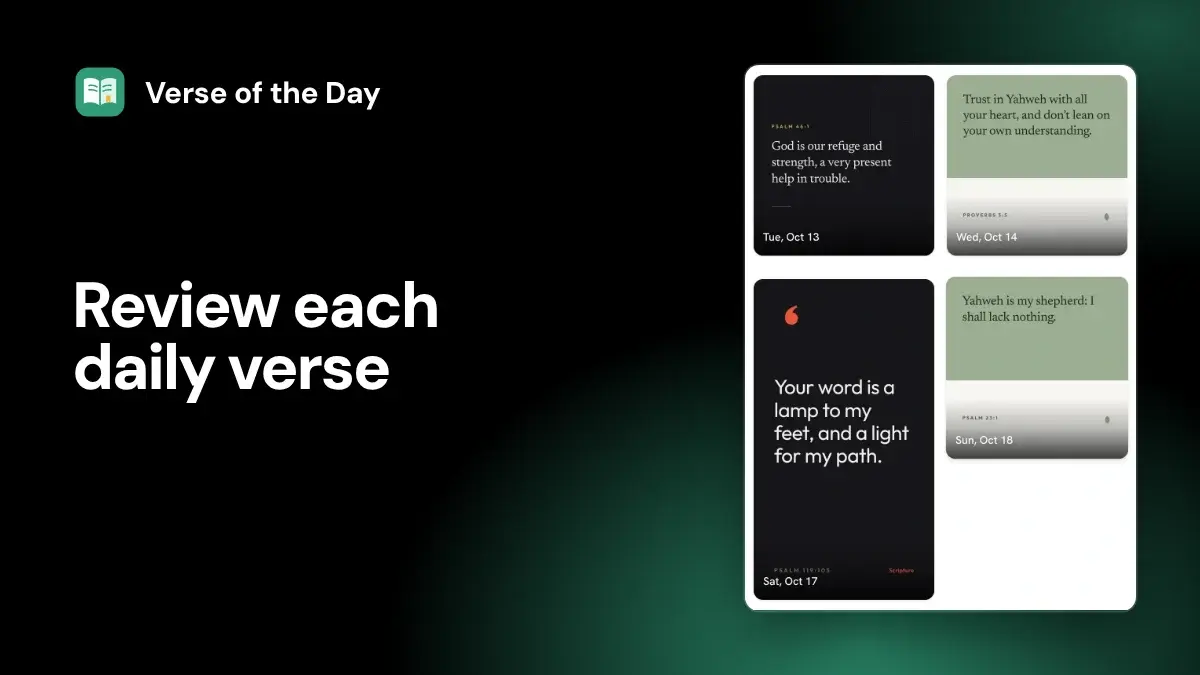
Verse of the Day gives your church a new dated scripture design for every day. It is free with any Church Media Kit account: you open an entry in Studio, choose a design, edit the caption and alternative text, then download the image and post it yourself on Facebook, Instagram, or anywhere else.
Four facts decide most evaluations:
- Price: Verse of the Day is free with any account, and it is not part of what a paid plan buys. The pricing page lists it that way. Today's verse can also be downloaded from the feature page without an account.
- Translation: the verses are from the World English Bible (WEB), which is in the public domain.
- Who picks the verse: Church Media Kit sets the dated schedule. Your church does not choose or edit the verse text or reference for a dated entry, but you can decide not to post one.
- Posting: it does not post for you. External publishing is excluded from the current subscription, so you download the image and post it through your church's usual process.
Studio is the signed-in workspace where Church Media Kit apps live. Verse of the Day is separate from sermon-based work: it does not read your sermon.
For the broader source and approval process, see the reviewable Verse of the Day workflow; for batch planning, see Verse of the Day posts without a daily design scramble.
Who it fits and who it does not
It fits a church that:
- wants a ready scripture graphic most days without designing one each morning;
- is happy with the World English Bible for daily posts;
- has one person who can glance at the verse, caption, and alternative text before posting;
- already posts by hand and wants a better starting image, not an autoposter.
It is not a fit when the church needs:
- a different translation for the dated schedule, such as the one read on Sundays;
- verses chosen by the pastor, a lectionary, or a sermon series for each date;
- automatic posting to social accounts;
- devotional writing or pastoral commentary attached to the verse.
If the church wants its own verse list, Studio also has a Custom designs page where you upload a CSV of up to 25 verses and get one design per row. You confirm that you have permission to use the text and translation you upload; Church Media Kit does not supply, verify, or choose a translation for that list.
A church that already trusts another dated resource may be well served by it. YouVersion Open Network, for example, offers dated Verse of the Day artwork with square and vertical downloads. Compare the translation, design control, and accessibility work, not only the price.
Begin at the actual workspace
Open Studio, then Verse of the Day. Home shows today's verse with a Download image button and a Copy verse text button, plus a Coming up row for the next few days. The Verse library lists the dated entries in date order.
Opens a free sign-up for Church Media Kit.
Open one entry to see its date, scripture reference, and design preview. From there you can:
- Choose another design to cycle through the designs that fit that verse;
- edit the Caption;
- edit the Alternative text;
- Save design details, then download the design.
The feature page also describes changing a design's colors, fonts, and photo in Studio. If an entry shows "A safe design needs review", no fitting design has been saved for it yet; choose another design before relying on it.
Before posting, check four things for each entry:
- What date is attached to it?
- What is the full scripture reference?
- Do the words on the design match the World English Bible text for that reference?
- Does the verse suit what your church is facing that week?
The date organizes the work. It does not mean the verse has special relevance to a news story, event, or person.
What a week can look like
A simple rhythm for one person:
- Early in the week, open the Coming up row and look at the next several entries together.
- Read each verse in context and note any that clash with the sermon series or something the church is facing.
- For the entries you will post, choose a design, adjust the caption, write the alternative text, and save.
- Each day, download the image (or use Download image on Home for today's verse) and post it with the caption and alternative text.
- Leave out any day that does not fit, without replacing it with a guess.
The point is to do the reading and checking in one sitting, so the daily step is only posting.
Check the source before the artwork
A scripture graphic needs more than a reference in the corner.
Open the passage in the World English Bible and compare the wording, punctuation, and verse range. Read the surrounding passage as well. A single verse can be accurate word for word and still mislead when the caption assigns it a meaning the passage does not carry.
The World English Bible copyright page says its text is in the public domain, while the name World English Bible is a trademark of eBible.org that should not stay on text that has been materially changed. So keep the verse exactly as it is when you name the translation.
Other translations have different rules. Crossway publishes ESV permissions with conditions for quotation, notices, and digital use. Biblica publishes its own permissions, including rules for social distribution. That matters if you add a different translation to the caption or upload your own list: "It's Bible text" is not a rights check, and neither is "our church already uses this translation on Sundays."
If you want the translation named on the post, check that the image or the caption says WEB. If neither does, add it to the caption.
Treat the design as a reading surface
The design has one job before it has any style job: carry the verse without making it harder to read or easier to misread.
Check the result at the size people will see it on a phone. Long passages expose weak templates quickly. Type may become too small, a background may interfere with a line, or emphasized words may make one clause look more important than the rest.
The church keeps the final design decision. Church Media Kit selects a design that fits the verse, but it cannot decide whether that design suits the passage, your congregation, the season, or your visual standards.
Use these omission rules:
- Skip the entry when the passage cannot stay readable at the intended size.
- Remove decorative emphasis that changes how the sentence is understood.
- Choose another design when the artwork trivializes grief, violence, judgment, poverty, or another serious subject in the passage.
- Skip the post when the church cannot say why this verse, on this date, is responsible to share.
Not posting an entry is a valid editorial decision. You do not have to post every day to use the feature.
Review the caption as separate church speech
The default caption repeats the reference and verse text. The moment you add words, the caption becomes church speech. The translation publisher did not write the church's application, and the product does not give it pastoral authority.
Keep the boundary visible:
- Quote scripture exactly.
- Label commentary as commentary.
- Do not put quotation marks around a paraphrase.
- Do not turn a general promise into a personal guarantee.
- Do not claim that the scheduled date gives the verse special prophetic meaning.
- Do not add a prayer, doctrine statement, or pastoral application without the right reviewer.
A short caption is not automatically safer. A six-word application can still overstate the passage.
Write alternative text for the final graphic
Alternative text belongs in the review, not at the last posting click.
The W3C advises that an informative image's text alternative convey its essential information. For an image that contains readable words, the alternative should carry the same words. Its images tutorial is a useful decision guide.
For a scripture graphic, the alternative usually needs the verse words, the reference, and the translation, plus any visual detail that changes the meaning. Do not fill it with color names while leaving out the scripture. Do not write "inspirational Bible quote" when the graphic contains a specific passage.
For example, alternative text for a design of Psalm 30:5 might read: "Psalm 30:5, World English Bible: For his anger is but for a moment. His favor is for a lifetime. Weeping may stay for the night, but joy comes in the morning. Cream card beneath a sunrise-colored panel."
The caption and alternative text do different jobs. A caption speaks to everyone who reads the post. Alternative text gives access to the image when someone cannot see it.
Because you post the image yourself, the alternative text you save in Studio does not travel with the downloaded file. Copy it into the destination's own field when you post. Facebook's photo flow includes a control to add alternative text. Then check the live post with a screen reader or the destination's accessibility view.
Read the review labels narrowly
Each entry carries a review label. Read each one for what it does and does not say.
| Label | What it means | What it does not mean |
|---|---|---|
| Needs review | A fitting design, caption, or alternative text is still missing | That the verse itself is wrong |
| Ready | A design, caption, and alternative text have been saved | Doctrinal, contextual, accessibility, or pastoral approval |
A label summarizes what is saved in Studio. It does not do the church's review, and it says nothing about a post outside Church Media Kit.
Keep this workflow separate from sermon repurposing
Verse of the Day is separate from Sermon Kit, the sermon-based drafts Church Media Kit makes from one sermon.
A dated verse entry comes from the Verse of the Day schedule. A sermon-based post comes from a sermon and must preserve that sermon's argument. One does not prove the other.
Do not tell readers that the pastor selected a dated verse unless the pastor did. Do not imply that the verse came from Sunday's sermon. Do not add sermon commentary to the verse and present the combination as scripture.
The church may decide that a scheduled verse conflicts with the current sermon series, a community crisis, or a pastoral concern. That is a reason to skip the entry, not a reason to let the calendar overrule the church.
Who owns each decision
The product arranges the review. The church still owns the decisions with consequences.
| Decision | Church owner |
|---|---|
| Passage context and doctrine | Pastor or ministry reviewer |
| Design, readability, and caption | Communications lead or volunteer |
| Alternative text | Whoever posts, checking the final graphic |
| Whether to post today | Person authorized to post under the church's name |
One person may hold all of these in a small church. The duties still exist.
FAQ
How much does Verse of the Day cost?
Nothing. It is free with any Church Media Kit account, and a free account needs no card. Paid plans cover other apps; see the pricing page.
Does Verse of the Day choose verses from my sermons?
No. It follows a dated schedule set by Church Media Kit, separate from sermon-based work.
Which Bible translation does it use?
The World English Bible (WEB), which is in the public domain. Keep the text unchanged if you name it as WEB.
Can I change the verse or translation?
Not for a dated entry. You can choose another design, edit the caption and alternative text, or not post that day. For your own verses and translation, use Custom designs and confirm you have permission for what you upload.
Does Ready mean the post is approved?
No. It means a design, caption, and alternative text are saved. The church still reviews the text, context, design, caption, and alternative text before posting.
Can Church Media Kit post the entries automatically?
No. External publishing is excluded from the current subscription. Download the image and post it yourself, then check the live post.
What is the best first test?
Make a free account, open today's entry, and compare the words with the World English Bible. Choose a design, check it at phone size, review the caption, write the alternative text, download the image, and post it once through your usual process. Then check the live post with a screen reader.
The fit in one sentence
Verse of the Day fits a church that wants a free, dated World English Bible design to review and post by hand most days, and that will keep the final say over every verse, caption, and alternative text.
Start with one sermon
Prepare clips and post text for your church to review.
A free account needs no card, and Verse of the Day is free with any account. You can also download today's verse from the feature page without signing up.