Verse of the Day
A reviewable Verse of the Day workflow: source, select, review
How to choose a Verse of the Day approach, check each verse's translation and permission, review the artwork and words, get one named approval, post through your own process, and check the live result.
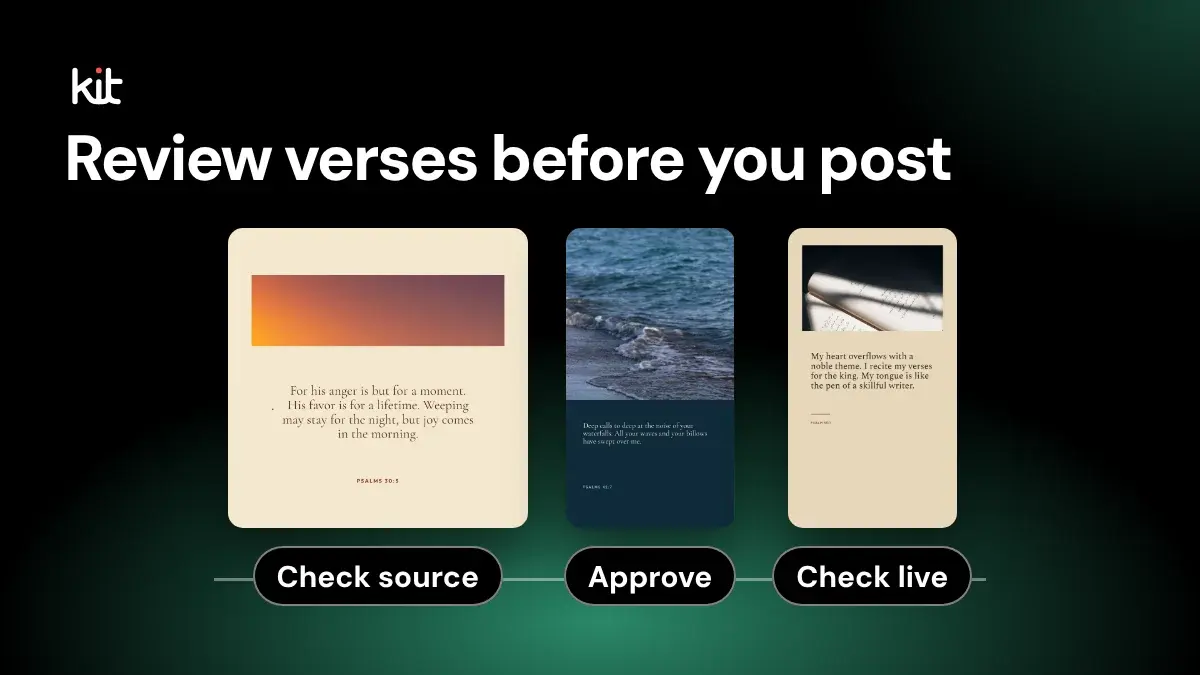
This guide is for a church team, even a team of one, that posts a daily or weekly Bible verse graphic and wants each post checked before it goes out. A reviewable workflow means one person confirms the verse and its permission, one named person approves the finished post, someone posts it, and someone checks the live post.
You have three practical ways to get the graphic: a ready-made dated resource, Church Media Kit's Verse of the Day, or your own verse list designed by hand. The review steps below apply to all three. What changes is how much of the source work is already done for you.
Church Media Kit's Verse of the Day is free with any account. It gives you a dated World English Bible design each day that you can review, adjust, and download. It does not post for you: external publishing is excluded from the current subscription, so your team posts the image through its own process. How Verse of the Day works inside Church Media Kit covers the product in detail.
The short version
If you only read one section, use this checklist. The roles can belong to one person in a small church; the checks still happen.
- Check the source (whoever finds the verse): confirm the translation, the exact words and reference, and that your use is allowed.
- Check the date and context: right date, right time zone, and a verse that suits what the church is facing that week.
- Review the finished post: the image at phone size, the caption, and the alternative text.
- Approve (one named person, often the pastor or communications lead): that person signs off on the exact image and words.
- Post, then check the live post (whoever posts): confirm the words, image, caption, and alternative text appear as approved.
By "the church's publishing process" this guide means whoever posts under the church's name and the tool they use, whether that is posting by hand in the Facebook or Instagram app or using a scheduler.
Choose your approach
| Ready-made dated resource | Church Media Kit Verse of the Day | Your own list, designed by hand | |
|---|---|---|---|
| Who picks the verse | The resource provider | Church Media Kit's dated schedule | Your church |
| Translation | Set by the provider; read its terms | World English Bible (public domain) | You choose and must check permission |
| Design control | Usually fixed artwork | Choose another design, edit the caption and alternative text | Full control, full design work |
| Source work left for you | Read the reuse terms | Compare the words and read the context | All of it |
| Who posts | Your team | Your team | Your team |
| Cost | Check the provider | Free with any account | Your design tool and time |
A ready-made resource fits a church that is happy with someone else's verse choice and artwork. YouVersion Open Network's Verse of the Day collection, for example, provides dated artwork under its own resource terms.
Church Media Kit fits a church that wants a ready dated design it can still adjust, and is content with the World English Bible.
Your own list fits a church that needs a specific translation, a sermon series, or verses the pastor chooses. In Church Media Kit, the Custom designs page accepts a CSV of up to 25 verses and makes one design per row. You confirm permission for the text and translation you upload; Church Media Kit does not supply or verify it.
Put the source gate before design
A design can look finished while its source is unchecked. Do not let visual polish move an entry past questions nobody has answered.
Keep one short record for each dated entry:
| Check | What the record needs |
|---|---|
| Passage | Full reference and exact words from the translation you name |
| Translation | Full name and abbreviation, such as World English Bible (WEB) |
| Source | Where the words came from: the publisher's text, a supplied file, or the product's schedule |
| Permission | The publisher's terms or written permission for a social graphic |
| Attribution | Any translation mark or copyright notice the publisher requires |
| Date | Church-local date and time zone |
| Context | Surrounding passage, intended caption, and anything sensitive that week |
| Approver | The person who can approve, hold, or replace the entry |
When a field is unknown, do not guess. Skip that date, or use a resource whose translation and terms are clear, and ask the approver to settle the question. Do not identify a translation by familiar wording, and do not assume that a website's permission to display a verse covers your graphic.
Publisher rules differ. The World English Bible copyright page says its text is in the public domain, while the name World English Bible is a trademark that should not stay on materially changed text. Crossway publishes separate ESV permissions for quotation, notices, and digital use. Biblica publishes its own permissions for its texts. The practical rule for a typical church: name one translation, read that publisher's terms for social graphics before posting, and keep the words unchanged.
Church Media Kit's dated designs use World English Bible text, which is in the public domain, so permission is rarely the open question for those entries. Check that the image or caption names WEB, and add it to the caption if it does not. The words and context still need a person: compare the design against the WEB text, and read the surrounding passage. A graphic can quote a verse exactly and still mislead when its caption turns a general statement into a personal guarantee or gives the date special meaning.
A sample record
Here is one filled-in record. It is an illustration, not a real church's entry.
- Passage: Psalm 30:5
- Words: "For his anger is but for a moment. His favor is for a lifetime. Weeping may stay for the night, but joy comes in the morning."
- Translation and source: World English Bible (WEB), compared word for word with the WEB text
- Permission and attribution: public domain; "WEB" shown after the reference
- Date: Tuesday, church-local time zone
- Context: read Psalm 30; no funeral or crisis in the church that week
- Caption: "Psalm 30:5 (WEB). Whatever last night held, this morning is a new one. Join us Sunday at 10."
- Alternative text: "Psalm 30:5, World English Bible: For his anger is but for a moment. His favor is for a lifetime. Weeping may stay for the night, but joy comes in the morning. Cream card beneath a sunrise-colored panel."
- Checked at phone size: yes, every line readable
- Approved by: the pastor, Monday afternoon
- Live check: post opened Tuesday morning; words, caption, and alternative text match
That is the whole record. A notes app or a shared spreadsheet row is enough.
Select and swap without changing the source
Once the source gate passes, choose a design that carries the words at the size people will see them.
In Church Media Kit, each dated entry shows a design preview, and Choose another design cycles through the designs that fit that verse. A design choice changes the artwork. It does not change or correct the passage, reference, date, translation, or context.
That boundary separates two kinds of work. A design problem may need a different layout. A source problem needs a corrected source record. Cycling through artwork cannot solve both.
Review the design at every size you will post. Check that:
- the full passage and reference stay legible at phone size;
- any required attribution stays present and readable;
- decoration does not hide a line or imply emphasis the passage does not contain;
- the graphic does not trivialize grief, violence, judgment, disability, poverty, or another serious subject;
- color is not the only cue carrying meaning;
- the caption still matches the approved passage, not an earlier draft.
If the words do not fit, choose a shorter verse range only through a new source check. Do not silently shrink the type or trim the passage inside the artwork.
Review the final image and the words with it
The review is not complete at the template preview. Look at the actual downloaded image, each crop (the version trimmed to a square or tall format), the caption, and the alternative text together.
Alternative text is the description a screen reader speaks for someone who cannot see the image. The W3C images tutorial explains that an informative image needs a text alternative that conveys its essential information. When an image contains readable text, the alternative should carry the same words.
For a scripture graphic, that means the verse words, reference, and translation, plus any visual detail that affects meaning. Do not write "inspirational quote" in place of the scripture. The caption speaks to everyone who reads the post; the alternative text gives access to the image.
Contrast is how strongly the text stands out from its background. WCAG 2.2's contrast criteria set 4.5:1 for ordinary text and 3:1 for large text, with stated exceptions. A ratio does not settle the whole design: line length, type size, background busyness, and the final crop still need a human look.
Saving alternative text in a product does not put it on the live post. In Church Media Kit, the alternative text you save does not travel with the downloaded file, so copy it into the destination's own alternative-text field when you post. Then check the live post with a screen reader or the destination's accessibility view.
Saved is not approved
In Church Media Kit, an entry shows Needs review until a fitting design, caption, and alternative text are saved, and Ready once they are. That is a useful completeness check.
It is not approval of the translation, context, doctrine, design quality, accessibility, or timing. Record the person who approved the post instead of letting one label stand for all of those decisions. The same applies to any status in any tool you use.
Post, then close the loop at the destination
Hand the approved image, caption, and alternative text to the person who posts. Keep the date and time zone visible: a post near midnight can land on a different date for part of the congregation, and the date on the graphic, the planned day, and the live timestamp should agree.
Posting is not the last step. For each place the verse appears, check:
- the right account and audience;
- the live date and time;
- the exact verse words, reference, and translation mark;
- the intended image and crop;
- the caption and any link;
- the alternative text, through the destination's own accessibility path;
- that the post is still visible a little later.
If the live post and the approved record disagree, note it and hold the next entry until someone understands why.
If your church uses a scheduler
Many churches post by hand and can skip this section. If yours queues posts in a scheduling tool, read its labels narrowly:
| Label | What it can tell you | What it cannot tell you |
|---|---|---|
| Scheduled | The tool plans to send it | That the platform accepted it |
| Posted | The platform reported success | That the post is still visible and correct |
| Failed | Something went wrong, or the result is uncertain | That sending again is safe |
| Paused or Skipped | The tool will not send it | That a post already live was removed |
Pause when an entry may still suit a later date; skip when the church decides to leave it out. Good reasons include an unverified translation, a passage that no longer fits the week, a local crisis that makes the caption insensitive, no available approver, or a wrong date. Pausing or skipping in a scheduler does not delete a post that already went live; remove that on the platform itself. If a paused series resumes, check that yesterday's verse will not appear today.
A known failure and an uncertain result need different responses. Retry a post only when you know it failed. When the result is uncertain, open the church's account and look at recent posts before sending again; a blind retry can create a duplicate. Ask your scheduler how it handles retries rather than assuming.
When this workflow is not a fit
A recorded review is more than some churches need. If you post a ready-made verse with clear reuse terms once a week, the short version above may be all you need.
Do not use this workflow to justify posting a verse when the church cannot identify the translation or confirm permission. It also cannot provide a lectionary, devotional writing, guaranteed delivery, remote deletion, or proof of ministry results.
FAQ
Does choosing another design change the verse?
No. It changes the artwork. It does not correct the passage, reference, date, translation, or context.
Does Ready mean a pastor approved the post?
No. In Church Media Kit it means a design, caption, and alternative text are saved. Record human approval separately.
Does Church Media Kit post the verse for us?
No. External publishing is excluded from the current subscription. Download the image and post it through your church's usual process, then check the live post.
What if we cannot tell which translation a verse is from?
Do not post it. Skip that date or use a source whose translation and terms are clear, and ask your approver to decide.
Who should approve?
Whoever can speak for the church on scripture and captions, often the pastor or communications lead. In a small church that may be the same person who posts; record the approval anyway.
What should stop an entry?
An unknown translation, unclear permission, a missing required notice, a context problem, unreadable artwork, incomplete alternative text, no approver, a wrong date or time zone, or a sensitive event that week.
The working rule
Settle the source first, then choose the design. Have one named person approve the exact image and words, post through the church's own process, and check the live post before calling the work done.
That process may leave a date empty. An empty date is a clear record; an unattributed, inaccessible, mistimed, or duplicated scripture post is a public one.
Try Church Media Kit
Review what’s included and try the tools that fit your church’s workflow.
A free account needs no card. Sermon to Social, Sermon Clips and Sermon Slides each give one free use. That is one sermon, one upload up to 2 hours, and one AI presentation. Church in bio is free for 14 days after you first publish it. Design and Verse of the Day are free with any account. Review the offer when choosing your plan.