Verse of the Day
Verse of the Day posts without a daily design scramble
How to prepare a month of dated Verse of the Day graphics in one sitting without posting a wrong verse, a missing credit, or an unreadable image. A short version for one person, plus a fuller team method.
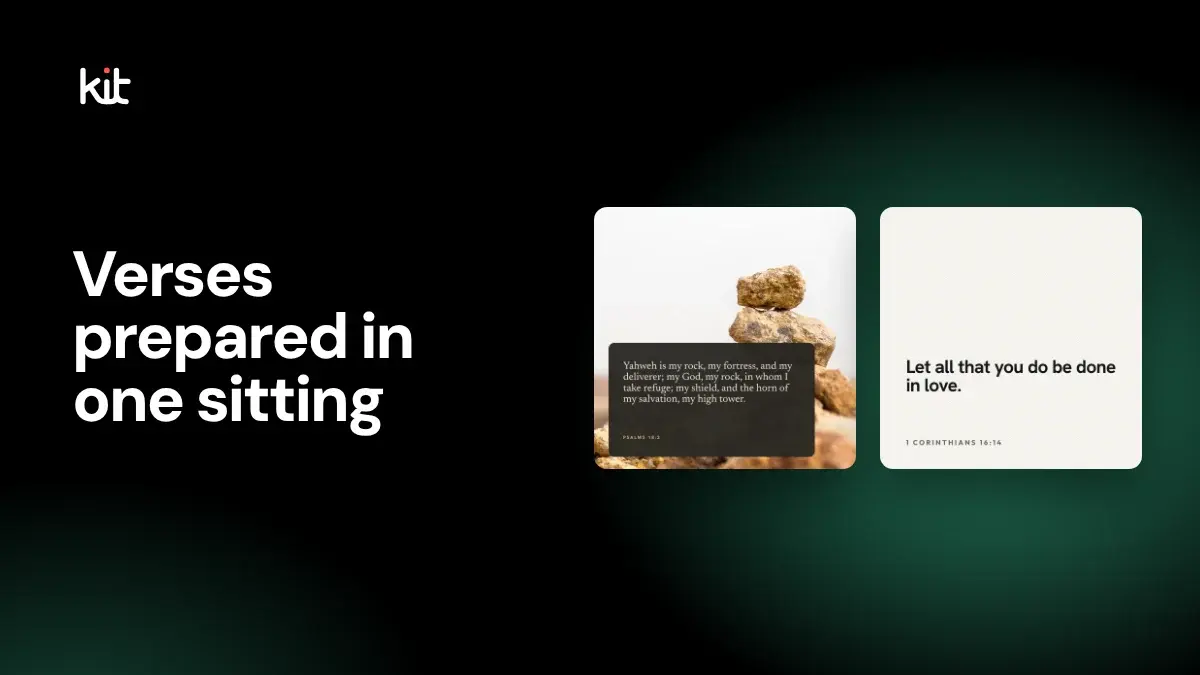
A daily Verse of the Day post can turn into a nightly scramble: find a verse, make a graphic, hope the wording and credit are right, and post it before bed. Batching means preparing several dated posts in one sitting, with each one checked before it goes on the calendar. It does not mean filling every date, and it does not replace checking each verse. For the broader Verse of the Day review workflow, see the source and approval gates.
You can do this with paper cards, a spreadsheet, or whatever planning tool your church already uses. A scheduler is optional. A written record of each check is not.
If you are one person, do this
One volunteer or pastor can hold every role in this article. For each verse you plan to post:
- Check the words and the permission. Open the verse in the Bible edition you mean to use, copy the exact wording and reference, and read the publisher's reuse terms for social images. If you cannot confirm the edition or the terms, skip that verse for now.
- Write the caption and the alternative text. Alternative text is the description a screen reader speaks for an image. It should include the verse words and reference.
- Check the date, then look at the final image on a phone. Confirm the date and your time zone, and make sure the text is readable at phone size.
After it posts, open the live post once and confirm it looks the way you approved it. If anyone else will see the post before it goes out, such as a youth pastor or a senior pastor, have that person read the final wording against the source. If students will see the post, have an adult approve it.
The rest of this article explains why each check matters and how a larger team can divide the work.
A filled-in example
This is a made-up entry. The verse is from the World English Bible, which is public domain, so the example does not model a restricted translation.
| Field | Example |
|---|---|
| Scripture | John 3:16 |
| Edition | World English Bible (WEB) |
| Reuse basis | Public domain text; the name "World English Bible" is a trademark, so credit the edition by name |
| Date and time zone | Monday, 5 January 2026, church local time |
| Caption | One sentence from your church, kept separate from the verse |
| Alternative text | "For God so loved the world, that he gave his one and only Son, that whoever believes in him should not perish, but have eternal life. John 3:16, World English Bible." |
| Approver | You, or a second person if one is available |
| After posting | Checked the live post at 7:05 a.m.; wording and image match |
What batching changes, and what it does not
Batching moves the design and checking work out of the daily rush. It does not shorten the checking. A large queue with shallow review is still shallow review, so only prepare as many entries as the people checking them can examine in full.
Start with the purpose and a stop rule
A dated scripture series needs a reason more precise than "post every day."
Write one sentence that states the job. It might be to share an approved reading sequence, support a teaching series, or make a trusted dated resource available through the church's account. Then write the stop rule before anyone chooses artwork.
An entry stops when you cannot confirm its exact words, reference, Bible edition, permission, date, or approver, or when nobody can fix or withdraw it if it goes wrong.
That rule leaves room for an empty date. A polished graphic whose source or approval cannot be reconstructed stays out.
The stop rule also makes the batch finite. Do not begin with a daily, weekly, or monthly quota. Choose the number of entries your reviewers can examine in full.
Build one record for each candidate
The batch is a set of individual records, not one blanket approval. A team of one can keep only the first rows that matter to it; a larger team will want all of them.
| Record | What to capture |
|---|---|
| Scripture | Exact passage and full reference |
| Edition | Translation name, abbreviation, and edition when relevant |
| Authorized source | Official text, provider record, or supplied file |
| Reuse basis | Permission, licence, trademark terms, and required attribution |
| Date | Church-local date and why the entry belongs there |
| Time zone | The zone used for the plan and destination check |
| Context | Surrounding passage, intended application, and current circumstances |
| Copy | Caption and alternative text |
| Artwork | Final design and every planned crop |
| Destination | Account, audience, and intended local state |
| People | Approver, response owner, and correction owner |
| Evidence | Approved version, hold reason, native result, and inspection time |
Keep the exact approved file with the record. A filename alone may not distinguish two revisions. A thumbnail may hide a missing line or bad crop. The record should let another authorized person identify the words and pixels that received approval.
Put scripture provenance before artwork
Do not identify a Bible edition from familiar wording. Similar translations can differ by a few words while carrying different permissions and notices.
Open the passage in the authorized edition your church intends to use. Compare the words, punctuation, reference, and verse range. Read the surrounding passage. Then inspect the translation owner's current terms for the intended graphic, caption, destination, archive, and distribution path.
Those terms differ. The World English Bible copyright page says its text is in the public domain, while its name remains a trademark. Crossway publishes ESV digital permissions with quotation conditions and required notice language.
Other publishers set their own limits. Biblica separates licensed online display from unrestricted download or redistribution through social platforms. Zondervan lists stand-alone scripture artwork outside its ordinary NIV and NIrV gratis allowance. Do not publish text from either in a downloadable social graphic unless you have confirmed that the current terms cover that exact use.
The plain rule: before you make a graphic, read the current permissions page for that exact edition and note the rule that covers social images. If your use falls outside it, ask the publisher for permission or choose a different edition. This article does not recommend a default translation, because terms change and differ by use.
Hold the entry when:
- the translation is blank or guessed;
- the text came from an unattributed image, copied post, or search result;
- the wording differs from the authorized edition;
- the permission does not cover the planned medium or distribution;
- the required notice is missing or cannot travel accessibly;
- no one can correct or withdraw the local plan.
One held entry does not need to block the rest of the batch. It does need to stay out of every approved and scheduled set.
Keep design replacement separate from scripture correction
Prepare candidate artwork only after the source gate passes.
A design change can fix a cramped layout, weak contrast, or crop problem. It cannot verify the passage. It cannot change the edition or permission. It cannot decide that a different date or context now fits.
Treat these as two different records:
| Design decision | Scripture decision |
|---|---|
| Choose another layout | Verify or correct the exact words |
| Adjust type size or line breaks | Confirm the verse range and punctuation |
| Replace a background | Confirm the authorized edition and source |
| Prepare another crop | Confirm permission and attribution |
| Remove distracting decoration | Confirm context and the reason for the date |
When scripture changes, send the item back through source review. Do not swap a few words inside the artwork and keep the old approval.
Review the final pixels and copy together
The template preview is not the finished post. Review the actual exported file at the size people will encounter, along with its caption, alternative text, attribution, and destination.
The W3C images tutorial says the text alternative for an informative image should carry its essential information. When an image contains readable words, the alternative should contain the same words. For a scripture graphic, that usually means the passage, full reference, and edition, plus visual information that changes the meaning.
Do not replace the scripture with "inspirational Bible verse." Do not spend the field describing colors while leaving out the words. A caption and alternative text have different jobs. The caption is the church's public speech. The alternative text gives access to the image's information.
Check each final crop for:
- complete and correct scripture words, reference, edition, and required notice;
- type that remains readable at phone size;
- sufficient contrast between the words and their background;
- line breaks and emphasis that do not change the reading;
- decoration that does not interfere with the passage;
- a caption that keeps scripture and church commentary distinct;
- alternative text written for that final image;
- the exact destination account and audience.
WCAG 2.2's contrast guidance sets a 4.5:1 minimum for ordinary text and 3:1 for large text, subject to its stated exceptions. That ratio is a floor, not the whole review. Thin type, long lines, textured backgrounds, and aggressive crops can remain hard to read.
If a destination or scheduling path cannot preserve adequate alternative text, put the essential scripture information in accessible visible copy as well. Then repair the publishing process before relying on that path for a dated series.
Approve an exact version, not a folder
Batch review should produce a decision for each row:
- approved for a stated date, time zone, account, and audience;
- held for a named reason;
- returned for a source correction;
- returned for a design or accessibility correction;
- retired because its moment passed or its use is no longer suitable.
Record the approver and approval time. Name someone who will inspect the live post and act if it is wrong or uncertain (the response owner). Name someone who can stop future use of a bad source record (the correction owner).
One person may hold several duties in a small church, including approving their own entry when nobody else is free. The duties do not disappear. Read the final wording aloud against the source before you approve it. The record should still show who checked scripture, context, rights, artwork, accessibility, timing, and the final public result.
Do not treat a filled field, green badge, folder name, or calendar placement as pastoral, doctrinal, legal, accessibility, or publication approval. Those are storage states. Approval belongs to an authorized person and an exact version.
Reserve the date after approval
Once an item passes review, place its intended date and time in your calendar, spreadsheet, or scheduler. Reserving a date means recording when the post is meant to go out. Keep the church time zone visible. A reviewer in another zone may otherwise read a different calendar date, especially near midnight or a daylight-saving change.
A reservation records local intent. It does not prove that a destination accepted the item, that the account connection will remain valid, or that the post will appear with the approved crop and alternative text.
For each reservation, keep:
- the local date, time, and time zone;
- the destination account and audience;
- the exact approved asset and copy;
- the person responsible near the intended release;
- the rule for a missed or uncertain result.
The person who reserves the date should not have to reconstruct the approval from chat messages. Attach the approved record or link to the controlled source.
Write pause and exception rules before they are needed
A dated series is exposed to changing facts. The church needs a safe answer that does not depend on someone improvising minutes before release.
| Condition | Next local action |
|---|---|
| Scripture words, reference, edition, source, or rights are uncertain | Hold the item and return it to source review |
| Required attribution is missing or unreadable | Hold the item until the notice fits the final accessible presentation |
| Pastoral context changes | Pause and send the entry to the qualified ministry reviewer |
| The date or time zone is wrong | Reschedule only after a fresh date and context check |
| Artwork is unreadable or a crop fails | Return the exact asset to design and accessibility review |
| Approver or response owner is unavailable | Hold the item |
| Destination connection or account authority is uncertain | Hold the handoff and verify the native account |
| Provider result is uncertain | Inspect the native destination before any resend |
| The moment has passed | Retire the item or approve a new date through the full gate |
Pausing an entry holds it in your plan. It does not delete a post that is already live. Skipping an item does not remove a post that already exists on the account. A reschedule does not rewrite the pastoral context by itself.
Most important, a paused or missed item should not release later merely because a queue resumes. Approval for the missed date does not carry into a new date. The context, source terms, final asset, and approval all need a fresh decision.
Check the live post and keep the result
The batch is not complete when the calendar says the post was sent. The "native" account means the real Facebook or Instagram page where people see it.
After the intended time, the response owner should inspect the native account and record:
- who checked and when;
- the destination account and audience;
- the visible date and timestamp;
- the exact scripture words, reference, edition, and notice;
- the image and crop;
- the caption;
- the alternative text through the destination's accessibility path;
- the provider link or identifier when available;
- the next action when anything differs.
Facebook's native photo flow includes an alternative-text control. That does not prove that every outside scheduling path forwards the same field. Check the delivered post, not only the local form.
A local Scheduled, Publishing, Ready, or Posted label proves only the state that system recorded. It does not prove public display, continued visibility, correct audience, or accessible delivery.
Separate known failure from uncertainty
A known failure and an uncertain provider result require different next steps.
When delivery is known to have failed, inspect the reason. Repair the account, permission, media, timing, or other cause before considering retry. Retrying unchanged input against a permanent restriction does not resolve the restriction.
When the result is uncertain, check the native destination first. The provider may have accepted the item even though the local system did not receive a final answer. Another send can create a duplicate.
Use a small recovery record:
| Recovery field | What to write down |
|---|---|
| Planned handoff | Destination, account, local time, time zone, and approved version |
| Local evidence | State, visible error, and provider response identifier when available |
| Native check | Person, inspection time, and what appeared |
| Classification | Known failed, present, partial, wrong, or still uncertain |
| Decision | Retry, reschedule, hold, correct, or retire |
Do not promise a retry count, delay, or recovery result unless the deployed service and provider currently prove it.
What to look for in any tool
Whether you use paper, a spreadsheet, a design app, or a scheduler, ask three things. Does it keep the Bible edition and reuse terms next to each entry? Does it let you add alternative text and see the final crop? Does it let you pause an entry without posting it later by accident? A tool can help with layout and planning. It does not verify scripture or permission for you. If you want to see how Church Media Kit handles dated scripture entries, read how Verse of the Day works inside Church Media Kit.
When batching is not the right method
If you post one verse a week, you can skip the batch and just use the one-person checks above. Do not batch a dated series when:
- the church cannot identify the exact edition or authorized source;
- reuse terms do not cover the intended graphics and distribution;
- current pastoral context changes too quickly for advance approval;
- the team cannot name an approver, response owner, and correction owner;
- the final words cannot remain readable and accessible in the planned format;
- the scheduler cannot preserve the needed account, audience, date, copy, or accessibility controls;
- a ready-made resource with clear provenance and reuse terms already fits the need.
YouVersion Open Network's dated Verse of the Day collection is one alternative worth evaluating. It provides dated square and vertical artwork under its own resource terms. Compare its source, reuse rules, formats, accessibility work, approval needs, and publishing process with any custom workflow.
FAQ
How many Verse posts should a church review at once?
Only as many as the named reviewers can check completely. There is no responsible universal batch size. Source, rights, context, artwork, accessibility, timing, and approval still apply to every entry.
Does batching mean every date should have a post?
No. Leave a date empty when an entry cannot pass the source, context, rights, design, accessibility, owner, or destination gate.
Can one approval cover the whole batch?
The review session can cover several candidates, but each entry needs its own decision tied to an exact version, date, account, and audience.
Can a design swap correct a verse?
No. A design swap changes the presentation. A scripture correction changes the source record and requires a new source review.
Should a missed item publish when the series resumes?
No. Keep it held. Approve a new date only after checking whether the passage, context, rights, artwork, and copy still fit.
Does a scheduled label mean the destination accepted the post?
No. It records local intent. Someone still needs to inspect the native account after handoff.
What if the delivery result is uncertain?
Check the native destination before resending. Record who checked, when they checked, what appeared, and whether the item should retry, reschedule, remain on hold, or be retired.
The working rule
Prepare the posts together, but check each one on its own. Verify every source. Approve every exact version. Reserve dates only after review. Hold exceptions without releasing a backlog, and inspect the native result before closing the record.
Try Church Media Kit
Review what’s included and try the tools that fit your church’s workflow.
A free account needs no card. Sermon to Social, Sermon Clips and Sermon Slides each give one free use. That is one sermon, one upload up to 2 hours, and one AI presentation. Church in bio is free for 14 days after you first publish it. Design and Verse of the Day are free with any account. Review the offer when choosing your plan.