Product evaluation and buying decisions
What Church Media Kit does, what your church still decides, and what it does not do
A plain product-fit guide to turning a YouTube sermon into editable social-post drafts, what it costs, the review work that stays with your church, and the jobs it does not do.
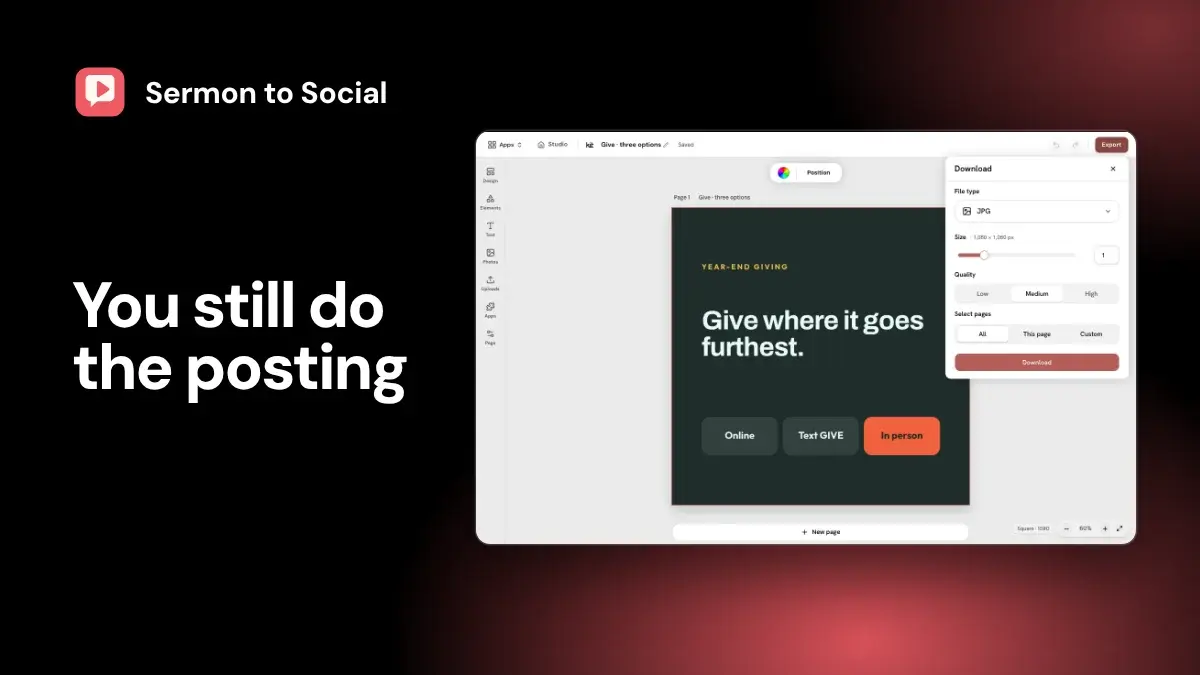
Church Media Kit turns a sermon into editable social-post drafts, and your team reviews and posts them. Here is the short version.
- What goes in: a public YouTube sermon link that your church has the right to use. If the video has an English caption track (the text YouTube attaches to a video, including YouTube's automatic captions), that text is the source. If it does not, you paste a transcript, manuscript, or notes of at least 40 words, or upload the recording to Sermon Clips instead.
- What comes out: editable drafts of static posts. A static post is a single image with text, such as a quote, a big idea, or a prayer. You change the words and design, then download the pages as image files.
- What your team still does: review, edit, approve, and post. In a small church that may be the pastor or the office administrator. If you are the only person, the checks below still apply to you.
- What it does not do: transcribe audio, automatically apply a saved Brand Kit (your church's saved colors, fonts, and logo), post for you, or promise better results. External publishing is not included in the current subscription.
- What it costs: a free account needs no card and includes one free sermon in Sermon to Social. Plans start at US$29.95 a month; see current pricing.
That boundary defines the product. For the steps from an authorized YouTube source to reviewed static drafts, see the full sermon-to-social workflow. To compare options, use the sermon-repurposing software buyer checklist.
What the current workflow does
The workflow has three parts: a checked source, draft preparation, and static editing.
First, you enter a valid public YouTube URL and confirm that you have the right to use it. The workflow checks for available captions. If the video has none, it does not transcribe the audio. To go on, do this:
- Find the sermon text your church already has, such as the manuscript, the speaker's notes, or a transcript from another tool.
- Paste it in. It must be at least 40 words, which gives the draft enough source to work from.
- Review the drafts against that text, since the text is now the source.
Second, the interface offers four tone directions and ten static content types; the caption length is set to balanced. The content types are quotes, big ideas, teaching posts, announcements, prayers, questions, devotions, testimonies, sermon recaps, and stat-based impact posts.
These controls guide a draft. They do not prove that the draft matches your church's voice or that every selected format suits the source.
Third, the editor supports common static-design changes to text, images, shapes, and backgrounds, with undo and redo. You can change colors and fonts by hand, since branding is manual. Export gives selected-page image downloads and a ZIP for multiple pages. You then post the files yourself.
The useful way to describe the output is simple: draft material made with AI. A draft can reduce blank-page work. It cannot approve itself.
What stays with the church
The church remains responsible for publishing decisions. A named person or team needs to own each of the following checks.
Source rights
The rights confirmation records your statement. It does not investigate ownership or grant permission. Your church must know whether it may reuse the sermon, speaker image, photography, scripture translation, music, testimony, and any other material that appears in the final post.
Theology and source fidelity
A post may sound plausible while changing the sermon. The reviewer compares each quote with the source text, reads enough surrounding context to understand the point, and removes quotation marks from paraphrases. Do not assume the draft marks which caption line a quote came from; checking that is the reviewer's job. The same reviewer checks scripture references, doctrinal wording, and any statement that becomes stronger when shortened.
Factual accuracy
Names, dates, service times, event details, statistics, and calls to action need a current source outside the generated draft. If the sermon included an informal estimate or a detail that later changed, the post should not freeze the error into a graphic.
Voice and pastoral suitability
A tone selector is direction, not knowledge of your congregation. Your church decides whether a sentence sounds like the speaker, respects the people involved, and fits the moment. Church-communications discussions on Reddit describe AI as a source of starting material while a person keeps the writing and review role. That is anecdote, not a performance study.
Privacy and safeguarding
The source may contain a prayer request, testimony, child, vulnerable person, counselling detail, or story told for one setting. The tool does not flag these. Public availability does not settle whether a moment should become a social post. Follow your church's consent, safeguarding, and pastoral-care process, and skip the material when the reviewer cannot clear it.
Accessibility
The person approving the post should check contrast, type size, reading order, and the text alternative for each informative image. Alternative text should describe what the image contributes, not repeat the entire caption. The W3C image tutorial gives practical guidance.
Approval and publication
Generation is not approval. Editing is not approval. Export is not approval. Your church decides who may approve the final words and artwork, which channel is appropriate, when the post should appear, and whether a changed circumstance means it should be delayed or cancelled.
Google's guidance on helpful, people-first content makes a related point: automation does not lower the standard for usefulness and reliability.
At a glance: what it does and does not do
| Job your church needs done | What this workflow supports | Boundary to keep in view |
|---|---|---|
| Start from a sermon | A public YouTube link with captions, or pasted transcript, manuscript, or notes of at least 40 words | It does not transcribe audio |
| Prepare static post ideas | Selectable tone and content-type direction | Drafts still need source, theology, fact, and voice review |
| Adjust designs | Editing for text, images, shapes, and backgrounds | It is not a full design platform such as Canva; if you design in Canva, this does not replace it |
| Recover from an edit | Undo and redo in the editor | Applies to the editor only |
| Download finished pages | Selected-page image export and a multi-page ZIP | Export is not posting |
| Apply church branding | Change colors, fonts, and images by hand | No automatic Brand Kit styling |
| Approve content | A church reviewer can review and revise drafts | The product does not give theological, pastoral, legal, or factual approval |
| Publish to social | Download the files and post them through your own process | External publishing is not included in the current subscription |
| Improve reach or engagement | No outcome claim | Results depend on the message, audience, timing, channel, and many other factors |
Church Media Kit cannot honestly promise that a set of posts will grow attendance, engagement, giving, or discipleship. It has no outcome evidence for those claims. It also has no measured figure for how long review takes, so this article gives none.
When Church Media Kit may fit
It may fit when your team has an authorized YouTube sermon or a text source, wants editable static follow-up drafts, and has someone to review and approve the result. See the Sermon to social feature and current pricing. It also assumes that organized drafts are worth more than the extra step in your week.
A fit often looks like this:
- The sermon is already part of the church's approved public communication.
- A pastor, communications lead, office administrator, or ministry owner can review drafts.
- The team wants editable drafts and will publish through its own process, even if that process is one person posting by hand.
- Someone is willing to correct the words and design instead of accepting the first output.
This list describes working conditions, not a promise that the product will suit every church with those conditions.
When another process or product is a better fit
If you need audio transcription, use another transcription process first and paste the text in.
Short vertical clips are a different job. Church Media Kit's Sermon Clips app makes captioned vertical clips from a video file you upload, which your team downloads and posts. The static-post workflow in this article does not make video.
Use a mature design platform when your team needs a broad canvas, extensive asset libraries, or established Brand Kit controls. Use a social media management product when you need external publishing, analytics, or a channel-management workflow in one workspace.
For example, Sermon Shots advertises transcription and video clips, while ChurchSocial advertises a larger multi-channel planning and publishing workspace. Pulpit Engine centers its current offer on captioned Facebook video clips and scheduled posting. These are vendor claims, not independent tests, but they show why a buyer should compare the exact job rather than count features.
A manual checklist may also be better. If one person already prepares and approves one simple post each week, adding software could create more work than it removes. A tool should reduce a real point of friction, not create a new process to justify the purchase.
How to test it on one sermon
The most reliable test uses your own sermon. Pick one sermon your church has the right to use, ideally one with an awkward caption passage. Run it through the free use, then:
- Check where the text came from, and what you had to paste if captions were missing.
- Compare one generated quote with the source and correct it.
- Make one design change, then export one page.
- Time your reviewer from start to finish. That is the only time figure that matters for your church.
Then check the points this article cannot settle for you:
- Which features are live in the plan you would buy? Do not accept a roadmap item as a present capability.
- Who else needs access? The Starter plan includes five Seats and Growth includes ten. Each person, including pending invitations, counts as a Seat.
- What happens to your drafts and files if you delete content or close the account? Check the terms and privacy policy.
- Does the plan's monthly sermon allowance fit how often you preach? The pricing guide lays out each plan.
The decision in one sentence
Choose Church Media Kit if you want a reviewable path from an authorized sermon source to editable drafts, and will post them through your church's own process. Choose a different tool or manual process if you need audio transcription, automatic branding, a full design platform, external publishing, or guaranteed outcomes.
That is a narrower promise than an all-in-one content machine, and a more honest one.
Start with one sermon
Prepare clips and post text for your church to review.
A free account needs no card, and Sermon to Social, Sermon Clips and Sermon Slides each give one free use (one sermon, one upload up to 2 hours, one AI deck), a Church Page is live free for 14 days from first publish, and Design and Verse of the Day are free with any account. Review the offer when choosing your plan.