Sermon repurposing and source integrity
From one YouTube sermon to reviewed social posts: the full workflow
A source-first workflow for turning an authorized YouTube sermon into static social-post drafts that your church has checked and approved.
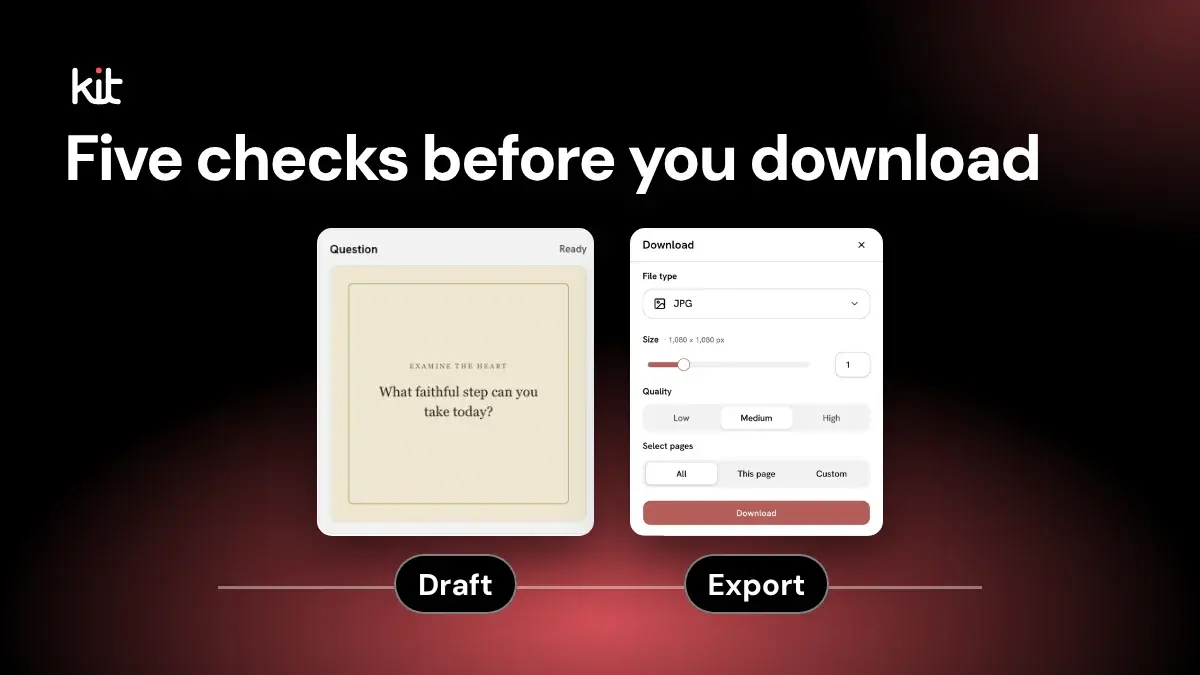
To turn a sermon into social posts, start with a public YouTube video your church may use and check its captions. If usable captions are unavailable, paste a transcript, manuscript, or notes of at least 40 words, or upload the recording instead. Then create editable static drafts, review them for meaning and accessibility, and export only what the church approves. Church Media Kit drafts the post text and page designs; your team checks, edits, and approves them. This guide ends at edit and export; the church still decides when and where to post.
A sound workflow moves through five gates: authority, source, scope, draft, and review and approval. A YouTube link does not create permission, and captions can contain errors. The church decides what passes each gate. For the product’s current source and output boundaries, see the Sermon to Social Posts feature. For an example of how the work fits across a week, see the weekly church social media workflow.
The workflow at a glance
- Gate 1, authority: confirm the church has authority to use the sermon.
- Gate 2, source: check that the YouTube source and its captions are usable. Captions are the text track YouTube shows when you turn on CC for the video.
- Gate 3, scope: choose the tone direction and post types the sermon can support.
- Gate 4, draft: generate source-based drafts and let the automated checks run.
- Gate 5, review and approval: review the message, wording, details, design, and accessibility, then record approval.
- After the gates, edit the final pages in Studio, Church Media Kit's editor, and export only what passed.
A sample record, start to finish
This sample comes from a fictional sermon. It shows what one Quote post's paper trail can look like, not a product screen.
| Step | Sample entry |
|---|---|
| Source moment | The speaker's central claim: "Grace is not a reward for good behavior. It is a gift you receive with empty hands." |
| Treatment | Exact quote, so the wording is checked against the recording |
| Draft post | Page: the quote in large type with the speaker's name. Caption: one line inviting readers to share what receiving looks like this week |
| Draft check | The quoted words matched the captions, so the draft moved forward. Had one word inside the quotation marks changed, the check would have flagged it |
| Alt text | Quote card: "Grace is not a reward for good behavior. It is a gift you receive with empty hands." |
| Source review | Teaching reviewer: approved, with the date |
| Communications review | Communications owner: revise the call to action, then approved |
| Export | One PNG of the approved page, for example grace-quote.png |
Opens a free sign-up for Church Media Kit.
If a required check fails, stop there. Moving a weak draft forward does not make it stronger. It only makes the error harder to catch.
Free printable PDF
Sermon recording checklist
What is inside
- Choosing the sound source: the preacher's mic, the sound board or a separate recorder, with the source for each
- A mic, room and levels check, a test recording and a backup recording for one volunteer or a team
- File format, naming, a second copy and the hand-off to whoever posts, plus a notice for the congregation and guest speakers
- Variants for a phone, a board and cameras, a homily, an audio-only church and several campuses, plus a setup card and a weekly log
Enter your email and confirm a code to download. We email you a copy the first time each day.
Gate 1: confirm authority before pulling captions
Start with a public YouTube URL for a sermon your church owns or has permission to repurpose. In Church Media Kit, the person submitting the URL must confirm that authority before the caption check begins.
That confirmation is a statement from the church, not an independent rights investigation. The submitter still needs to know who owns the recording, whether the speaker agreed to the use, and whether the service includes material that should not become a social post.
Use a simple source record:
- sermon title and public URL
- speaker and service date
- person who confirmed authority
- any restrictions, such as a guest speaker agreement or a pastoral-care story that should stay out of social media
This is also the right place to catch privacy problems. A public livestream can contain a testimony, prayer request, image of a child, or identifying detail that your church should not reuse.
The USCCB social-media guidelines advise church personnel to respect copyright and confidentiality. They also tell church personnel to get other people's approval before using their material. Your own church policy should name the person who handles that check.
Stop here when no one can confirm authority, the source contains sensitive material without clear permission, or the URL does not identify the intended sermon.
Gate 2: inspect the caption source
Church Media Kit checks for English captions already available with the YouTube video, whether uploaded by the church or generated automatically by YouTube. This YouTube intake does not transcribe audio.
Available captions are the strong source path, but "available" does not mean "verified." YouTube says automatic captions can misrepresent speech because of accents, pronunciation, background noise, overlapping voices, and other conditions. YouTube tells creators to review automatic captions and correct mistakes.
Before generating drafts, inspect the passages most likely to become public copy:
- the sermon's main claim and the sentences around it
- names, places, dates, and numbers
- Scripture references and the translation used
- exact quotations
- event details and calls to action
Listen to the recording when a word is unclear. This is especially important for an exact quote. A caption track is a useful index into the sermon, not a substitute for hearing what the speaker said.
If captions are missing, the current intake can use a manually supplied transcript, manuscript, or notes of at least 40 words; verify that text against the recording before generation. You can also upload the recording through Sermon Clips, which makes its own transcript, or add or repair the caption track in YouTube. A URL proves where the sermon lives, but does not supply the sermon’s words.
Stop here when captions are missing and no verified supplied text is available, the caption language is wrong and supplied text is unavailable, the sermon and URL do not match, or the passages you plan to use cannot be checked against the recording.
Gate 3: choose the job before generating the posts
Once the source is usable, decide what each post should do. Do not ask the tool to make every available format.
Church Media Kit suggests a starting mix of post types, such as Quote, Big Idea, Teaching, Prayer, Question, and Devotion, adjusted to the sermon text when it can. You can turn any of them off, or add Announcement, Testimony, Sermon Recap, or Stat Impact when the sermon has that content. The source may support only two types. That is fine. If you are new to this, start with Big Idea, Quote, and Question, the three in the table below.
A practical selection note can fit in one row per proposed post:
| Proposed post | Source moment | Treatment | Reviewer |
|---|---|---|---|
| Big Idea | Sermon's central claim | Paraphrase | Teaching reviewer |
| Quote | Exact sentence at a known moment | Exact quote | Speaker or delegate |
| Question | Application section | New question grounded in the point | Communications owner |
Classify the treatment before drafting:
- Exact quote. Preserve the speaker's words. Check the recording, punctuation, and surrounding context.
- Paraphrase. Restate a point without quotation marks. Make sure the meaning and limits remain intact.
- New application. Write a prompt, invitation, or question based on the sermon. Review it as new church copy, not as something the pastor said.
Then choose a tone direction. The current choices are Warm and Pastoral, Bold and Convicting, Reflective and Quiet, or Uplifting and Joyful. Caption length can be Short and punchy, Balanced, or Rich and detailed; Balanced is the default. These settings guide the draft; they do not override the sermon or your church’s judgment.
Stop here when the team cannot explain a post's job, the selected format needs evidence the sermon does not contain, or no qualified person can review the treatment.
Gate 4: generate drafts, then check them
Generation takes time, so do not build your handoff around an instant-output promise. A section marked as needing attention is unfinished work.
The workflow prepares source evidence, plans the selected post types, writes draft copy, and pairs that copy with static page designs. Automated checks can catch defined problems such as an exact quote that does not match the supplied evidence, missing primary copy, unsupported event details, or text that does not fit a design's content budget.
Their scope is narrow. They cannot decide whether a paraphrase is pastorally wise, whether a joke should leave the room where it was told, whether a prayer prompt suits the church's tradition, or whether a call to action is the right next step.
Treat every generated item as a draft even when the automated checks pass. A passed check means the wording matched the evidence supplied, not that the point is right.
Keep its source note attached. A reviewer should not have to search the whole sermon to discover where a line came from. For each draft, preserve the source moment, treatment type, and any warning raised during preparation.
Stop here when a section fails and cannot be repaired, a source note is missing, the tool turns a paraphrase into a quotation, or the draft introduces a fact the source does not establish.
Gate 5: review and approve in two passes
A small church may have one person perform both passes. That is weaker than two people, so keep the jobs separate on the checklist, record who did each pass, and wait until the next day or ask someone else to look when you can. When possible, the final approver should not be the person who prepared the draft.
Source and pastoral review
The first reviewer protects the message.
Check each draft against the sermon and recording:
- Does an exact quote match word for word?
- Does a paraphrase preserve the sermon's point and its qualifications?
- Is the excerpt still honest without the sentences before and after it?
- Are the Scripture reference, wording, and translation correct?
- Does the application fit what the sermon actually taught?
- Should any personal story, pastoral detail, or image stay private?
The answer can be "do not publish." That is a successful review outcome.
Communications and accessibility review
The second reviewer protects the public handoff.
Check the details the sermon alone cannot approve:
- Is the intended audience clear from the first lines?
- Does the caption say what the graphic cannot?
- Are event dates, locations, links, and contact details current?
- Does the call to action lead somewhere the church can support?
- Is the visual treatment readable and suitable for the subject?
- Does the image alternative describe the useful content without repeating the caption?
- Has the team checked consent for identifiable people and sensitive settings?
W3C's image alternative decision tree recommends a brief description when a simple image contributes meaning. If the image only decorates the page or repeats nearby text, the alternative should not make a screen-reader user hear the same information twice.
This is also where the team checks the church's visual system. Generation does not apply your church's brand colors and fonts. If your church has set up a Brand Kit, its saved colors and fonts, you apply it yourself in Studio. Review fonts, colors, imagery, spacing, and marks instead of assuming the draft is already on brand.
Stop here when the source reviewer rejects the wording, a detail is stale, the visual depends on missing permission, the page is hard to read, or the final approver has not been named.
Use a review rhythm your team can sustain
There is no universal schedule. A workable rhythm is role-based:
- One person prepares the source record and selects the proposed post types.
- The teaching reviewer checks source fidelity before design polishing.
- The communications owner edits the approved copy, design, details, and accessibility.
- The named approver records "approved," "revise," or "do not publish."
- The exporter selects only approved pages.
Set a cutoff that matches your real capacity. If approval is not complete by the cutoff, move the post or drop it. Do not skip the review to protect a calendar square.
Edit and export only the approved pages
Approved static pages can move into Studio, the Church Media Kit editor, for final editing. The church still decides the wording, page order, visual treatment, and which pages leave the editor.
The reviewed export paths produce image files: a single-page document can export as JPEG, a selected page as PNG, and several selected pages as a ZIP of PNG files. Export is a file handoff, not publication.
Before export, compare the selection with the approval record. A polished unapproved page should stay behind.
Use a compact final record:
| Field | Record |
|---|---|
| Source | Sermon URL and checked moment |
| Treatment | Exact quote, paraphrase, or new application |
| Source review | Name, decision, date |
| Communications review | Name, decision, date |
| Approved pages | Page identifiers or filenames |
| Export | Format and destination owner |
That record is intentionally plain. It tells the next volunteer what was checked, what was approved, and what they are allowed to publish.
The real finish line
The finish line is not "the tool generated posts." It is that every exported post has a source note and two recorded review decisions, so the church can explain why it is faithful, current, accessible, and approved.
Church Media Kit can prepare source-based drafts, run defined checks, and give your team editable static pages. It cannot supply permission, pastoral judgment, current event facts, or final approval. A documented source, named reviewers, and a recorded approval decision show what the church checked before export. If you are still deciding between this workflow and doing it by hand, compare the two in Church Media Kit versus a DIY workflow.
Free printable PDF
Sermon recording checklist
A printable checklist for recording the sermon or homily every week, from one volunteer with a phone to a team with a sound board and cameras: choose the sound source, place the mic, set levels, frame the preacher, run a backup recording, name and save the file, tell people it is being recorded, and hand the file on, with a setup card and a weekly log.
Enter your email and confirm a code to download. We email you a copy the first time each day.
Try Church Media Kit
Review what’s included and try the tools that fit your church’s workflow.
A free account needs no card. Sermon to Social, Sermon Clips and Sermon Slides each give one free use. That is one sermon, one upload up to 2 hours, and one AI presentation. Church in bio is free for 14 days after you first publish it. Design and Verse of the Day are free with any account. Review the offer when choosing your plan.