Planning and sustainable church communication
A practical weekly church social media workflow built from one sermon
A low-volume Monday-to-Sunday routine for turning one sermon into useful church social posts, with source checks, review gates, and clear reasons to skip a post.
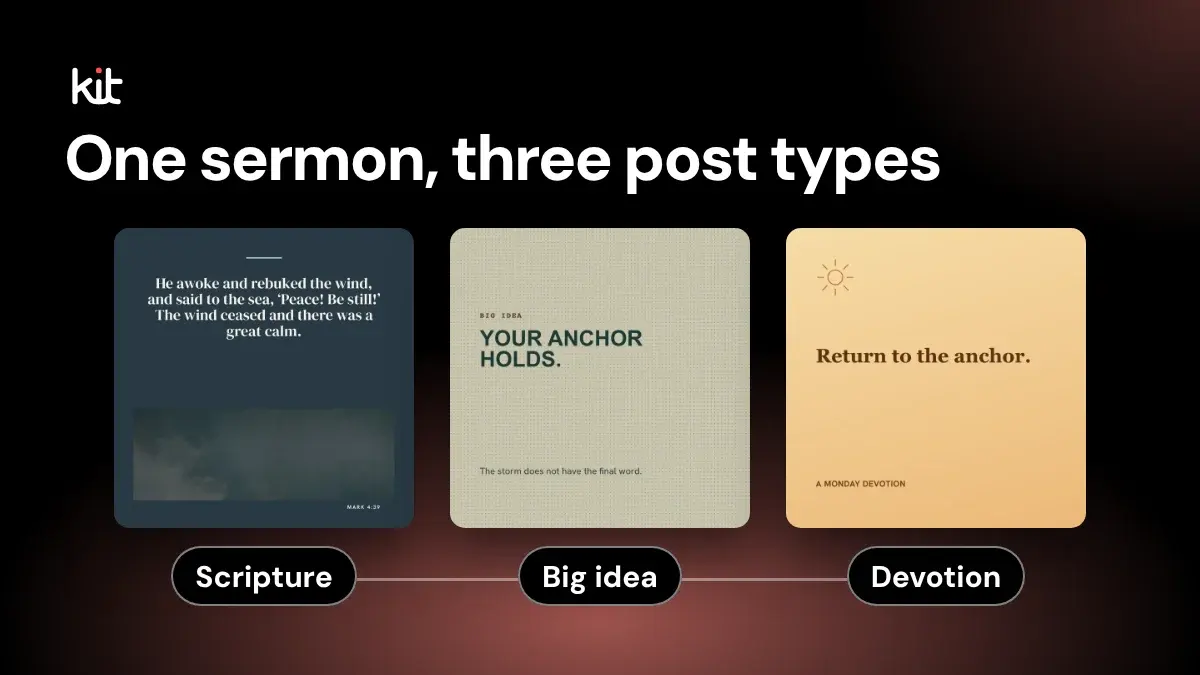
A weekly church social media workflow starts by checking whether the sermon supports a post, then assigns a distinct job, reviewer, and handoff for each approved draft. One sermon may support a few posts or none; the plan should fit the team’s capacity. This article covers weekly responsibilities. For the detailed source-to-export steps, see the YouTube sermon workflow, and for choosing a sustainable post count, see how often a church should post.
This routine is written for a church where one part-time person or volunteer does the work, with no design team. If that is you, the smallest useful week is one post from one sermon, checked against the source and approved by one named person. You can run it with sermon notes, a shared document, a design tool you already have, and your platform schedulers. No special software is needed.
Start with one sermon and plan up to three sermon-based posts. Give each post a different job, meaning the reason the post exists, or what you want the reader to do after reading it.
One might help people remember the main point. Another might invite reflection or prayer. A third might point people toward the next service. Three is a ceiling, not a quota, and one post is a complete week.
The order matters more than the volume. Check the source before writing. Decide the job before choosing a format. Review the words before designing. Approve the finished post before scheduling it.
If any of those steps cannot happen, publish less.
That may sound cautious beside weekly plans that fill six or seven days. Many church-content guides, such as Discipls and ChurchSpring, show a post for nearly every day. Those calendars can supply ideas, but they can also turn an example into an obligation. Church staff and volunteers who handle social media alongside other ministry work often describe the same squeeze, and several recommend a rhythm before adding content. That is anecdotal, not a survey, but it is real enough to plan around.
Here is a Monday-to-Sunday process built for that reality.
Monday: decide whether this sermon should become posts
Do not open a design template yet. First, review the sermon source closely enough to answer one question.
What should someone understand, remember, or do after encountering this message during the week?
Write the answer in one plain sentence. Then record the source moment, meaning the exact place in the sermon that supports it. A minimal source record needs only:
- the sermon title and link
- the relevant timestamp (the minute in the video) or paragraph
- the speaker's exact words, if you may use a direct quote
- the surrounding point that gives those words their meaning
- the person who will approve the post
Now choose one of three decisions: repurpose (turn the sermon into posts), reduce (make just one), or skip.
Repurpose when the sermon has a clear idea that still makes sense outside the service. Reduce when one useful post exists but a full sequence would repeat itself. Skip when the message depends on confidential pastoral context, a personal story without clear permission, a developing situation, or details that cannot be checked.
Skipping is a valid outcome. It prevents a weak post from consuming writing, design, review, and scheduling time.
What a finished week can look like
This example is illustrative, from a fictional sermon on rest. Your wording will differ.
- Main point: Rest is a gift God gives, not a reward we earn.
- Source record: "Sabbath Rest," sermon link, 18:40, the speaker's sentence on rest as a gift, approved by the pastor.
- Post 1, carry the main idea: "Rest is not a reward for finishing everything. Sunday's message looked at rest as a gift. Watch it here: [sermon link]" Shared as a simple text graphic, with the alt text: "Words on a plain background: Rest is a gift, not a reward."
- Post 2, invite a response: "This week, what is one thing you can set down for an hour? Take a moment to pray about it."
- Post 3, connect to Sunday: Skipped. The next service time was not confirmed on Thursday, so there was no verified invitation to make.
Opens a free sign-up for Church Media Kit.
Two approved posts and one skip is a good week.
Free printable PDF
Sunday setup and teardown checklist
What is inside
- A timeline that answers “what’s next?” Early week, 60, 30 and 10 minutes out.
- The setup order, with the real settings. YouTube and Facebook numbers, each traced to its source.
- The four backups that save a Sunday. Recording, slides, internet and batteries.
- A teardown and a handover. Who does what, plus what to fix next week.
Enter your email and confirm a code to download. We email you a copy the first time each day.
Tuesday: give each possible post one job
Plan the post's purpose before its format. A three-post week might use these jobs:
- Carry the main idea. Summarize one part of the sermon in language that can stand on its own.
- Invite a response. Ask one honest question, suggest one practice, or offer a prayer prompt that follows from the source.
- Connect the week to Sunday. Invite people to watch the sermon, join the next service, or continue the conversation through a real church pathway.
The third post is optional. So is the second. If two planned posts make the same point, keep the clearer one.
This is also the day to classify the language. An exact quote must preserve the speaker's words. A paraphrase must not wear quotation marks or imply that the speaker used those words. A summary should carry the argument without pretending to be either one.
Before you move on, read the material immediately before and after the source moment. A line may sound complete in isolation while depending on a qualification, contrast, or example that came seconds earlier. If the shorter version changes the point, do not use it as a quote.
Wednesday: draft words before graphics
Write each post as plain text. Keep the source record beside the draft.
Start with the useful part. A reader should not have to cross a greeting, slogan, and generic setup before finding the point. Use the words your church already uses for its groups, services, and practices. If a sentence could belong to any church after swapping the name, make it more specific to the sermon or remove it.
A compact draft can follow this sequence:
- one clear opening line
- enough context to understand the source
- one response or next step, if the post calls for one
- the sermon link or verified event detail, when relevant
Do not force every post to ask for comments. A prayer can simply be a prayer. A teaching point can simply help someone understand. An invitation can give the correct time and place without promising that attendance will change a person's life.
Write for the people who will read it, not to fill a slot. More copy is not the same as more help.
Thursday: review meaning, risk, and ownership
Ask someone with the right authority to review the plain-text drafts. This may be the pastor, communications lead, ministry owner, or another person your church has named. The title matters less than the responsibility.
The reviewer checks:
- Does this represent the sermon fairly?
- Is an exact quote exact?
- Is scripture used in context and referenced correctly?
- Does the post expose a private story, prayer request, child, or vulnerable person?
- Are event details current?
- Is the response we ask for appropriate?
- Does this sound like our church?
- If the post shows or mentions a child or teenager, is there the parent or guardian permission your church's policy requires, and does it avoid inviting young people to message adults privately?
Mark the result as approve, revise, or skip. "We ran out of review time" means skip for now. It does not mean the social media volunteer silently inherits doctrinal, pastoral, privacy, or event-accuracy approval.
If the pastor writes and posts, and is also the person with authority to approve, reread the draft against the source the next morning before scheduling. If someone else must approve and cannot answer before your deadline, skip that post rather than approve it yourself.
Friday: design only the approved posts
Now choose the format. The main idea might work as a simple quote or teaching graphic. The response might need only a caption and an ordinary church-life photo that you have permission to use. The invitation may use an approved service graphic.
Keep the mobile view in mind. Read every word at the size someone will encounter on a phone. Make sure the words are easy to read against the background. Do not put the entire caption inside the image.
When a picture carries meaning, write alt text for it: a short description, typed into the alt text or accessibility field when you upload the post, so people who cannot see the image still get its point. The W3C's image tutorial is a practical reference.
Run one final comparison against the approved plain-text draft. Design changes often introduce copy changes. A shortened headline can become a different claim, and an old template can retain the wrong date.
Saturday: schedule, replace, or leave the slot empty
Schedule only the posts that passed review. Record the intended day, channel, asset, caption, link, and approver in whatever planning tool your church already maintains. A paper calendar or shared document is enough if everyone can find the current version.
Then check for changed circumstances. Replace or pause a scheduled post when a pastoral emergency, local event, correction, or more urgent church communication deserves the space. An empty slot is better than an irrelevant post left running because the calendar said so.
If no one will monitor replies, do not publish a sensitive question that invites people to disclose personal information in public comments. Change the call to action or skip the post.
Sunday: capture the source and stop the scramble
Sunday's job is not to manufacture next week's content during the service. After the service, take a few minutes to note what Monday will need.
- Preserve the sermon link or recording.
- Confirm who holds the rights and permissions needed for reuse.
- Note any correction the speaker made after the message.
- Record time-sensitive details that should not survive past the week.
- Name the reviewer for the next cycle.
If your team also takes photos or records clips, follow the church's consent and privacy rules. Do not let the desire for a Monday post turn worship or pastoral care into an unapproved content shoot.
The cycle is now ready to begin again without a blank page.
The skip rules that keep the routine sustainable
Put these rules in the workflow where everyone can see them:
- No reliable source, no quote. Use a clearly labeled paraphrase only if the point can still be verified.
- No distinct job, no post. Repetition does not become useful because the design changes.
- No permission, no personal story or identifiable image. Ask first or choose different material.
- No guardian permission, no identifiable child or teenager. Leave out names, faces, schools, and locations.
- No qualified reviewer, no approval. Save the draft for later.
- No verified event details, no invitation. A wrong time is worse than a quiet feed.
- No readable design or alt text where it is needed, no scheduling. Fix it or use a simpler format.
- No capacity, cut the lowest-value post first. Protect the source check and review gate before protecting volume.
These rules make the routine dependable because they define what the team will refuse to rush.
Where Church Media Kit can help, and where it stops
Church Media Kit is an optional tool for the drafting part of this routine. It works when the source is a public YouTube sermon that your church has the authority to use. It checks whether the video has English captions (YouTube's automatic captions count), then creates editable draft posts (text and graphics; short captioned clips come from a separate app, Sermon Clips), each tied to the part of the sermon it came from. Those drafts still need the same source, theology, privacy, design, and approval review described above. The church decides what to keep, revise, schedule, or skip.
The useful outcome is not a full calendar. It is a week in which every published post has a reason to exist, a source someone can check, and an owner willing to approve it.
Free printable PDF
Sunday setup and teardown checklist
The Sunday jobs your church media team does, in order: what to switch on, what to check, who owns it, and the backups to have ready.
Enter your email and confirm a code to download. We email you a copy the first time each day.
Try Church Media Kit
Review what’s included and try the tools that fit your church’s workflow.
A free account needs no card. Sermon to Social, Sermon Clips and Sermon Slides each give one free use. That is one sermon, one upload up to 2 hours, and one AI presentation. Church in bio is free for 14 days after you first publish it. Design and Verse of the Day are free with any account. Review the offer when choosing your plan.