Product evaluation and buying decisions
Manual templates, general AI, or sermon-repurposing software: which workflow fits?
Compare four overlapping church content workflows by the bottleneck they remove, the work they leave behind, and a fair same-sermon test.
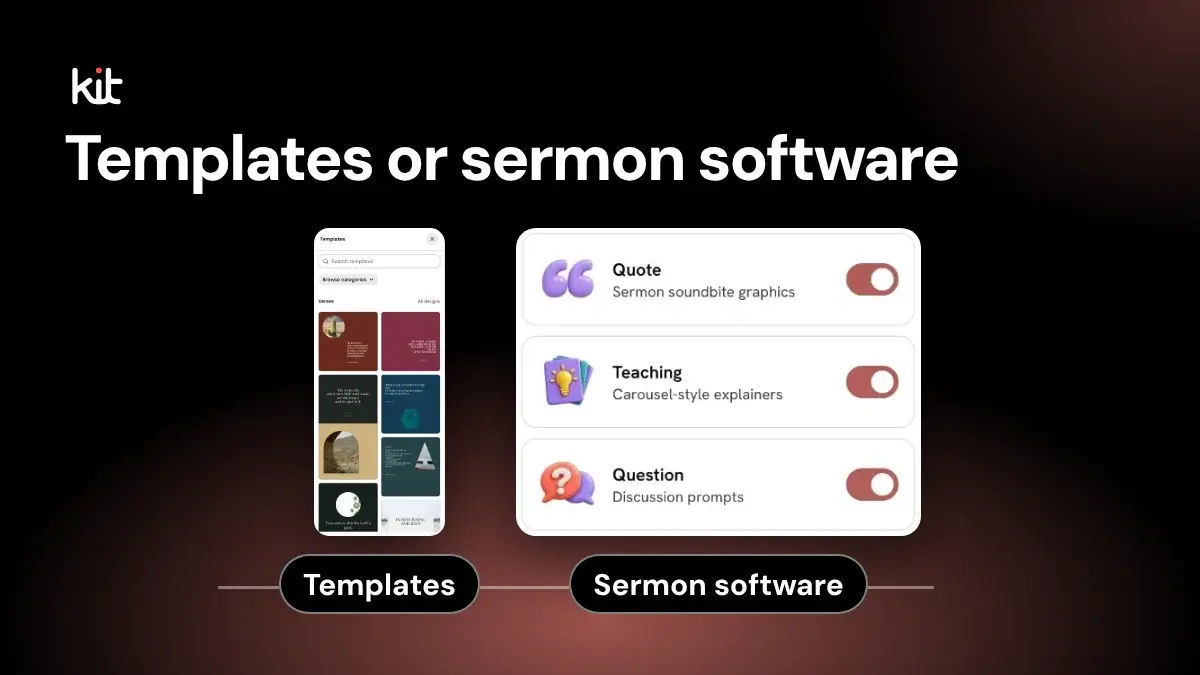
Choose a tool after you know where the weekly work breaks down.
Short answer for a small church. If one or two people turn one weekly sermon into posts, find the step that stalls first (the next section shows how). Then try only the route that fixes that step:
- Every graphic starts from an empty canvas: manual templates, meaning a reusable Canva or Adobe Express layout your volunteers fill in.
- The wording takes too many fresh decisions: general AI, meaning a chat assistant such as ChatGPT or Claude that drafts from text you give it. A person still checks the source and finishes the design.
- Finding good passages in a long sermon is the slow part: sermon-repurposing software, meaning a service that takes a sermon recording or transcript and drafts posts or clips from it.
- Approved posts exist but get lost before they go live: a social-management tool, meaning a scheduler such as Buffer that holds a calendar, approvals, and publishing.
Church Media Kit publishes this guide and sells sermon-repurposing software, so weigh our view with care. Where it fits, and where it does not, is covered later in this guide.
These categories overlap, and many churches will combine them. The product label matters less than the work that remains before and after its most impressive feature.
No tool owns sermon meaning, doctrine, sensitive material, church voice, rights, consent, accessibility, approval, destination verification, or failure recovery. Give those decisions to named people.
Find the bottleneck before you compare products
Watch one ordinary post move through your current week. Where does it stop?
- Source selection: Nobody can find a passage that still makes sense outside the sermon.
- Mixed drafting: The source is known, but turning it into a quotation, paraphrase, summary, or invitation takes too many fresh decisions.
- Repeatable design: Approved words exist, but a volunteer rebuilds typography, spacing, and image treatment every time.
- Video clipping: The real job is finding and editing moving-image excerpts, not making static posts.
- Review: Drafts exist, but nobody owns source checking, doctrine, facts, rights, consent, accessibility, or final approval.
- Coordination and publishing: Finished work disappears into messages, folders, calendars, permissions, or uncertain delivery states.
Do not buy a drafting tool for an approval problem. Do not buy a scheduler for a source problem. Do not buy sermon software when most of your weekly work is event information, community photographs, or local ministry updates.
If two bottlenecks are equally painful, expect a stack. Write down where one tool ends and the next begins.
Which workflow fits which situation?
| Workflow | It may fit when | It is a poor fit when | Work it still leaves |
|---|---|---|---|
| Manual templates | Your church already has approved copy and assets, publishes a modest set of static formats, and wants repeatable design without changing the source workflow | You need transcript search, many source-derived drafts, video clipping, or publishing operations | Source choice, writing, design judgment, review, export, handoff, destination checks, and recovery |
| General AI | You need flexible candidate drafts, summaries, restructuring, or variations from material you supply | You expect the tool to verify the sermon, settle doctrine, finish the design, approve sensitive material, or publish responsibly | Context setup, instructions, source checks, correction, design, rights, approval, destination checks, and recovery |
| Sermon-repurposing software | A recorded sermon is the recurring source and finding or reshaping sermon material is the main burden | Your main work is local church life, one-off announcements, a broad campaign, or an unsupported input or output | Rights, source accuracy, doctrine, correction, church voice, consent, accessibility, approval, destination checks, and recovery |
| Social-management tooling (schedulers) | Approved assets exist and your actual problem is ownership, calendar, permissions, approval handoff, destinations, or publishing state | You still lack suitable source material, reviewed copy, or finished assets | Content judgment, final approval, account authority, checking that each post is actually live, answering replies, and failure recovery |
In the last column, a destination is the Facebook page or Instagram account a post goes to. A handoff is any moment work passes from one person or tool to another. Recovery is what someone does when a post fails to go out or goes out wrong.
This table describes workflow fit, not permanent product boundaries. Current creative products can include AI and scheduling. General AI can retain recurring context. Sermon products can include templates, video, and sharing. Social platforms can include writing aids. Check the exact plan and workflow you would use.
One example: the same quote through each route
This illustrates where the steps fall. It is not a measurement. Say your volunteer wants one sentence from Sunday's sermon as a quote graphic with a caption.
- Manual templates: The volunteer finds the sentence in the recording, types it into a saved layout, writes the caption, exports the image, and sends it to whoever approves it.
- General AI: The volunteer pastes in the transcript and asks for candidate quotes and captions. A person checks each against the recording, fixes any wording the AI changed, and builds the graphic in a design tool.
- Sermon-repurposing software: The tool suggests passages from the transcript or recording. A person confirms the quote is exact, edits the draft, and exports it.
- Scheduler: It starts only once the graphic and caption are approved. A person loads them into a calendar, picks the account, and checks the post went live.
Every route ends with the same two questions: who confirmed the words are accurate, and who confirmed the post reached the right account?
Category overlap is real
A feature grid can make four products look easy to compare while hiding the handoffs that decide whether the week works.
Canva says Magic Design can suggest editable layouts from text, images, or ideas. Its current Business material also describes a content calendar and direct scheduling.
Adobe Express documents AI-generated editable templates. Adobe says its business offer includes brand controls, collaboration, and a content scheduler.
A workflow built around reusable templates may therefore include AI and publishing features too.
ChatGPT Projects can hold files and project instructions. Claude Projects can hold reference material and instructions. Anthropic also says Claude custom styles can use uploaded writing examples or written instructions.
General AI can carry more reusable context than a one-off prompt. That may reduce repeated setup. It does not give a language model authority over quotations, doctrine, rights, consent, or approval.
Sermon Shots currently advertises transcription, clips, captions, quote images, reusable templates, carousels, ministry resources, and direct sharing for named destinations. Pulpit AI currently advertises document, audio, and video inputs alongside clips, captions, transcripts, summaries, and other sermon-derived material. These are vendor claims from public pages. We did not run either product, inspect its outputs, or verify its performance.
Social-management products overlap too. Buffer's current plan guide lists drafts across plans and approvals on its Team plan, alongside scheduling and other publishing work. It also lists AI features. For this decision, treat social management as a separate downstream job. A calendar can organize approved material. It cannot establish that a sermon quotation is accurate or wise to publish.
Count the work around the feature
A useful comparison follows one post through the entire route.
Setup
Record everything required before the first useful draft appears:
- source preparation and file conversion
- account and plan selection
- template creation
- church assets and writing examples
- project instructions or prompts
- permissions and destination connections
- volunteer training
A reusable setup may be worth doing. It is still work. A route that looks simple during a product demo may depend on a careful template, a maintained project, or another tool that already exists off-screen.
Review
Ask what the reviewer receives. A polished card with no traceable source can create more work than rough copy with a reliable time range. A transcript suggestion still needs the recording when exact wording matters. A tool's warning or confidence label does not decide doctrine, pastoral suitability, rights, consent, privacy, safeguarding, or accessibility.
Correction
Count how a person fixes a bad result.
Can the reviewer edit the exact words, layout, crop, page order, and alternative-text (screen-reader image description) draft? Must they regenerate the whole result? Does a correction survive the next run? Can the team tell which version was approved? A short generation step followed by several rounds of source repair is not a short workflow.
Handoff
List every manual transfer. Copying text into a design tool, downloading an image, renaming files, pasting alternative text, requesting approval in a message, and re-entering a caption in a scheduler all belong to the workflow.
Tool switching is not automatically bad. An explicit handoff can be safer than a broad system nobody understands. The problem is an invisible handoff with no owner, version, or stop rule.
Publishing and failure
Separate an approved asset from a scheduled post and a scheduled post from a verified live result. Record the account, audience, destination fields, crop, links, date, time zone, permissions, and response coverage. If the provider rejects or only partly publishes the work, someone must own the evidence and next decision.
No creation workflow removes that duty. No local scheduled or published label should be treated as proof of the live destination without verification.
Responsibilities that remain with people
One person may hold several roles in a small church. Name the owner for each row anyway.
| Responsibility | What a person must establish |
|---|---|
| Source choice | Which authorized recording or manuscript supports the post, and why this passage should stand on its own |
| Quotation and context | The exact range, whether the words are a quotation or paraphrase, the surrounding argument, and any qualification the short post must retain |
| Doctrine | Whether the exact version represents the church's teaching and who has authority to decide |
| Sensitive material | Whether privacy, dignity, safeguarding, or pastoral risk requires a hold or escalation |
| Church voice | Whether the wording is actually suitable for this church and audience, regardless of any vendor voice-matching claim |
| Rights | Whether the church owns, licenses, has permission for, or has qualified advice about every included work |
| Consent | Whether an identifiable person agreed to the planned content, destinations, and duration under the church's process. For children and teenagers, follow your existing safeguarding and parental-consent policy |
| Accessibility | Whether the final pixels, copy, contrast, reading order, crop, and alternative text work at the destination |
| Approval | Who approved the exact version, not a template or earlier draft |
| Destination verification | Whether the correct account received the correct copy, asset, fields, links, crop, and audience treatment |
| Failure recovery | Who investigates an error, chooses retry or correction, and verifies the final state |
If a product page says an output is ready, on brand, accurate, safe, or built in the church's voice, treat that as a claim to test. It does not move these responsibilities to the vendor.
Privacy and sensitive source material belong in the fit decision
A tool's ability to accept a transcript does not answer whether the church should upload it.
Check the exact account, plan, privacy controls, current terms, retention and deletion choices, subprocessors, sharing settings, and administrator access. Remove pastoral conversations, prayer requests, information about children or vulnerable people, and other sensitive material unless the church has a documented reason and authority to process it in that service.
Terms differ by product and plan. Canva's current AI terms say users are responsible for inputs and outputs, outputs may not be accurate or unique, and some inputs may be shared with technology partners to provide a function. OpenAI says data use differs between individual and business offerings and may depend on settings. Anthropic separates consumer and commercial material in its Privacy Center. Sermon-product privacy statements are vendor claims too. Read the controlling policy for the account you would use.
We did not audit any vendor's security, retention, deletion, training, or privacy operations. Do not interpret a linked policy or a missing public detail as proof of safety or absence.
Run a fair same-sermon test
Public product pages can tell you what a vendor offers. They cannot tell you how much setup, correction, or handoff your church will face.
Use this test before choosing a workflow or making a performance claim.
If you are one person, run a small version. Take one sermon and make one exact-quote post the way you do now, then again through the one route you are considering. Write down every step, who did it, and what you fixed by hand. Then ask what the route removed, what it added, who checked the words, and who checked the post went live. The full test below suits a team with a separate reviewer.
- Choose one ordinary sermon that your church has authority to use. Give every route the same recording and approved transcript or manuscript.
- Freeze one brief. Ask each creation route for the same two candidate static posts: one exact-quotation graphic and caption, and one clearly labelled paraphrase graphic and caption. Use the same required dimensions, approved church assets, wording rules, and reviewer. If video clipping is your actual bottleneck, use one fixed clip brief instead and exclude routes that do not claim to do that job. Do not score a tool against work it was never meant to perform.
- Disclose the complete stack. A general AI route may still need a design tool. A template route may require manual transcript search. A sermon product may still require a separate scheduler.
- Record setup work, including source preparation, plan, templates, instructions, assets, permissions, integrations, and training.
- Record every correction. Include source errors, missing qualifications, wording-class changes, doctrine questions, stale facts, rights or consent holds, visual repair, accessibility repair, and regeneration loops.
- Record exports and transfers. Include filenames, copy and alt-text transfer, version control, approval handoff, and work repeated in the next tool.
- Give the same approved destination versions to the social-management route. Record permissions, approval, previews, scheduled states, provider responses, live checks, and any recovery work.
- Preserve evidence. Keep the source ranges, outputs, screenshots, errors, corrections, versions, reviewer decisions, and final state.
Record active work separately from waiting time. Do not publish a speed, quality, accuracy, savings, or reliability result until the test supports it. Judge results on your own sermon, not on demo claims. Regulators take the same view. The Competition Bureau of Canada says performance claims need an adequate and proper test completed before the claim. It also warns against relying on manuals, anecdotes, or tests of similar products.
One sermon and one operator can expose failure modes. They cannot establish what every church will experience.
Where Church Media Kit fits
Church Media Kit publishes this guide and is the product discussed here, as noted at the top. This section covers only its Sermon Content workflow, not its other apps.
The public Sermon Content workflow accepts an authorized public YouTube sermon with available captions or manually supplied transcript, manuscript, or notes of at least 40 words. The user chooses tone direction and content types, then reviews and edits the resulting drafts. Current marketing fixes caption length to balanced.
In plain terms, it drafts editable social posts from a YouTube sermon's captions or from text you paste in, and it does not post for you. That is a narrow fit. It may be worth testing when a church has an authorized YouTube sermon or verified supplied text, wants editable sermon-derived drafts, and is prepared to keep people in review and editing. The current subscription excludes external publishing; use the church’s approved process for publication.
It is not evidence of captionless transcription, automatic branding, video creation, a Canva replacement, formal collaboration or broad approval, hands-off publishing, remote deletion, privacy guarantees, production reliability, or any audience or ministry result. Choose another route, or a combined route, when those missing jobs are central.
A short decision record
Before the trial ends, write down these answers. If you are one person, answer 1, 5, 6, and 7 at minimum:
- What exact bottleneck are we paying to remove?
- Which input and output formats do we need every week?
- What setup must stay current?
- Which source, ministry, rights, consent, accessibility, and approval decisions stay with us?
- How many tools and transfers does one approved post require?
- Can a reviewer correct the exact version without starting over?
- Who owns destination checks and provider failures?
- Which current plan, billing term, usage limit, and privacy policy governs the workflow?
- What did our own same-sermon test show, and what did it leave unknown?
- What would make us stop using this route?
A good fit does not remove all work. It removes the right work without hiding duties your church still has to carry.
What we checked
This guide was checked on 29 August 2026 from Canada using public, logged-out vendor pages. We did not create vendor accounts, purchase plans, accept free access, run product outputs, contact sales, or conduct customer interviews. Pricing was not scored. Where a plan page offered a selection, we chose monthly billing; prices appeared in CAD or USD depending on the vendor. Plans, currencies, taxes, discounts, eligibility, limits, and features can change.
Church Media Kit has no affiliate relationship with the vendors named here and received no payment or review access from them. Vendor capabilities and terms are linked as vendor statements, not independent findings. Church Media Kit's own description is limited to the build reviewed for this guide and still needs a live buyer check before reliance.
To report a factual error or a changed vendor fact, use the correction route on our editorial standards page.
Frequently asked questions
Does a manual-template route cost less?
No conclusion follows from the template price alone. Count source search, writing, template upkeep, design, review, exports, handoffs, scheduling, and recovery across the full stack. Then check the current plan and billing terms. This guide did not run a cost comparison. Check each vendor's pricing page, and see our pricing guide for Church Media Kit's current plans.
Is general AI enough for a church social workflow?
It may cover flexible drafting when the church supplies good source material and instructions. It does not by itself settle source accuracy, doctrine, sensitive material, rights, consent, accessibility, approval, design, destination handling, or failure recovery.
Does sermon-specific software preserve the sermon's meaning?
That is a claim to test, not an assumption to make from the category name. Compare every quotation and paraphrase with the authorized source, keep controlling qualifications, and assign a person with authority over the sermon's meaning.
Do we still need a scheduler if our design or sermon tool can publish?
Maybe not. Test the exact destinations, permissions, approval handoff, calendar, previews, failure states, and live verification you need. Built-in publishing can remove a transfer, but it does not remove the final publisher's responsibility.
Should we combine tools?
Combine them when each has a clear job and every handoff has an owner and version. Avoid a stack that duplicates correction, hides approval, or makes failure harder to trace.
Which workflow fits volunteers?
There is no supported universal answer. A volunteer may prefer a constrained template, a familiar AI workspace, a sermon-specific intake, or a clear publishing queue. Run the same-sermon test with the people who will do the work, then judge setup, correction, handoff, and recovery as well as the first draft.
Try Church Media Kit
Review what’s included and try the tools that fit your church’s workflow.
A free account needs no card. Sermon to Social, Sermon Clips and Sermon Slides each give one free use. That is one sermon, one upload up to 2 hours, and one AI presentation. Church in bio is free for 14 days after you first publish it. Design and Verse of the Day are free with any account. Review the offer when choosing your plan.