Planning and sustainable church communication
Church Christmas communication plan for 2026: Advent dates, slides and social posts, week by week
Advent 2026 starts Sunday 29 November, then 6, 13 and 20 December; Christmas Eve is Thursday 24 December. A dated plan with channels and owners, Advent social posts and candle slides.



On this page
- What goes in the week-by-week plan?
- What should you post on social media each week of Advent?
- What do the Advent candles mean, and what order do they go in?
- What do you put on the screens each Sunday?
- When does Advent start in 2026, and how long is it?
- What sizes and files do you need?
- Christmas Eve, Christmas Day and Sunday: three services in four days
- Running the booth on Christmas Eve
- Can you stream Christmas carols?
- Help people find your Christmas Eve times
- Who owns each job?
- After Christmas: what to send guests
- Where do you make the files?
- Frequently asked questions
- Sources
Advent 2026 starts on Sunday 29 November. Christmas Eve is Thursday 24 December. If nothing is planned yet, you still have time. A small team can do all of this, starting this week.
Here are the dates the whole plan hangs on:
- Sun 29 Nov, Advent 1: one candle lit (Hope)
- Sun 6 Dec, Advent 2: two candles (Peace)
- Sun 13 Dec, Advent 3: three candles (Joy)
- Sun 20 Dec, Advent 4: four candles (Love)
- Thu 24 Dec, Christmas Eve: all five, with the white Christ candle
- Fri 25 Dec, Christmas Day, then a normal Sunday on 27 December
That's three services in four days at the end. So the plan below front-loads the work.
What goes in the week-by-week plan?
Each row says when, where it goes, what to make and who does it. The names are roles, so write a real person's name in each one. On your own? You own every row. Do the bold ones first, and drop the rest if you run out of time.
| When | Channel | What goes out | Who |
|---|---|---|---|
| Now, by Sun 22 Nov | Text or email to the pastor | Christmas Eve times and address, in writing | Media lead |
| Sun 22 Nov | Facebook, Instagram | One post with the Advent start date, and the Christmas times if you have them | Social volunteer |
| By Wed 25 Nov | Slides and social | Pick the look. Make the series picture (square and Story) and the Advent candle slide | Media lead |
| Thu 26 Nov | Printer | Order invite cards | Welcome team |
| Sun 29 Nov | Screens, from the front, bulletin | Advent 1 slides. Announce Christmas Eve. Hand out invite cards | Slide operator, pastor |
| Mon 30 Nov | Facebook, Instagram | First candle post | Social volunteer |
| Sun 6 Dec | Screens, from the front, bulletin | Advent 2 slides. Ask everyone to invite one person. Times in a box in the bulletin | Slide operator, pastor |
| By Sun 13 Dec | Google, website, Facebook | Christmas Eve hours on Google, a banner on the website, a Facebook event | Media lead |
| Sun 13 Dec | Screens | Advent 3 slides | Slide operator |
| Mon 14 Dec | Facebook, Instagram, email | Invite post, Story and the first email | Social volunteer |
| Fri 18 Dec | Shared folder | Christmas Eve slides finished and sent to the operator | Media lead |
| Sun 20 Dec | Screens, bulletin | Advent 4 slides. All the Christmas times on the bulletin cover. Practice the Christmas Eve slides after the service | Slide operator, stream lead |
| Mon 21 Dec | Instagram Story, text | Story reminder. A text to people who agreed to get texts | Social volunteer |
| Tue 22 Dec | Slides | Fix what the practice found. Build the 27 Dec slides | Media lead |
| Wed 23 Dec | Every channel | Last reminder | Social volunteer |
| Thu 24 Dec | Screens, stream, social | Morning post with the times and stream link. Christmas Eve service, two people in the booth | Slide operator |
| Fri 25 Dec | Facebook, Instagram | One Christmas Day post, scheduled the day before | Social volunteer |
| Sun 27 Dec | Screens | The simplest slides you can make. Nothing new | One person |
| Wed 6 Jan 2027 | Facebook, Instagram | One Epiphany post, only if your church keeps the day | Social volunteer |
From 26 November on, the dates match our Christmas Eve invite guide, which has the wording for each channel. The 22 November post and the 13 December row are our own suggestions.
Starting after 29 November? Keep whatever you showed on the first Sunday. Don't start a new look halfway. Get the times, make one Christmas Eve slide and one invite post, and practice on 20 December.
Want a list to tick off on your phone or print? Copy this one:
Template
Advent and Christmas checklist
[ ] Sun 22 Nov: Christmas Eve times and address, in writing
[ ] Wed 25 Nov: one look; series picture; candle slide
[ ] Thu 26 Nov: invite cards ordered
[ ] Sun 29 Nov: Advent 1; Christmas Eve announced; cards out
[ ] Mon 30 Nov: candle post
[ ] Sun 6 Dec: Advent 2; bulletin box
[ ] Sun 13 Dec: Advent 3; Google hours, website, Facebook event
[ ] Mon 14 Dec: invite post, Story, email
[ ] Fri 18 Dec: Christmas Eve slides done
[ ] Sun 20 Dec: Advent 4; practice run; stream test
[ ] Mon 21 Dec: Story reminder; texts
[ ] Tue 22 Dec: fixes; 27 Dec slides built
[ ] Wed 23 Dec: last reminder everywhere
[ ] Thu 24 Dec: morning post; two people in the booth
[ ] Fri 25 Dec: Christmas Day post (scheduled)
[ ] Sun 27 Dec: simple slides only
To get the times from the pastor, copy this message and fill in the blanks:
Template
Message to your pastor
Hi [name], I'm making the Christmas slides and posts. Could you reply with these by [day]?

Christmas Eve service times:
Address (and parking note, if any):
Christmas Day service? Yes or no, and the time:
Sunday 27 December time:
Advent theme or series title, if you have one:

A quick reply is all I need. Thank you!
No answer by 29 November? Ask again in person after the service. Don't print anything until you have the times.
Free printable PDF
Service run sheet
What is inside
- A final-by deadline to agree once, and six steps to build the sheet
- A one-page guide to calling the cues, with the words to use and what to do when a cue fails
- A blank run sheet with a camera, audio, slides and stream cue for every item, and a line for who calls it
- Filled examples for a contemporary service with a producer, a liturgical service, and a solo volunteer or small team without headsets, plus notes for Sundays with several services
Enter your email and confirm a code to download. We email you a copy the first time each day.
What should you post on social media each week of Advent?
Two posts a week is plenty for a small team: the candle for the Sunday, and one more for the next date. Here's what we'd post. The captions are our wording, so change them to fit your church.
| Week | Post | Size | Caption to start from |
|---|---|---|---|
| Sun 22 Nov | Advent and Christmas dates | Square | "Advent starts this Sunday, 29 November. Here are our Christmas services: [times]." |
| Advent 1, 29 Nov | First candle: Hope. A photo of your own wreath, or the candle graphic | Square or tall | "Week one of Advent: hope. One candle is lit. Join us Sunday at [time]." |
| Advent 2, 6 Dec | Second candle: Peace, plus the invite card | Square, and a Story | "Two candles: peace. Who could you bring on Christmas Eve? [times]" |
| Advent 3, 13 Dec | Third candle: Joy. Show the rose candle if your wreath has one | Square | "Three candles: joy. Christmas Eve is 11 days away." |
| Advent 4, 20 Dec | Fourth candle: Love, with the Christmas Eve times | Square, and a Story | "Four candles: love. See you Thursday at [times], [address]." |
| Thu 24 Dec | Morning post with times, address and stream link | Square, and a Story | "Tonight at [times]. Come as you are. Watching from home? [link]" |
| Fri 25 Dec | One short Christmas Day post, scheduled the day before | Square | "Merry Christmas from all of us at [church]." |
| Wed 6 Jan 2027 | Epiphany, only if your church keeps it | Square | "Today is Epiphany, when we remember the wise men's visit." |
Sizes: square is 1080 × 1080 pixels, tall is 1080 × 1350, and a Story is 1080 × 1920. Keep words away from the top and bottom of a Story, where the app puts its own buttons.
A few tips for the posts:
- Real photos help. Ministry Pass, which sells sermon series graphics, suggests photos such as "a family walking up to the front doors of the church". A real photo from your building helps a guest picture being there. Ask before you post anyone's face.
- Schedule the Christmas Day post. Use the schedule option in Meta Business Suite or your Facebook Page, so nobody works on Christmas morning.
Want ready graphics? Our church Christmas graphics page shows real templates: an Advent begins post, an Advent candle Story, a Christmas Eve invite and a Christmas Day post. You edit them in Design with a free account, no card needed. For a quick post with no account at all, Verse of the Day gives you today's Bible verse as an image to download. For a month of posts beyond Advent, see our social media content calendar template.
What do the Advent candles mean, and what order do they go in?
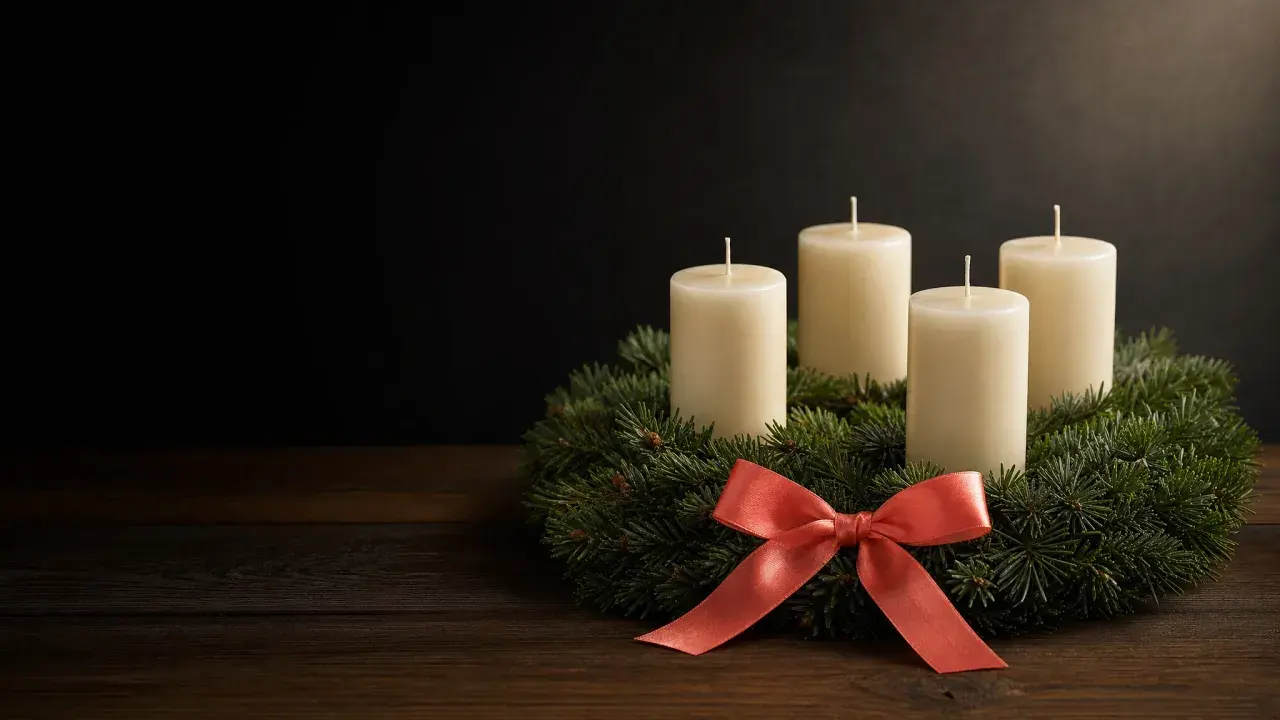
Most Advent wreaths have four candles around the edge, one for each Sunday. You light one more each week. Three are purple or blue. The third Sunday's candle is often rose (pink). Many wreaths also have a white candle in the middle, called the Christ candle, lit at Christmas.
A common order is Hope, Peace, Joy and Love. Some churches use other names, such as the Prophecy, Bethlehem, Shepherd's and Angel's candles, as listed in Hallow's Advent candle guide.
| Sunday | Date in 2026 | Common word | Candle color | Lit candles on the slide |
|---|---|---|---|---|
| Advent 1 | 29 Nov | Hope | Purple or blue | 1 |
| Advent 2 | 6 Dec | Peace | Purple or blue | 2 |
| Advent 3 | 13 Dec | Joy | Rose in many churches; purple or blue in others | 3 |
| Advent 4 | 20 Dec | Love | Purple or blue | 4 |
| Christmas Eve | Thu 24 Dec | Christ candle | White, in the middle | 5 |
Traditions differ. The US Catholic bishops list violet, with rose on the third Sunday. The ELCA's worship blog says blue is usual in its churches; our seasonal worship background calendar quotes both. United Methodist guidance allows purple or blue, and has a page on lighting the white candle on Christmas Eve or on Epiphany. Some churches that use blue keep blue all four weeks.
So match the wreath at the front of your church. If it has a pink candle, show a pink candle on Advent 3. If it doesn't, don't. Not sure? Go and look at it.
What do you put on the screens each Sunday?
Use one look for the whole season. Set it up once: one theme sentence in plain words ("Light is coming" works), two colors, one font for titles, and four weekly words. Many churches use purple or deep blue for Advent, and white with gold for Christmas.
Make every slide 1920 × 1080 pixels, the wide 16:9 shape. In PowerPoint, open the Design tab, choose Slide Size and pick Widescreen (16:9). In Google Slides, open File, then Page setup, and pick Widescreen 16:9. ProPresenter sets the size in its screen setup, to match the screen it sends to.
Then use the same four kinds of slide every week, so a volunteer can build a Sunday in minutes:
- A series slide for the loop before the service, with the theme, the weekly word and the lit candles.
- Song backgrounds, the plain pictures behind the song words. Keep them quiet enough to read from the back. See our slide design rules for font size and words per slide.
- A candle or reading slide, if your church lights a candle or reads together.
- A closing slide with next Sunday's word and the Christmas Eve time.
Here is the candle slide for each week. Only the words and the candles change:
Example
Sun 29 Nov:  The first Sunday of Advent. HOPE. Wreath with 1 candle lit.
Sun 6 Dec:   The second Sunday of Advent. PEACE. Wreath with 2 candles lit.
Sun 13 Dec:  The third Sunday of Advent. JOY. Wreath with 3 lit (rose if yours is).
Sun 20 Dec:  The fourth Sunday of Advent. LOVE. Wreath with 4 candles lit.
Thu 24 Dec:  Christmas Eve. All 4 lit, plus the white Christ candle.
Keep Christmas Eve close to the Advent look, but different enough that people feel the day arrive. A white or gold version of the same slide does that.
Where to get backgrounds. Need one today with no sign-up? A plain dark purple or deep blue slide works, and your slide program can make it. For pictures, browse our Advent & Christmas backgrounds. About 45 designs in the library are Free Sample designs. Ask for the Free Sample and we email you a link to download them in 1080p, with no account. 4K and the rest of the library come with a plan. If you use backgrounds from other sites, read each site's license before you show them on a stream. Our worship background size guide says MP4 is the one video type that ProPresenter, EasyWorship and PowerPoint all accept.
Christmas Eve brings guests who sit at the back, and the room is darker during the candles. The calculator below works out the smallest letter size the back row can read. Type how deep your room is and how tall your screen picture is:
Projection font size calculator
Enter your room depth and screen height to see the smallest text the back row can read.
Example rooms
Minimum text height
60 mm
Minimum font size
48 px
Calculated 46 px on a 1920 x 1080 slide, rounded up to 48 px. The 4 mm per metre rule asks for at least 48 mm.
Try it in a virtual room
Readable from your seatScreen to back row: 12 m · 9 rows from 4 m
48 px text is readable up to 12.4 m away: every row can read it. Move your seat to see it from any row.

God asks for trust before he gives a map. Abram left home without knowing where he was going.
Genesis 12:1
Print a room card
One page for your media desk: this room's minimum font size and how far common sizes read.
A rule of thumb, not a standard. It assumes letters of 1/200 of the viewing distance and capital letters about 70% of the font size. The virtual room uses the same rule for every row, with the first row at twice the image height (a common AV rule of thumb) unless you set it. Example rooms are estimates: 15 to 17 sq ft per seat and an image at least a sixth of the back-row distance.
The announcement slides guide covers the loop before the service.
No Advent at your church? Run a four-week Christmas series with one series picture, and change the sermon title each Sunday. Our sermon series graphics page covers the sizes.
When does Advent start in 2026, and how long is it?
Advent starts on Sunday 29 November 2026. It has four Sundays: 29 November, 6 December, 13 December and 20 December. It ends on Christmas Eve, Thursday 24 December.
Catholic Church Times says it "ends before First Vespers of Christmas". Vespers is the evening prayer.
If your church follows a lectionary (the three-year plan of Sunday readings), Advent 2026 starts Year B (Lectionary Page). The Catholic bishops' readings page gives Mark 13:33-37 as the Gospel for 29 November (USCCB readings).
After Advent come three more dates:
- Christmas Day is Friday 25 December.
- Sunday 27 December is the first Sunday after Christmas.
- Epiphany is Wednesday 6 January 2027, when many churches remember the wise men. Some keep it on the nearest Sunday.
For next year, we worked these dates out from the calendar:
| Year | First Sunday of Advent | Christmas Eve falls on |
|---|---|---|
| 2026 | Sunday 29 November | Thursday |
| 2027 | Sunday 28 November | Friday |
| 2028 | Sunday 3 December | Sunday (the fourth Sunday of Advent) |
What sizes and files do you need?
Make the screen slide first, then copy the look into the other sizes.
| What | Size | File | Where it goes |
|---|---|---|---|
| Screen slide | 1920 × 1080 pixels (16:9) | PNG or JPG; MP4 for a moving background | Your slide program |
| Feed post | 1080 × 1080 (square) or 1080 × 1350 (tall) | PNG or JPG | Facebook and Instagram |
| Story | 1080 × 1920 | PNG or JPG | Instagram and Facebook Stories |
| Facebook event cover | 1920 × 1005 (the size Design uses) | JPG | Your Christmas Eve event |
| YouTube thumbnail | 16:9; YouTube recommends 3840 × 2160 | PNG or JPG, under 2 MB from a phone | Your Christmas Eve stream |
| Invite card | 4 × 6 in or 5 × 7 in, plus bleed | PNG at 300 DPI, or what your printer asks for | The printer |
| Service program | 5.5 × 8.5 in (letter folded in half) | PNG at 300 DPI, or what your printer asks for | The printer |
A few notes on the sizes:
- YouTube's thumbnail help page recommends 3840 × 2160. A 1920 × 1080 thumbnail is the same shape.
- We couldn't load Instagram's or Meta's own size pages for this update. The feed, Story and event sizes are the ones Design offers. Check them before you upload.
- Put the final files in one shared folder and on a USB stick that lives in the booth.
Printers trim cards, so a print file needs bleed: a thin extra edge the printer cuts off. Pick your card size below to see the size with bleed, the safe area and how many pixels to export. Prices vary, so ask your printer for a quote.
Flyer print size calculator
Pick a paper size to see its bleed, safe area and the pixels to export for print.
Trim size
8.5 × 11 in
Size with bleed
8.75 × 11.25 in
Pixels to export at 300 DPI (with bleed)
2625 × 3375 px
Safe-area inset
0.25 in
Aspect ratio
1 : 1.29
Trim in millimetres: 215.9 × 279.4 mm. Without bleed: 2550 × 3300 px. With bleed: 2625 × 3375 px.
In Design, keep the default 2x scale for JPG or PNG. Design stores print pages at 150 units per inch, so 2x is 300 DPI.
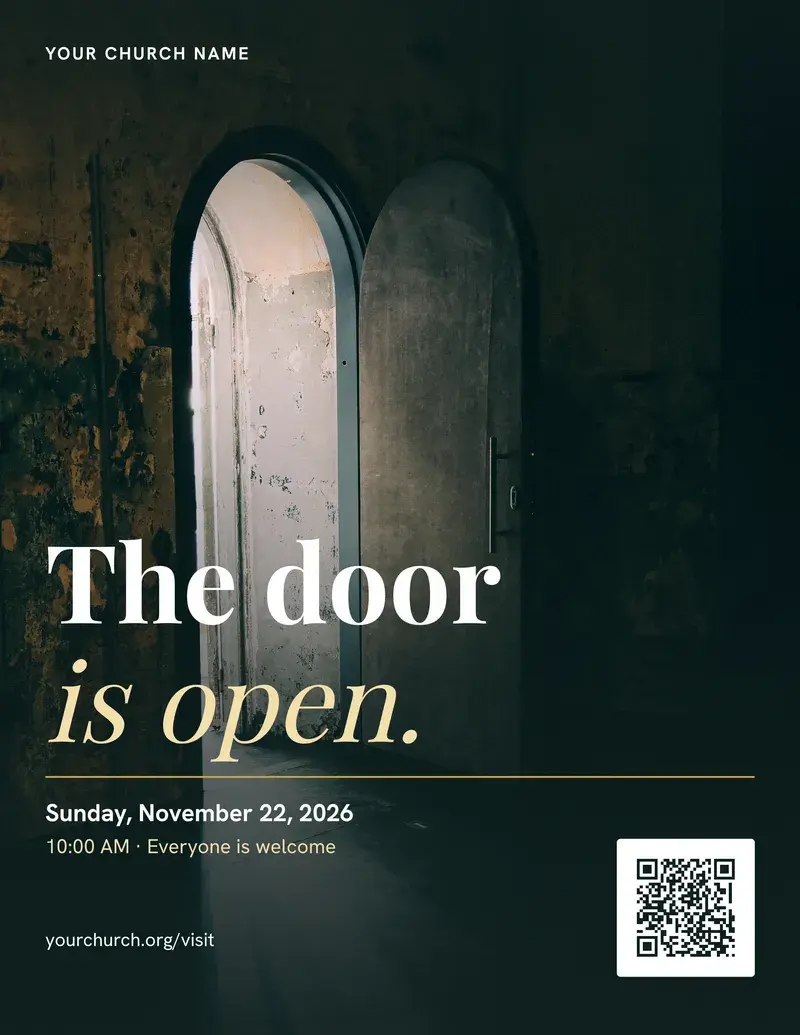
Sample flyer. The church name and address are placeholders.
- Bleed: art runs out here, then gets cut off
- Trim line: where it is cut
- Safe area: keep text inside, 0.25 in from trim
A guide, not a printer spec. Bleed of 0.125 in and a 0.25 in safe area are the values Design uses. Printers such as 4over4 ask for text at least 0.125 in inside the trim, and some ask for 3 mm of bleed. Check your printer's own template before you order. Pixels are size in inches times DPI, rounded.
Christmas Eve, Christmas Day and Sunday: three services in four days
Decide now which service gets your best effort and which get a simpler setup. Whether there's a Christmas Day service at all is your pastor's call.
| Day | Team of 1 | Team of 2 or 3 |
|---|---|---|
| Thu 24 Dec, Christmas Eve | Full slides. Stream if you always stream. Ask one helper to sit beside you | One person on slides, one on the stream |
| Fri 25 Dec, Christmas Day | Song words only (copy the Christmas Eve slides), or no screens if the service is small | One person runs everything |
| Sun 27 Dec | Welcome, song words, sermon, built before Christmas | One person, the others rest |
No Christmas Day service? You get a day off. Use it.
Running the booth on Christmas Eve
A candlelight service is the hardest hour of the year for the booth. Switcher Studio, which sells streaming software, puts it plainly: "Candles set the mood in the room, but on camera they leave faces dark and grainy."
What we'd plan for:
- The screen when the lights go down. A bright slide in a dark room pulls every eye away from the candles. Put a black slide in your slides for the candle lighting, or a very dim one with only the song words. In PowerPoint, you can also press B during the show to turn the screen black, and press B again to bring it back.
- The camera. Set white balance (which makes white look white) and exposure (how bright the picture is) by hand, so the picture doesn't jump when the lights change. Set them with the lights as low as they'll be on the night, at the practice run on 20 December. Our camera setup checklist goes through the order.
- A backup. Switcher also suggests recording the practice run, in case the live stream fails.
- A safety slide. Before the candles are lit, show a short slide. You could use: "Please hold your candle upright. Grown-ups, please hold candles for children. If your candle goes out, ask a neighbor for a light." Ask your church's insurer if it has its own advice.
Below is a sample run sheet. Change the order to match your service. In many candlelight services, the candles come near the end.
Template
Christmas Eve run sheet (sample)
30 min before: Doors open.
  Slides: loop with welcome, Christmas Eve, and next Sunday's time.
  Stream: countdown slide on, recording started.

Welcome.
  Slides: series slide, white or gold version.
  Stream: go live. Check the sound meter moves.

Carols and reading.
  Slides: song words on one quiet background; reading slide with the reference.
  Stream: wide shot, then a shot of the reader.

Message.
  Slides: sermon slides, if any.
  Stream: shot of the speaker.

Candle safety, then candle lighting and Silent Night.
  Slides: safety slide, then a black slide or dim song words only.
  Stream: wide shot, exposure checked, no quick moves.

Blessing and dismissal.
  Slides: "Merry Christmas" and next Sunday's time.
  Stream: end slide, then stop. Save the recording before you turn anything off.
For the hour before the service, the booth checklist below counts down each person's jobs to your start time. Pin the ones you can't miss, and print it.
Booth Mode
A pre-service countdown checklist for the media booth. Choose your jobs, pin what matters, set your own times and print it.
Pick your service start to count down. 10:00 am is a sample.
10:00 am
Show these jobs
Choose one job or several. Everyone shows all of them. Pinned items always show.
Service starts at 10:00 am. Times are a sample: change them to fit your team.
Do not miss
Your pins, in countdown order. Pin or unpin any item.
Midweek
Monday to Saturday. Do these when the room is quiet.
Before the service
A countdown to the start. Every time is yours to change.
During the service
Glance at these a few times. Write down anything that goes wrong, with the time.
After the service
Save the recording before you reset or power anything down.
0 of 30 ticked. Showing 30 items. Your pins, jobs, hidden items, edits and ticks stay in this browser on this device. We do not receive or store them.
If the stream drops mid-service, keep the stream recovery card in the booth. For more, read what to do when the church livestream fails and the livestream graphics checklist.
Can you stream Christmas carols?
Often, yes, but check two things: the song and the version. A very old carol may be free to use. A modern arrangement of it, or a band's recording, may not be. This is not legal advice.
Ask whoever pays the bills which CCLI licenses you have. The Church Copyright License covers showing song words in your services. The Streaming License is an extra one for your stream. A United Methodist guide calls it "an add-on option to the CCLI Church Copyright License" (ResourceUMC). CCLI's help page says it covers you "to stream or webcast worship services at any time during the week", so a Thursday service counts. Both cost money, so ask CCLI for your church's price.
A license doesn't stop the platform's robot from flagging you. YouTube's Content ID page says each upload is "automatically scanned by Content ID", and a match gets a claim. On the OBS forum, someone whose church streams its services put it this way:
the FB automated muting/flagging has nothing to do with which license one has
No streaming license? Stream only the spoken parts, or sing carols you have checked are free to use in that version. Our CCLI streaming license guide goes through what each license covers.
Help people find your Christmas Eve times
Guests look in more places than your website. Put the times in each of these:
- Google. Your Google Business Profile is the box that shows when someone searches your church. Add special hours for Christmas Eve. Google's help page says that for special hours to show up, you set your business hours to "Open with main hours."
- Your website. A banner at the top of the home page with the day, times and address.
- Facebook. An event with the times, address and the event cover from the size table, and a pinned post at the top of your Page.
- The link in your Instagram profile. If you use Church in bio, our one-page church website for that link, add Christmas Eve as a special event.
Children in pageants and nativity plays
Never post a child's photo without a parent's yes. Ask before the pageant, not after, with a form parents sign. If you stream, tell people: a sign at the door, a line in the bulletin and a spoken welcome. Offer seats out of the camera's view, and keep the camera wide when children are on stage. The free photo and video release forms include a parent form you can print, and the church photo release form guide explains how to use it.
Who owns each job?
Name a person for every row, and a backup. If the owner is "the team", nobody owns it. For a team of three, we'd split it like this: one person builds the files, one runs the screens, one posts. If one person does all three, do the bold rows in the plan, post only on Sundays and on Christmas Eve day, and ask for help for Christmas Eve only. A small plan you keep up beats a big one that stops on 6 December.
Before Advent starts, ask everyone which dates they'll be away, and fill in this grid:
| Date | Main person | Backup |
|---|---|---|
| Thu 24 Dec, Christmas Eve | ||
| Fri 25 Dec, Christmas Day | ||
| Sun 27 Dec |
Then write a one-page note for the backup: how to turn on the screens, where the slides are saved, and how to start the stream. The lyrics and slides operator checklist is a good base for it. If your team already feels stretched, read church media volunteer burnout.
Skip the daily Advent post and the homemade countdown video this year. The free countdown maker makes a countdown MP4 for you, in Chrome or Edge on a computer, with no account.
After Christmas: what to send guests
Some Christmas Eve guests won't think to come back on their own. On the night, show your January series and next Sunday's time in the closing loop. In the week of 27 December, follow up with guests who filled in a card. Our church visitor card guide covers what to ask.
Where do you make the files?
You can make everything here in the slide program you already use. Invite cards and the CCLI Streaming License cost money, so ask for quotes. The Advent and Christmas templates in Design are free with any account; you download each size and post it yourself.
The slow part of this plan is making the square post and the Story match without drawing the look twice. Design can copy a post into the Story size, and then you check where the text sits.
Make your next graphic
Church posts, stories and slides with your church's Brand Kit colours and fonts. Design is free with any account.
Open Design with a free account, no card needed. Design and Verse of the Day are free with any account.
Frequently asked questions
What order do the Advent candles go in?
Light one more candle each Sunday: one on 29 November, two on 6 December, three on 13 December and four on 20 December. A common order is Hope, Peace, Joy and Love. Many churches light a rose candle on the third Sunday and the white Christ candle at Christmas.
Is Advent purple or blue?
Both are common. The US Catholic bishops list violet, the ELCA's worship blog says blue is usual there, and United Methodist guidance allows either. Use your church's color every week.
When does Advent end?
On Christmas Eve. In 2026, Advent runs from Sunday 29 November to Thursday 24 December. It ends before evening prayer on Christmas Eve.
How early should we announce Christmas Eve?
Announce it from the front and in the bulletin on the first Sunday of Advent, 29 November. Start the online invites on 14 December, ten days before. The ten days is our suggestion, not a rule.
What size is an Advent or Christmas Eve slide?
For most church screens, 1920 by 1080 pixels, the wide 16:9 shape. A square social post is 1080 by 1080, and a Story is 1080 by 1920.
What if we're starting late?
Get the Christmas Eve times in writing, pick one look, make one series picture, and finish the Christmas Eve slides by 18 December. Add the rest as time allows.
Sources
All pages were read on 19 November 2026. Vendor pages are marked. The forum post is one person's view.
- Lectionary Page, 2027 calendar (updated 29 April 2026): "The year beginning with Advent in 2026 is Year B."
- USCCB readings for 29 November 2026 (the page for that day): First Sunday of Advent, Gospel Mark 13:33-37.
- Catholic Church Times, Advent 2026 (no date shown): when Advent ends.
- UMC Discipleship pages on the color blue in Advent and lighting the Christ candle (no dates shown).
- Hallow, Advent candles and wreaths (no date shown): other candle names. Hallow is a prayer app.
- The USCCB and ELCA color pages are quoted in our seasonal worship background calendar; we did not re-read them for this update.
- Ministry Pass, promote an Advent sermon series (no date shown). Vendor.
- Switcher Studio, last-minute tips for livestreaming a Christmas service (13 November 2026). Vendor.
- YouTube Help, add video thumbnails and Content ID (no dates shown).
- Google Business Profile Help, special hours (no date shown).
- CCLI Help, does the Streaming License only cover normal Sunday services? (updated 21 April 2023).
- ResourceUMC, church copyright licensing options (no date shown).
- OBS Forum, "Copyrighted music" (posts from 20 December 2024 to 7 January 2026). Forum.
Free printable PDF
Service run sheet
A printable church run of show for a team from one volunteer to a producer with a crew: a minute-by-minute service run sheet with a camera, audio, slides and stream cue for every item, who calls each cue, a final-by deadline, a one-page guide to calling the cues, a blank sheet and filled examples for a contemporary service and a liturgical service, with notes for a solo volunteer and for Sundays with several services.
Enter your email and confirm a code to download. We email you a copy the first time each day.